

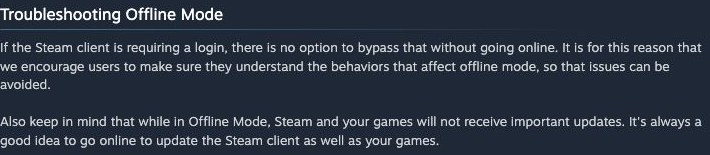
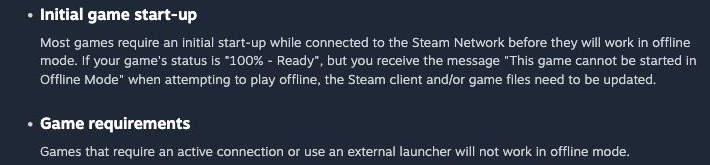
Set up Steam Offline Mode while internet access is still available. Sign in, fully update the games you plan to play, and launch each one to finish any first-run setup. Compatible games can then run without a Steam server connection, although their own online requirements still apply.
Valve’s instructions make preparation part of the process. Finishing an installation at home is more useful than discovering a required download after boarding a flight or losing your connection.
Save the login and finish setup
Start Steam online and select the option to remember your login. Wait for the selected games to finish updating, launch each one, and confirm that it works before returning to the client.
Check Settings, then Security. Don’t save account credentials on this computer must not be enabled. Offline preparation depends on Steam retaining the information it needs to use the account without another server login.
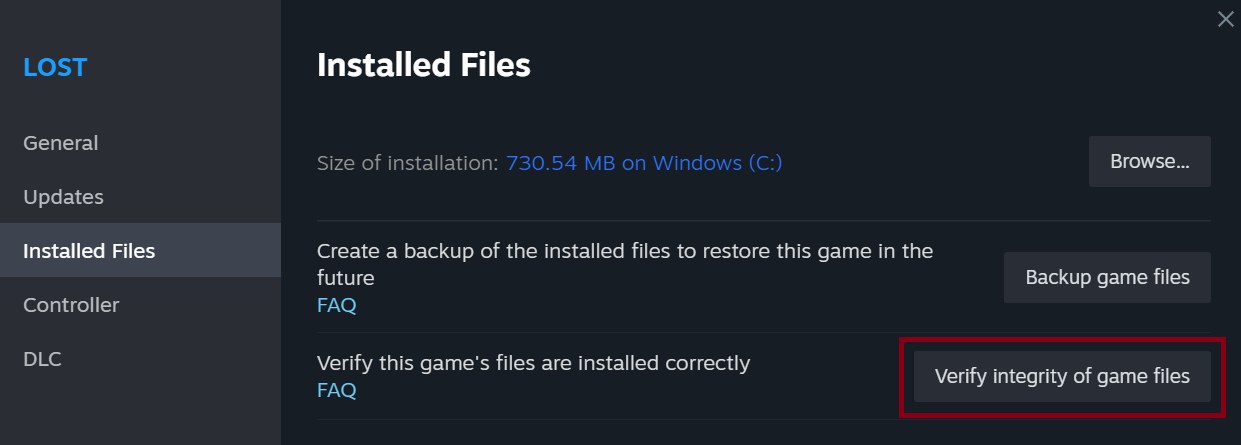
If a game reports missing installation data, verify its files while you are still online. Verification can download replacements, so running it after disconnecting limits its ability to repair the installation.
Go offline and test the mode you need
Open the Steam menu, select Go Offline, and follow the client’s prompt. Temporarily disconnect the device from the internet, launch each planned game again and check that the campaign or other mode you want actually starts. An entry in the library alone does not establish offline compatibility.
A game may require its own connection, a separate launcher or additional authentication. Steam Offline Mode cannot remove those requirements, and it does not make internet multiplayer available without a network.
Exit Steam through its menu when you are finished. Avoid forcing the process to close or cutting power while it runs. Valve warns that improper shutdowns can prevent the client from retaining information required for offline use.
A new login requirement needs a connection
If Steam requires fresh authentication and lacks the necessary saved information, reconnect, sign in and prepare Offline Mode again. The offline setting cannot replace a server authentication step that is still pending.
Steam Cloud also cannot synchronize local progress while the device is disconnected. When internet access returns, read any conflict message before choosing a version. Our Steam Cloud save-conflict guide explains how to protect the local progress you just made.
The conversation starts here
Sign in with a supporter account to comment. Sign in

Nobody has commented yet. Want to go first?