
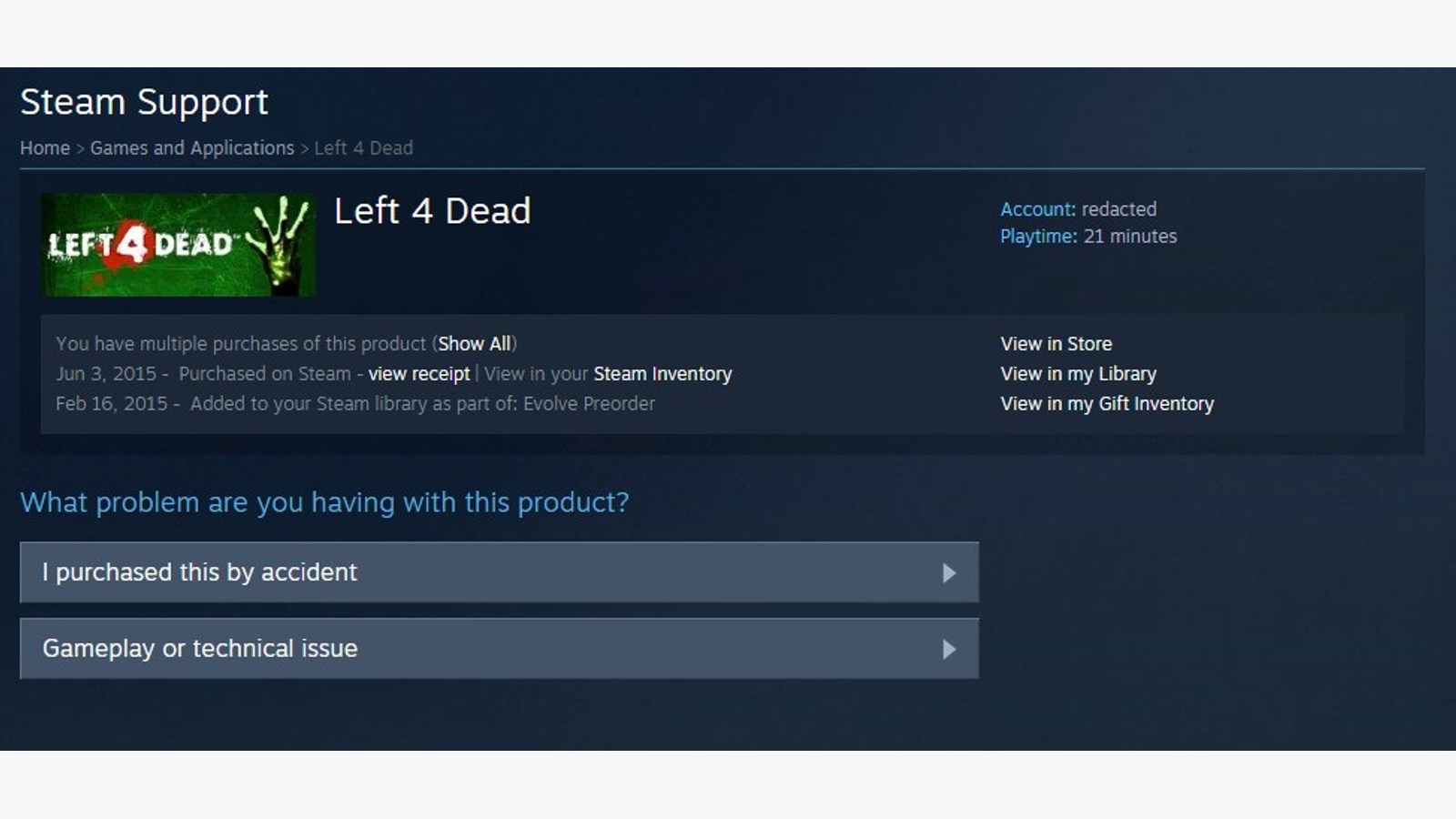
Open Steam Help, sign in and choose Purchases to request a refund for a Steam game. The standard policy requires a request within 14 days of purchase and less than two hours of playtime. Disliking a game is an eligible reason when those conditions are met.
Use the account that made the purchase and check that you bought it through Steam. Valve’s policy does not refund keys sold by another store. Contact that seller instead. Expansions have their own conditions, covered in our Steam DLC refund guide.
Submitting the request
Follow Valve’s refund walkthrough, checking the selected product before sending the form.
- Choose Purchases and open the game you want to refund.
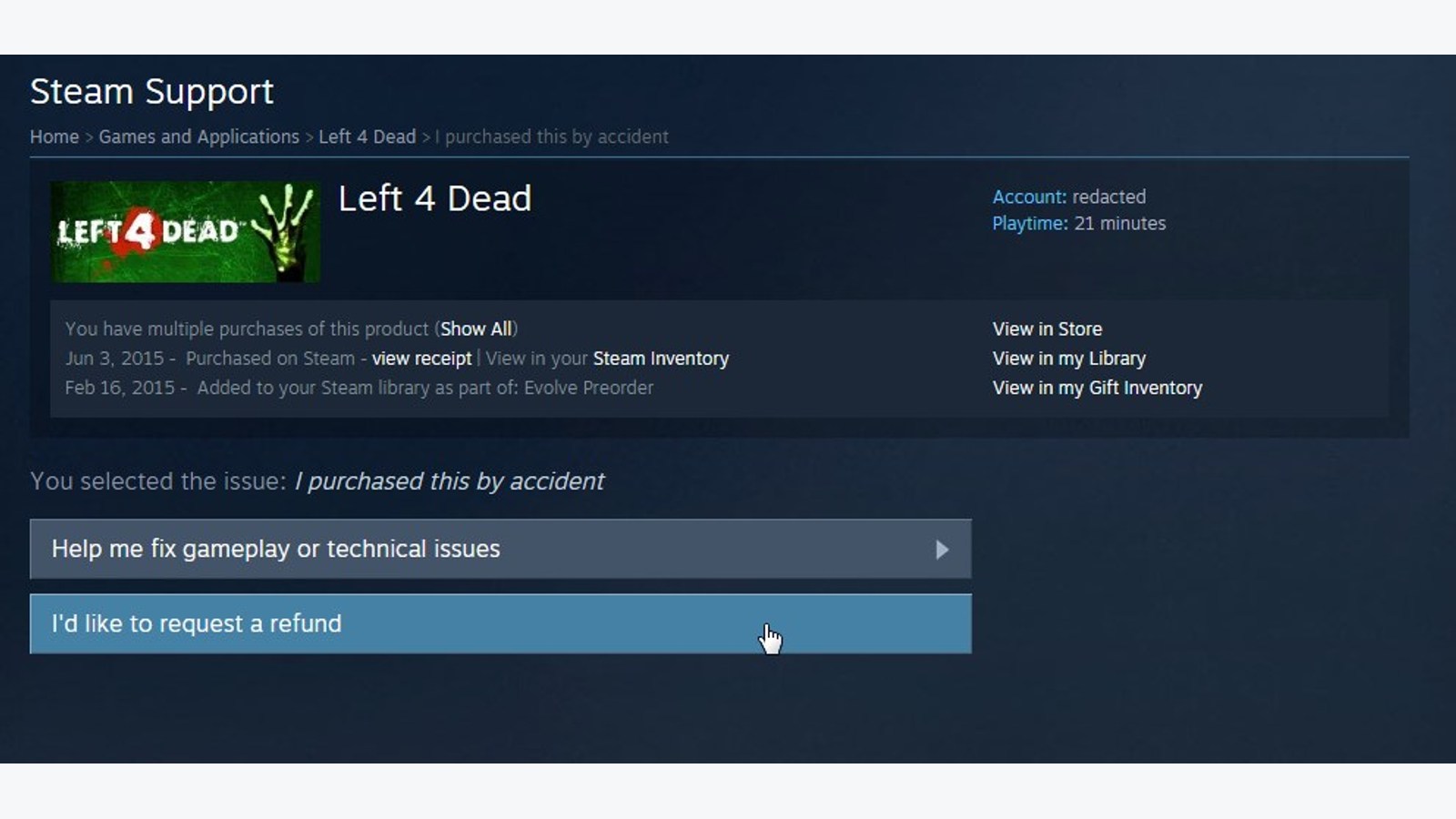
- Select the relevant problem, then I’d like to request a refund.
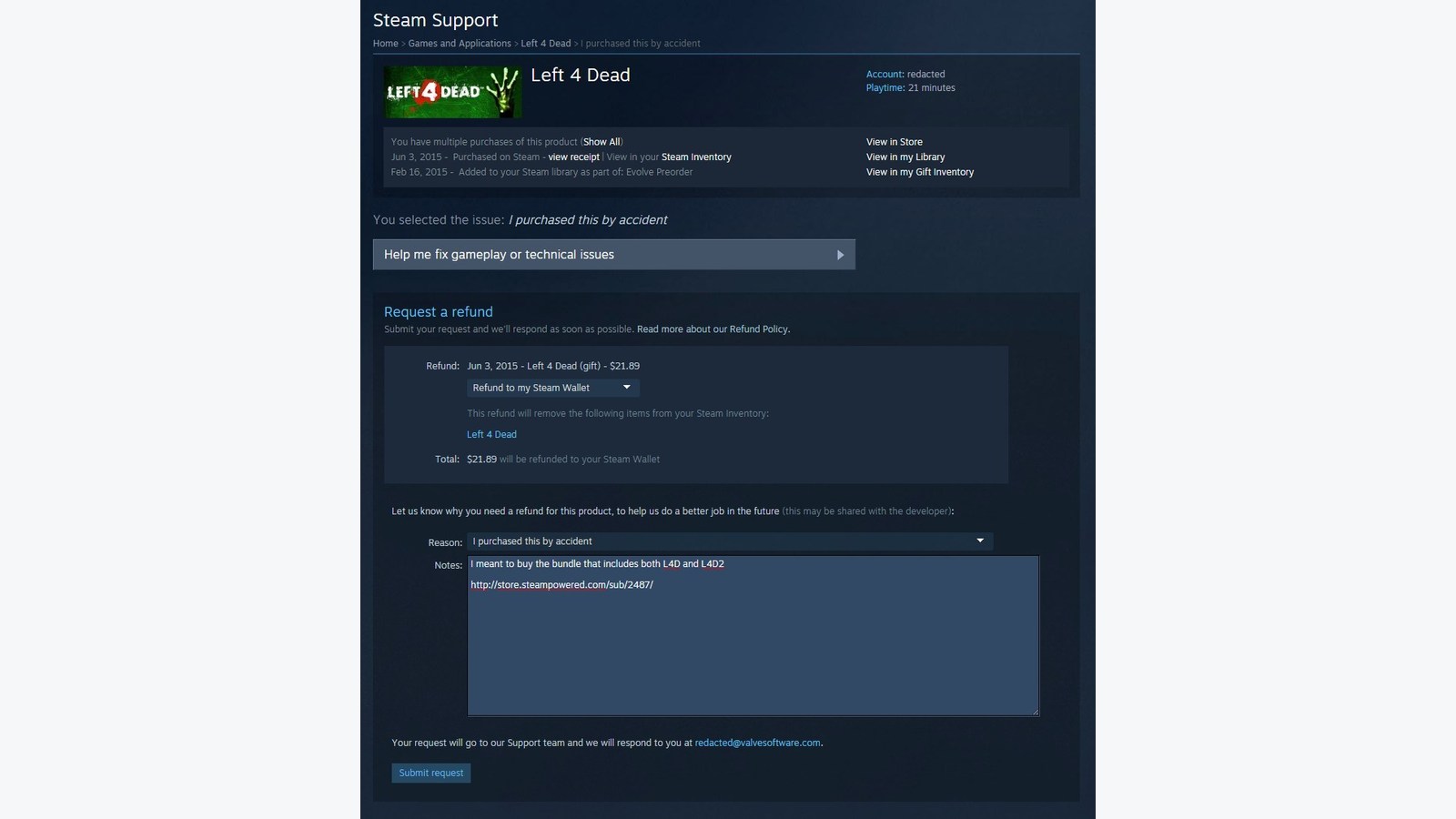
- Choose an available repayment destination: Steam Wallet or the original payment method.
- Enter your reason, review the request and submit it.
An acknowledgment is not the approval
Steam sends confirmation when a request is submitted and another email when it is processed. The first message establishes receipt. Check the later decision and the support case to find out whether the refund was approved.
The refund policy provides for repayment within a week of approval. If Steam cannot repay the original payment method, it credits the wallet. That distinction matters if you need money returned outside Steam.
Late requests and missing repayments
Valve allows requests outside the standard conditions for review, without guaranteeing approval. Describe the actual problem rather than assuming that exceeding two hours leaves the commercial refund offer intact.
The refund FAQ says international payment methods can take longer. For an approved refund missing after seven days, ask your bank about pending transactions. Also check your purchase history in case wallet credit arrived and was subsequently spent.
If you want to keep a malfunctioning game, verifying its files checks the installation. Keep the refund deadline and playtime allowance in mind while testing so that troubleshooting does not use them up unnoticed.
The conversation starts here
Sign in with a supporter account to comment. Sign in



Nobody has commented yet. Want to go first?