
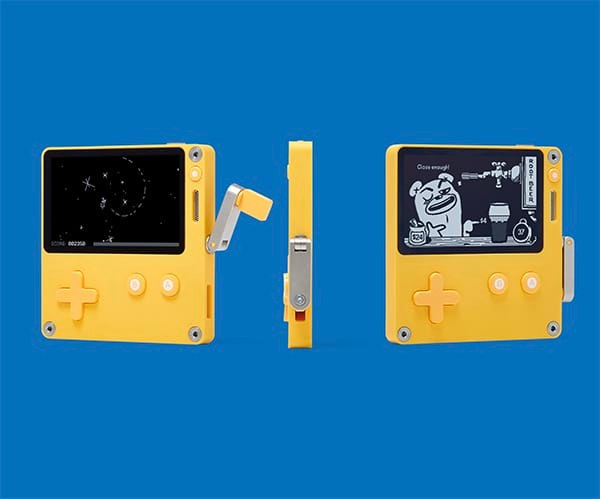
Owners of a Playdate that has been sitting unused should update it before October 15, 2026. Panic is asking users to reach Playdate OS 3.0.5 or later because older versions’ security certificate expires that day, according to the notice reported by Time Extension.
The certificate is involved in secure connections to Playdate’s servers. Affected older systems will lose server access and require a more involved manual update afterward. The notice concerns connectivity, rather than the hardware becoming unable to power on.
Install the update over Wi-Fi
Connect Playdate to Wi-Fi and preferably USB power. Open Settings, then System, then System Update. Accept the installation if a new version is offered. These are the steps in Panic’s official update instructions.
Keep the device on and unlocked during installation. Panic recommends leaving it powered and says the process generally takes a minute or two. That estimate does not necessarily include downloading the update or resolving a network problem.
Erasing data or factory-resetting the console is not part of the normal initial procedure. Start with the system update offered by the device.
Verify the installed version
The notice specifies version 3.0.5 or later. Return to Settings, System and System Update to check for another offered update. The consulted help page does not explain where to read the installed version number. If you cannot confirm that you meet the minimum, ask Panic support before the deadline rather than treating a dismissed notice as confirmation.
Also check that the device can reconnect to its services. If no update appears or installation fails, review the network connection and contact Panic support with the version shown on your Playdate. Do not obtain an unofficial system file to rush the process.
If the deadline has already passed
Panic’s notice says updating will become more complicated, but the news report does not provide the complete manual procedure. Consult the official manual and support guidance for your version before attempting recovery or erasing the device.
The conversation starts here
Sign in with a supporter account to comment. Sign in

Nobody has commented yet. Want to go first?