
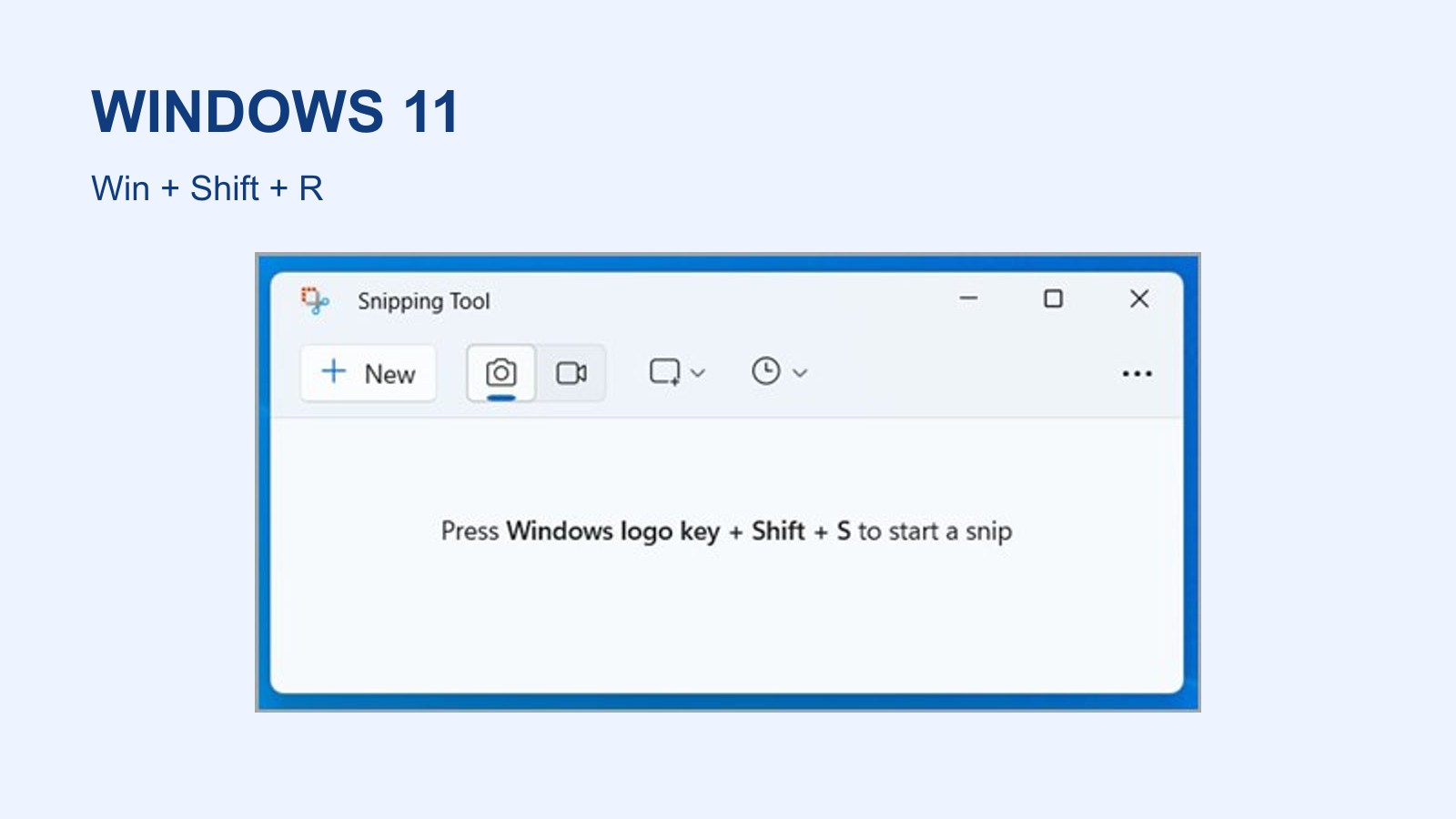
Windows 11 can record a rectangular area of your screen with Snipping Tool. Press Windows + Shift + R, select the area and choose Start. Stop when finished and save the video. Microsoft’s Snipping Tool guide describes the process without another recording application.
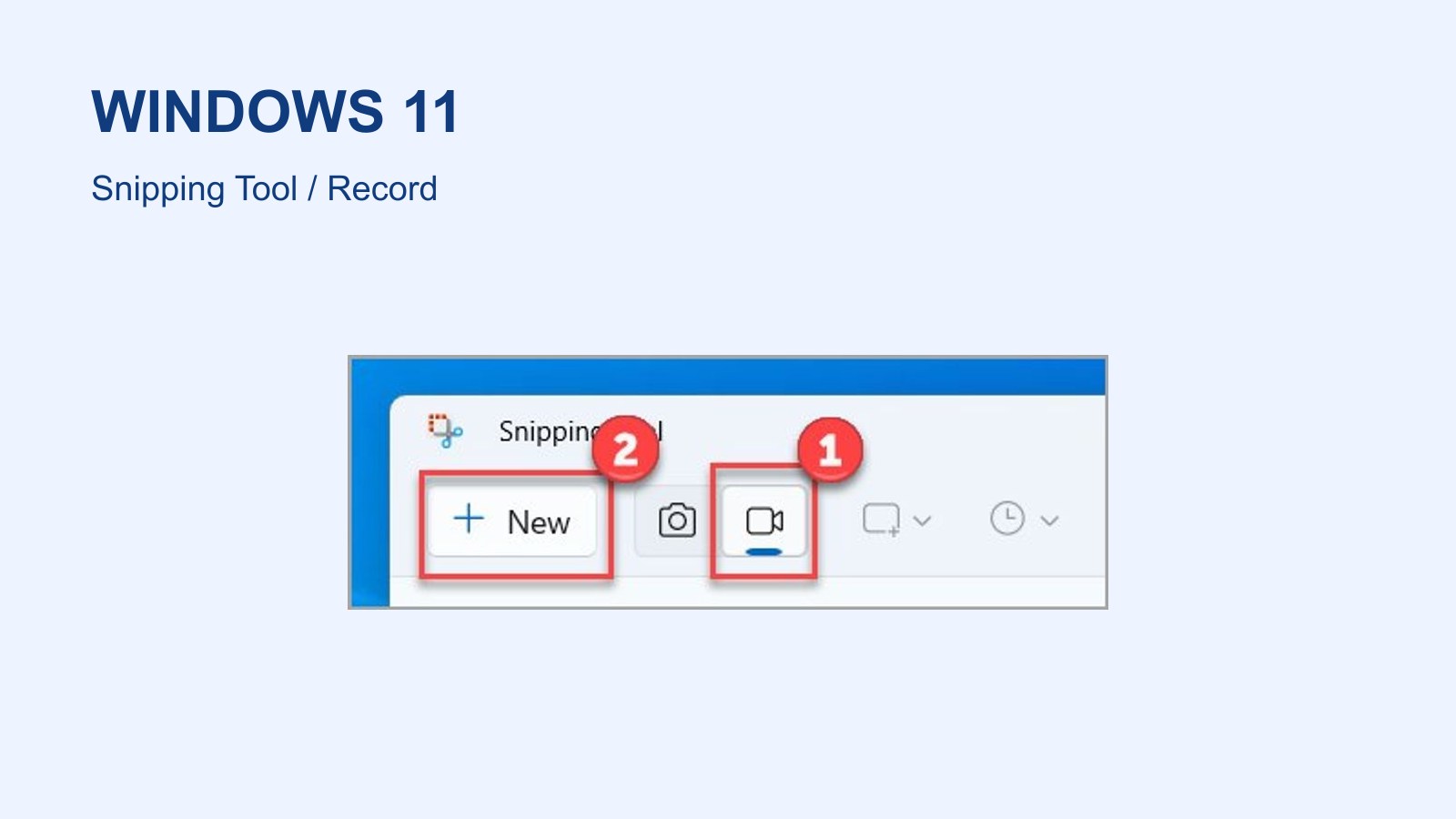
If the shortcut does not open the tool, search for Snipping Tool in Start. Choose the video icon, then New. Check the selected mode before marking the area, because image mode produces a still screenshot.
Make a short test recording
Microsoft’s Surface walkthrough uses the Windows 11 tool. The same application workflow also applies to other Windows 11 PCs.
- Open and position the window you want to demonstrate.
- Press Windows + Shift + R, or choose Snipping Tool > Video > New.
- Drag a rectangle over the recording area. Check the sound and microphone controls available in your installed version.
- Choose Start, perform the action and select Stop when finished.
Save and play the file back
Play the preview before saving. Check that the intended window is visible and that the sound matches what you need. A short test catches a wrong microphone before you record a lengthy explanation.
Select Save or press Ctrl + S, then choose a recognizable filename and location. Open the saved file from that folder to confirm it plays outside Snipping Tool. Include valuable recordings in your backup plan.
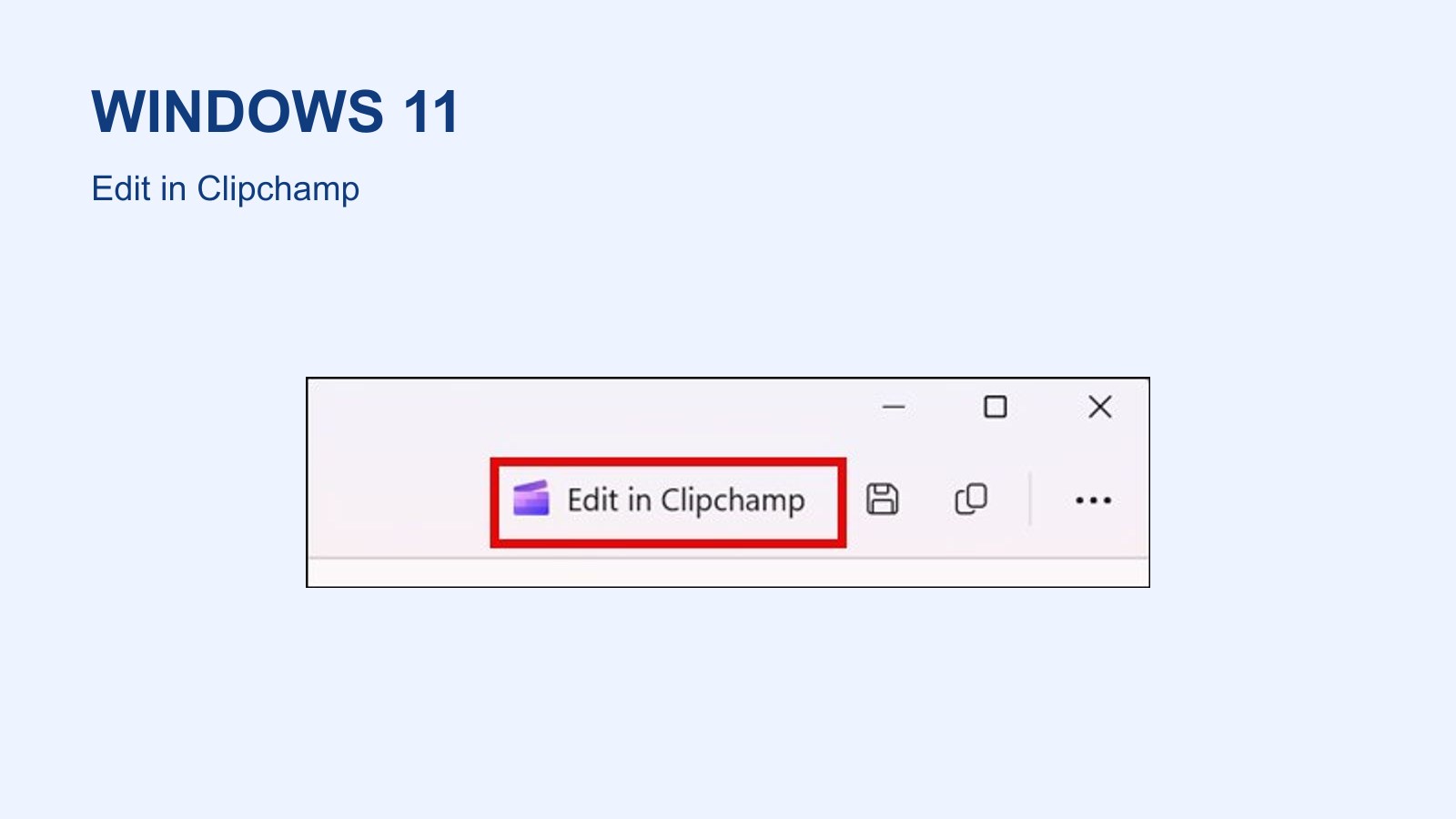
Edit in Clipchamp is also available for further work. Microsoft describes adding audio and captions there. Editing is optional when the recorded clip already contains what you need.
If recording mode is missing
Check Snipping Tool updates in Microsoft Store and your Windows version. Microsoft describes its built-in video recording for Windows 11. Its capture-tool overview also lists Game Bar and Clipchamp as alternatives.
A recording is not a benchmark. Capture can add computer workload, and FPS and refresh rate measure different things. To document a game fault, provide the game name, settings and the point where it occurs alongside the clip.
The conversation starts here
Sign in with a supporter account to comment. Sign in

Nobody has commented yet. Want to go first?