

Check the game edition first
PS4 saves can move to PS5 over your local network, on a USB drive or through PlayStation Plus cloud storage. That preserves progress for compatible PS4 games. Using the save in a native PS5 edition is a separate question: Sony says support depends on the developer.
If a save seems missing, check whether you launched the PS4 or PS5 app before copying everything again. Owning both editions does not guarantee automatic conversion. Our cross-progression explainer covers the difference between sharing progress and merely owning versions on two platforms.
Use a network transfer when you have both consoles
Follow Sony’s preparation steps: update both consoles, sign into the same account and connect them to the same network. On PS5, open Settings > System > System Software > Data Transfer and select what you want to copy.
Keep both consoles on and leave the network settings unchanged. PS5 may restart while some copying is still underway, so check Downloads/Uploads for progress. When transferring from PS4 after the PS5’s initial setup, saved data is limited to the signed-in user.

USB and cloud options
USB is useful for a small selection of PS4 saves and does not require Plus. On PS4, open Settings > Application Saved Data Management > Saved Data in System Storage > Copy to USB Storage Device. Choose the game and the saves.
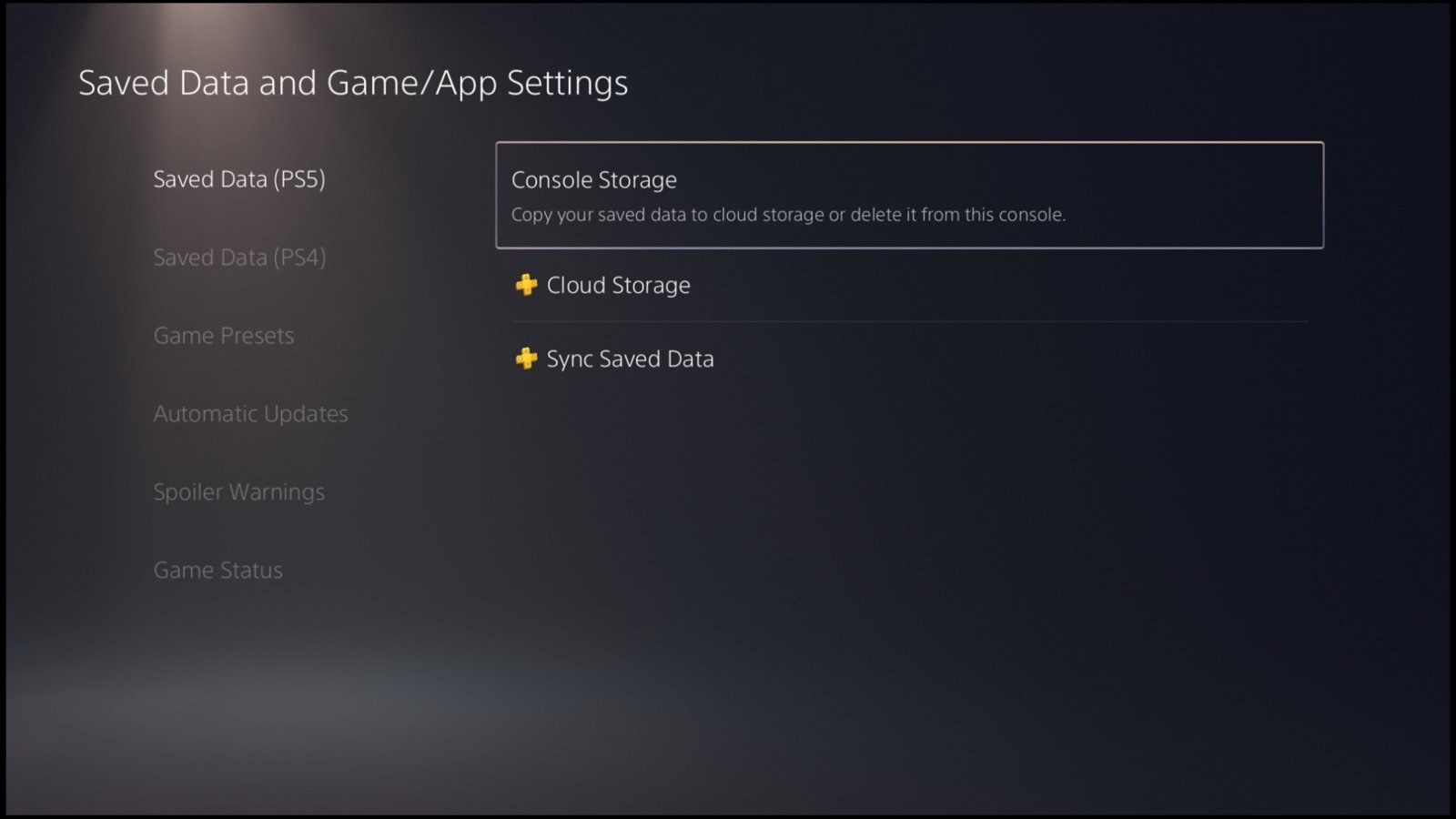
Plug that drive into PS5, then use Settings > Saved Data and Game/App Settings > Saved Data (PS4) > USB Drive to copy them onto the console. Compare timestamps before accepting an overwrite. This route is for PS4 saves, not individual native PS5 save exports.
With PS Plus, open Settings > Application Saved Data Management > Saved Data in System Storage > Upload to Online Storage on PS4. Select the game and latest save, following Sony’s manual upload instructions, and let the upload finish. On PS5, use the cloud download menu: Saved Data (PS4) > Download or Delete from Cloud Storage. Compare timestamps before overwriting an existing copy.
Verify your progress before clearing the old console
Load the save under the same account. Check a recent chapter, character or item before deleting anything on PS4. If the PS5 edition cannot read it, look up that game’s import procedure. Do not overwrite a valid copy with a fresh game while troubleshooting.
An external drive containing installed games does not prove the saves traveled with them. Our PS5 storage guide explains where games can be installed. Treat the installation and your progress as separate checks.
The conversation starts here
Sign in with a supporter account to comment. Sign in
Nobody has commented yet. Want to go first?