
What transfers and what does not
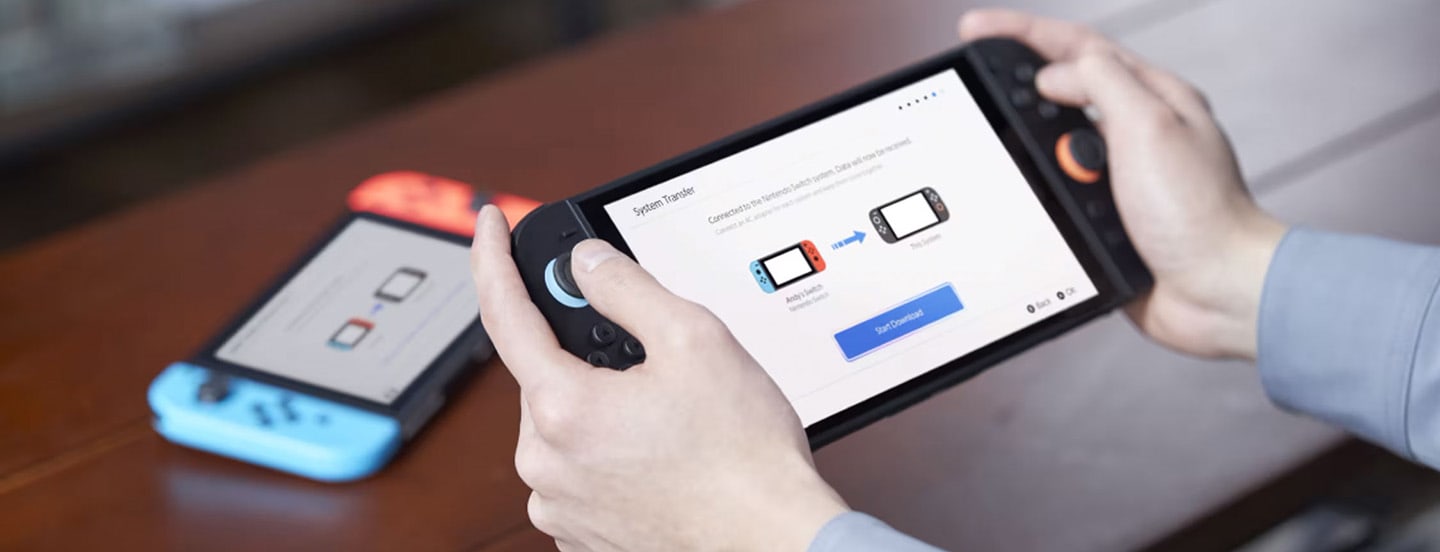
If both consoles are still with you, choose a local transfer during the initial Switch 2 setup. If you need to sell, trade or give away the original Switch before Switch 2 arrives, its data can be stored temporarily on Nintendo's servers. Once the upload finishes, the old console returns to factory settings and all of its data is erased, while the transfer package remains available on the server for up to 12 months.
The process carries over every user, linked Nintendo Account, friend list, play activity, user settings, Mii data, parental controls, registered networks and captures saved in system memory. Digital games download again afterwards, requiring an internet connection and enough free storage. If space is already a concern, our Switch 2 microSD Express guide explains the only expansion cards that can hold games.
Bluetooth audio devices and settings, custom button mappings, time, time zone, language and region do not transfer. Captures on an old microSD card can be imported when prompted, but that card cannot later install Switch 2 software.
Recommended method: local transfer
Nintendo recommends local communication. Keep both consoles nearby, updated and online, then sign in with the Nintendo Account linked to the user starting the transfer. Despite the name, the local method still needs the internet for account checks and setup.
Save data requires care. Nintendo says cloud-backup-compatible saves tied to a linked Nintendo Account remain on the source Switch and are copied to Switch 2. Saves belonging to unlinked users and games without cloud backup move to the new system and disappear from the old one. Nintendo also frames the overall operation as one-way, so verify the status of every irreplaceable save before the final confirmation.
If both systems need to retain a save that does not support the cloud, do not run the whole-system transfer blindly. Nintendo recommends considering an individual user and save-data transfer instead. The general transfer includes every user on the source console rather than letting you pick one.
Selling the old console: use the server
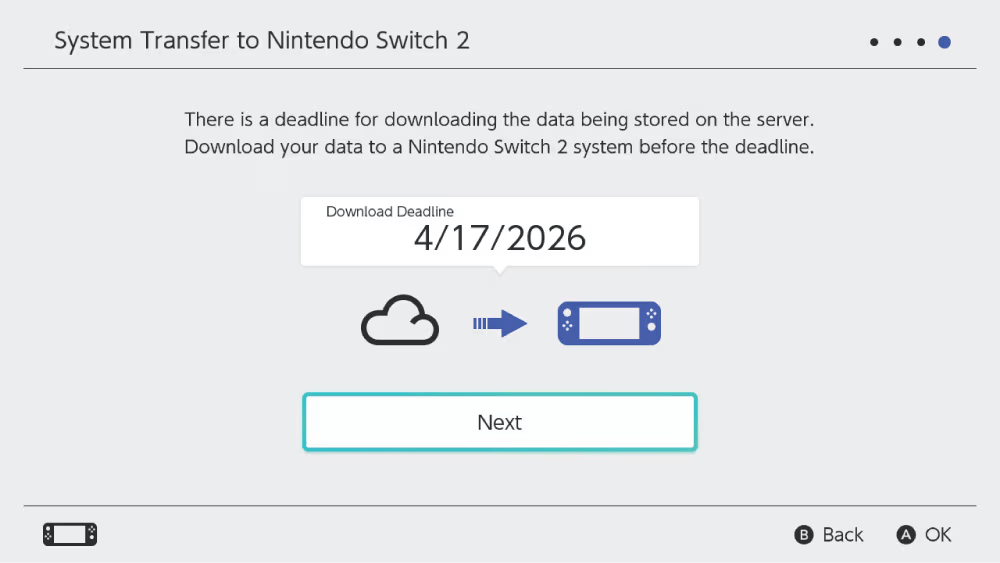
The server route is built for one particular problem: handing over the old Switch before Switch 2 arrives. On the original console, open System Settings > System > System Transfer to Nintendo Switch 2, choose the option saying that you do not have Switch 2 yet, review the deadline and upload the data with your Nintendo Account.
The source Switch initializes when the upload finishes, returning to factory settings and deleting every user's data. Nintendo holds the package until you retrieve it, cancel the operation or pass its download deadline, for no longer than one year. Record that date and avoid the server method unless the new console is definitely coming in time.
Retrieval is only available during Switch 2's initial setup and requires the same Nintendo Account. A Switch 2 that has already completed setup must be initialized again to import the full package. The alternatives are downloading supported cloud saves or moving specific save files rather than restoring the entire system.
Step-by-step transfer
Turn on Switch 2 and continue through initial setup until System Transfer. Connect to the internet, install the requested system update and choose Start System Transfer. Sign in with the same Nintendo Account linked to the old Switch and keep both consoles close together.
On the original Switch, open System Settings > System > System Transfer to Nintendo Switch 2. Decide whether software should redownload and album data should transfer, confirm that Switch 2 is nearby and wait for the connection. Choose Start Download on the new console. Switch 2 restarts after receiving the data and completes the process during startup.
Once it finishes, inspect the user profiles, launch the games that matter most and open their saves before erasing, selling or storing the old machine. Digital software may still be downloading, which is not evidence that its save has vanished. Licence, installation and save data are separate pieces of the transfer.
Special saves and mistakes to avoid
Animal Crossing: New Horizons uses one shared island across its users and is excluded from the standard Switch-to-Switch 2 system transfer. Nintendo provides a separate process for moving the whole island or individual residents. Complete it separately and do not initialize the source console until the island appears on the new one.
Do not start using Switch 2 with a temporary profile if a server package still needs to be restored. That option only appears during initial setup. Captures are also separate from game installations, while a regular microSD card cannot become Switch 2 game storage after the move.
When the transfer is complete, our Switch 2 games, controllers and accessories compatibility table can help decide what to keep from the first system. The safest transfer is not the fastest. It is the one that ends with every important save open in front of you before the original console leaves your hands.
The conversation starts here
Sign in with a supporter account to comment. Sign in
Nobody has commented yet. Want to go first?