
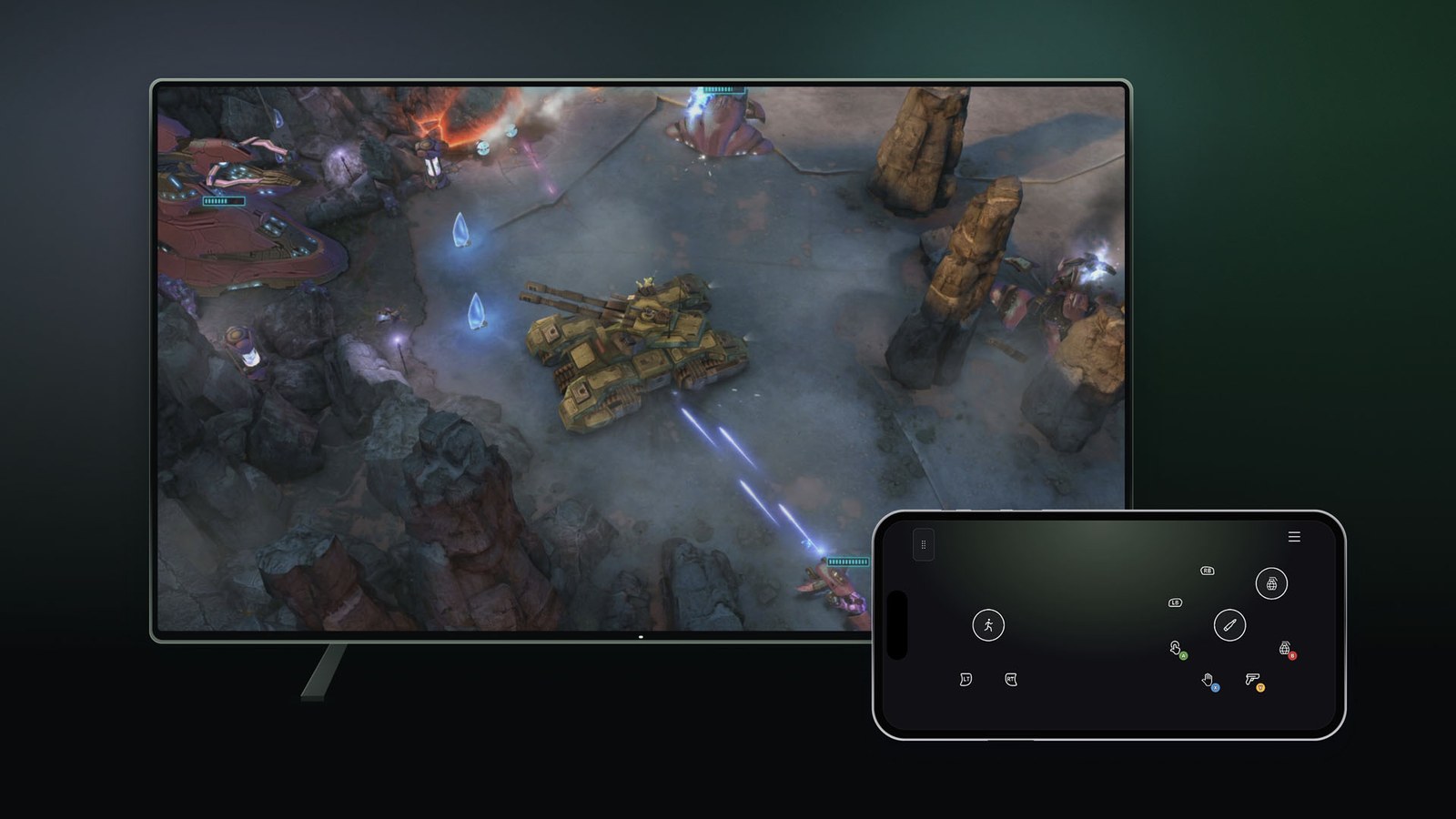
Xbox Cloud Gaming can now turn your phone into a controller on a smart TV. Microsoft announced the preview on November 4, and it is rolling out on supported TVs in every country where Xbox Cloud Gaming is offered, including the US. Android phones and iPhones both work, and there is nothing to install, because the controls load in the phone's web browser.
Nothing runs on the phone itself. A Microsoft server plays the game and streams the picture to your TV, while the phone simply replaces the gamepad, turning taps on its touchscreen into inputs. Microsoft says some games will get controls tailored to how they play, but it has not named them.
How to turn it on
Microsoft's instructions are short:
- Make sure the Xbox app on your TV is up to date.
- In that app, open Settings, go to Account and switch on Preview Features.
- Switch off or unpair any controller connected to the TV, then launch a cloud game. You will be offered the option to use your phone for that session.
- Pick that option and scan the QR code on the TV with your phone. The touch controls open in the phone's browser.
If the option doesn't show up
If the option still doesn't appear with no controller connected, the preview may not have reached your TV yet, or the set may not support the Xbox app at all.
Xbox lists Samsung TVs from 2020 onward, LG models on webOS 24 or later (plus some updated 2022 and 2023 sets), several Amazon Fire TV devices and TVs running VIDAA OS 9.6 or newer. Our guide to playing Xbox on a smart TV without a console covers how to check your model and what connection to use.
Game Pass and cloud hours still apply
The TV app requires Game Pass whether you play with a phone or a gamepad, and since November each tier comes with a monthly cloud allowance: five hours on Essential, 10 on Premium and 15 on Ultimate. A phone-controlled session is still cloud streaming, so it draws from that allowance like any other. We broke down the Xbox Cloud Gaming hour limits when they were announced.
Microsoft hasn't said how long the preview will run or how much delay the phone adds between a tap and the reaction on screen. That delay will decide whether it works for fast games. Until someone can measure it, it makes most sense as a backup for when no controller is within reach.
Xbox Nano can skip the TV entirely
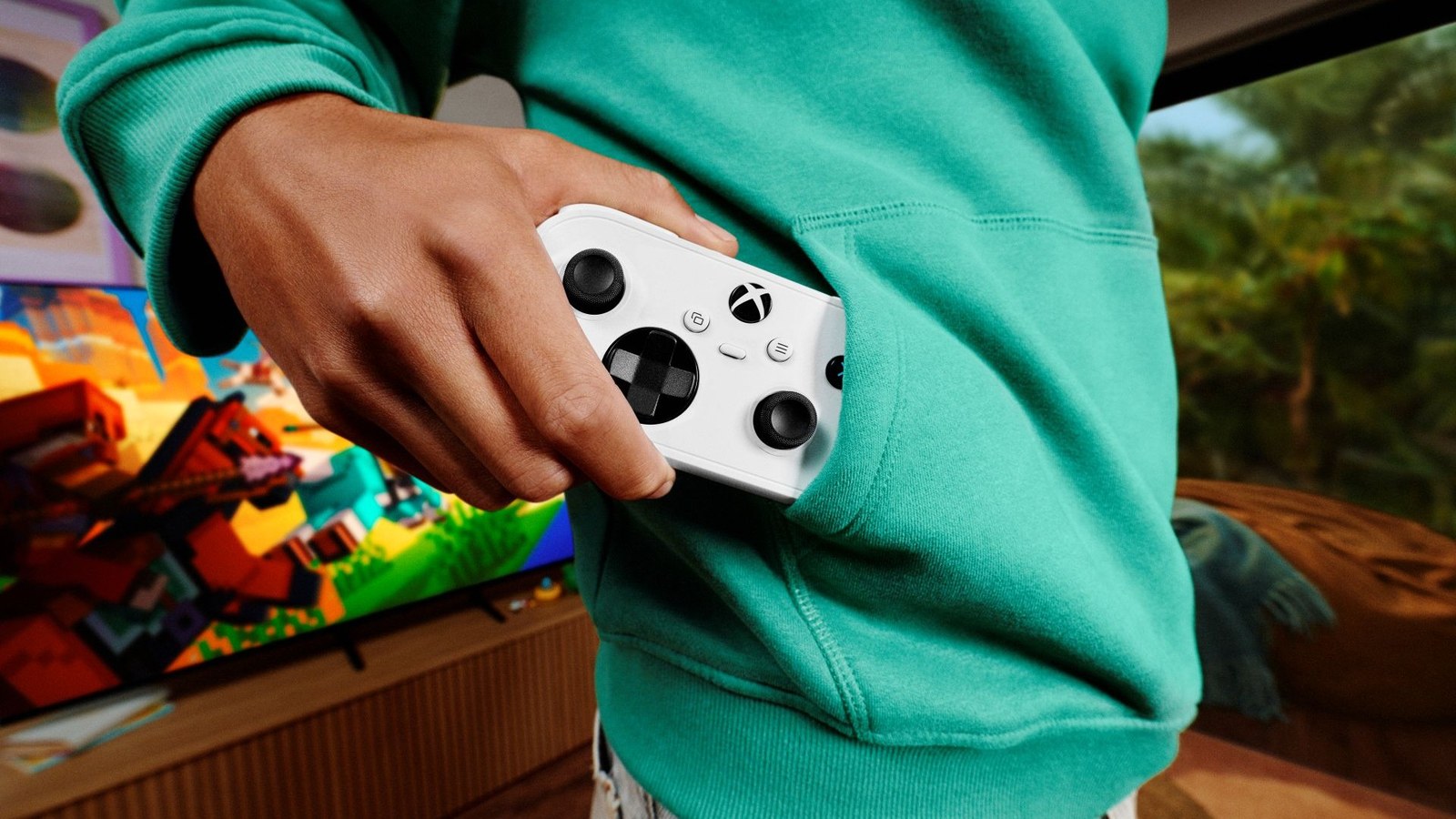
Microsoft opened a second preview the same day, this one US-only and built for the new Xbox Nano controller. Normally a controller talks to the TV over Bluetooth, and the TV relays every button press over the internet to the server. With cloud connect, the Nano joins your Wi-Fi network and sends its input straight to the server running the game, skipping the TV hop. Microsoft says that can reduce input latency, though it gives no figures.
For now it works only on supported smart TVs and in a web browser.
Setting up cloud connect
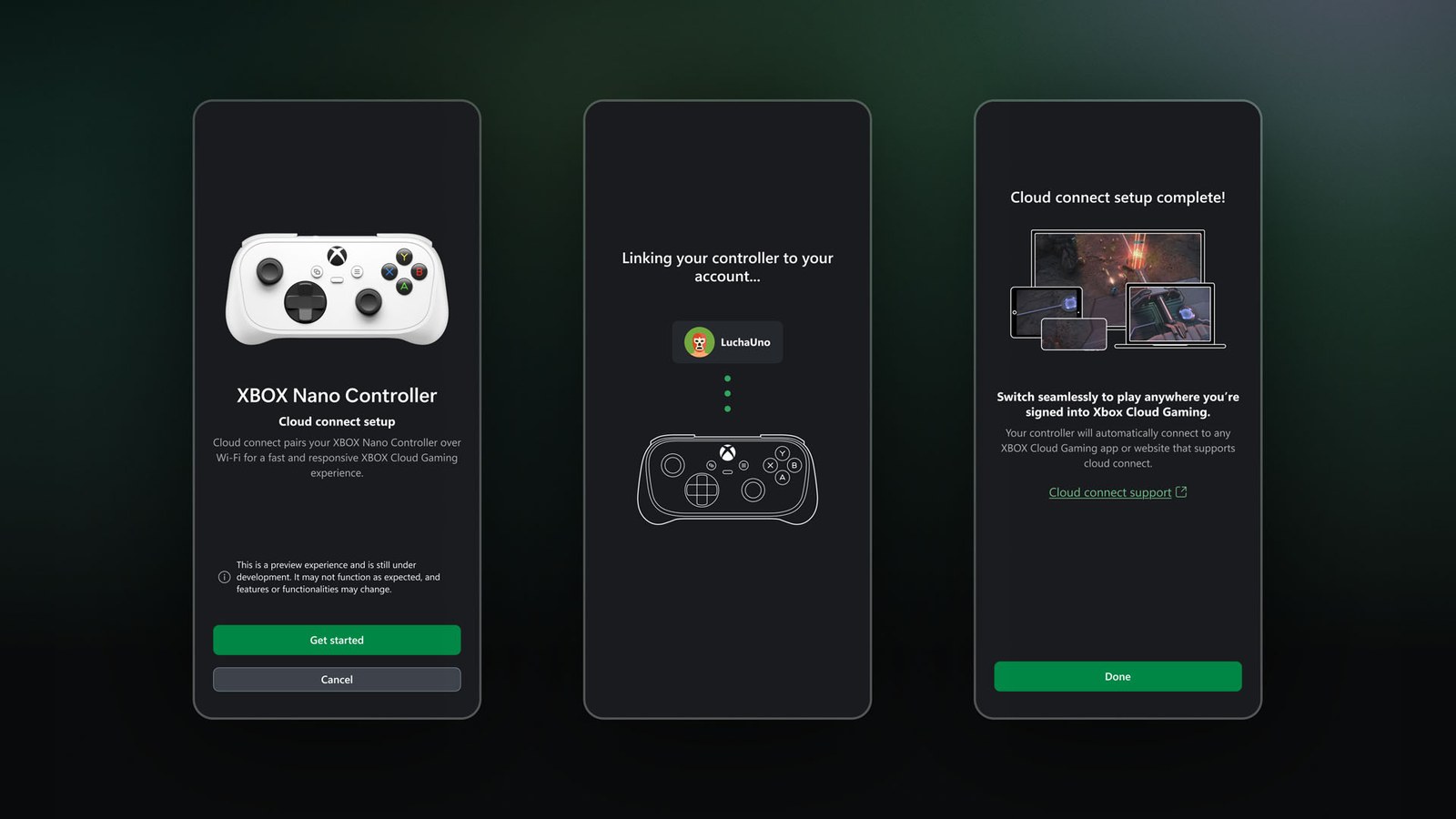
Set the controller up with the Xbox beta app on Android, or with the Xbox Accessories app on a Windows PC, which requires joining Xbox Insider, Microsoft's program for testing early features. The app connects the Nano to your home Wi-Fi. After that, sign in to a supported Xbox Cloud Gaming experience with the same account you used during setup, and the controller links up on its own.
Frequently asked questions
Can I use my phone as an Xbox controller on my TV?
Yes, on smart TVs that support the Xbox app, as part of a preview Microsoft launched on November 4, 2026. Turn on Preview Features in the TV app's account settings, start a cloud game with no controller connected and scan the QR code on screen with your phone.
Do I need to install an app on my phone?
No. Microsoft says the touch controls open in your phone's browser once you scan the QR code on the TV, and both Android phones and iPhones are supported. The only thing that needs updating is the Xbox app on the television.
Is the phone controller available in the US?
Yes. Microsoft is rolling it out on supported TVs in every country where Xbox Cloud Gaming is available, the US included. Because it is a preview, it may take time to reach some TV models, and only some games will get controls tailored to touch screens.
Does playing with my phone use Game Pass cloud hours?
Yes. The game still runs on Microsoft's servers, so it counts as cloud play. Since November 2026, Essential includes five hours a month, Premium 10 and Ultimate 15. The phone only replaces the physical controller and does not change that allowance.
What is Xbox Nano cloud connect?
It is a separate US-only preview in which the Xbox Nano controller connects over Wi-Fi directly to the server running your game, instead of going through the TV over Bluetooth. Microsoft says this can lower input latency. You set it up with the Xbox beta app on Android or the Xbox Accessories app on PC.
How do I send feedback on the preview?
On your phone, after scanning the QR code, tap the Xbox icon in the top-left corner and choose Give Feedback. On the TV, press the Xbox button to open the Guide, or select the Xbox icon in the top-left, then pick Give Feedback. Cloud connect feedback goes through the Xbox Accessories app or the Xbox mobile app.
The conversation starts here
Sign in with a supporter account to comment. Sign in
Nobody has commented yet. Want to go first?