
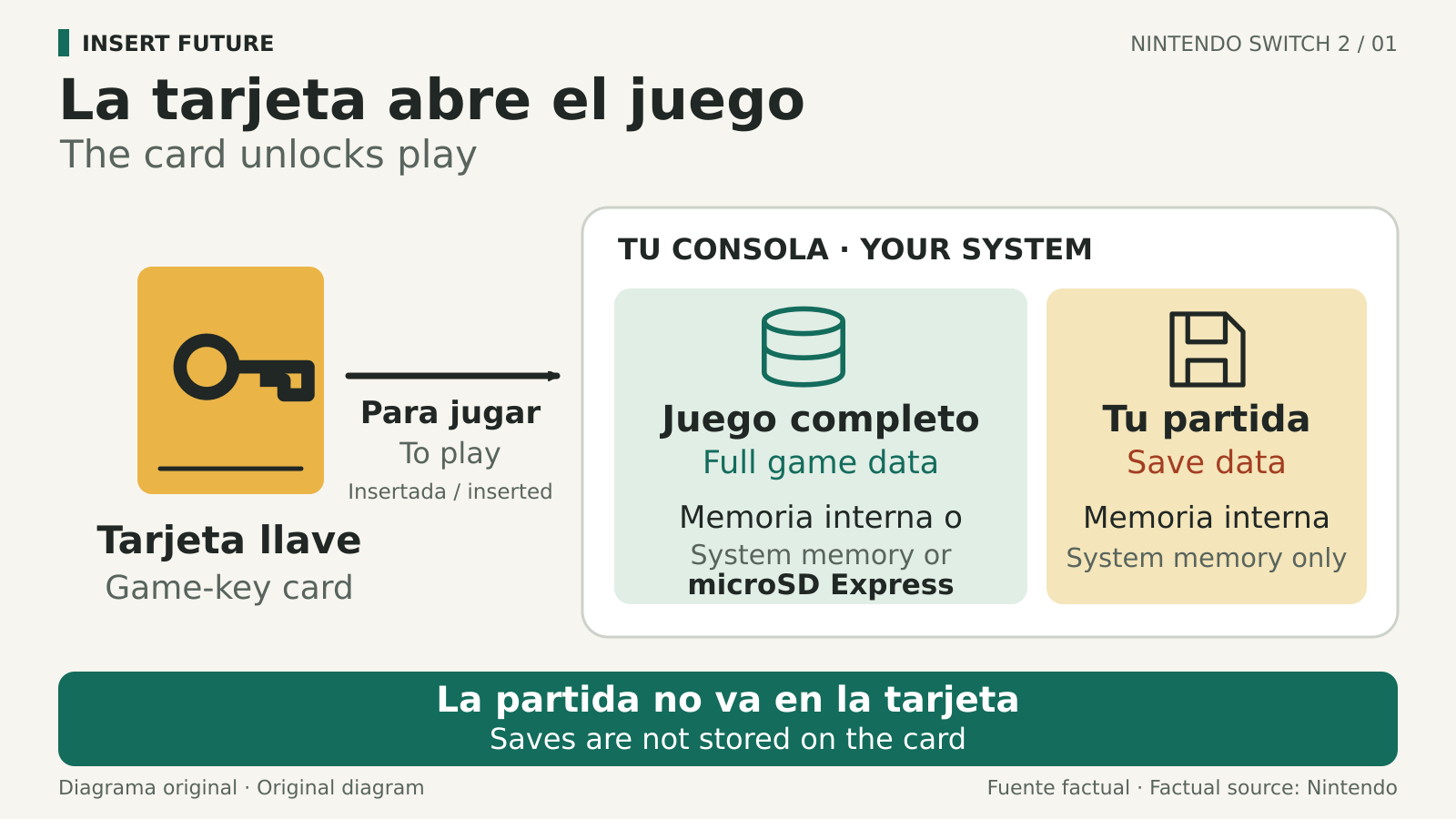
A Nintendo Switch 2 game-key card can be lent to another player simply by handing it over. It is not tied to the lender’s Nintendo Account. The borrower prepares the game on their own console and needs the physical card inserted whenever they play. Once the initial setup is complete, the format supports offline startup, while online features still require a connection.
Think of the card, installation and save as three separate things. The card provides the key to launch the game. Downloaded game files live in system memory or on a microSD Express card. Saved progress lives in the console’s internal memory, so lending the card does not hand over your saved game.
Check the format before buying or borrowing
Game-key-card packaging carries a label identifying the format and lists the storage needed for the download. The card itself has a key symbol at the top right. Nintendo’s game-key-card overview shows the packaging and installation process. A physical box does not mean the full game is stored on the card.
This also differs from buying a download code. A code redeemed through Nintendo eShop adds the digital purchase to a Nintendo Account. A game-key card can instead move from player to player without transferring an account. Check which format the particular edition uses.
Get the target console ready for offline play
Prepare the console you will actually take with you. Nintendo says the game-data download does not require a Nintendo Account, but that exemption does not remove account or connection requirements for a game’s own services.
- Check the storage requirement on the box, then open System Settings from the HOME Menu and select Data Management to inspect free space. Our Switch 2 microSD Express guide explains compatible expansion cards if you need more room.
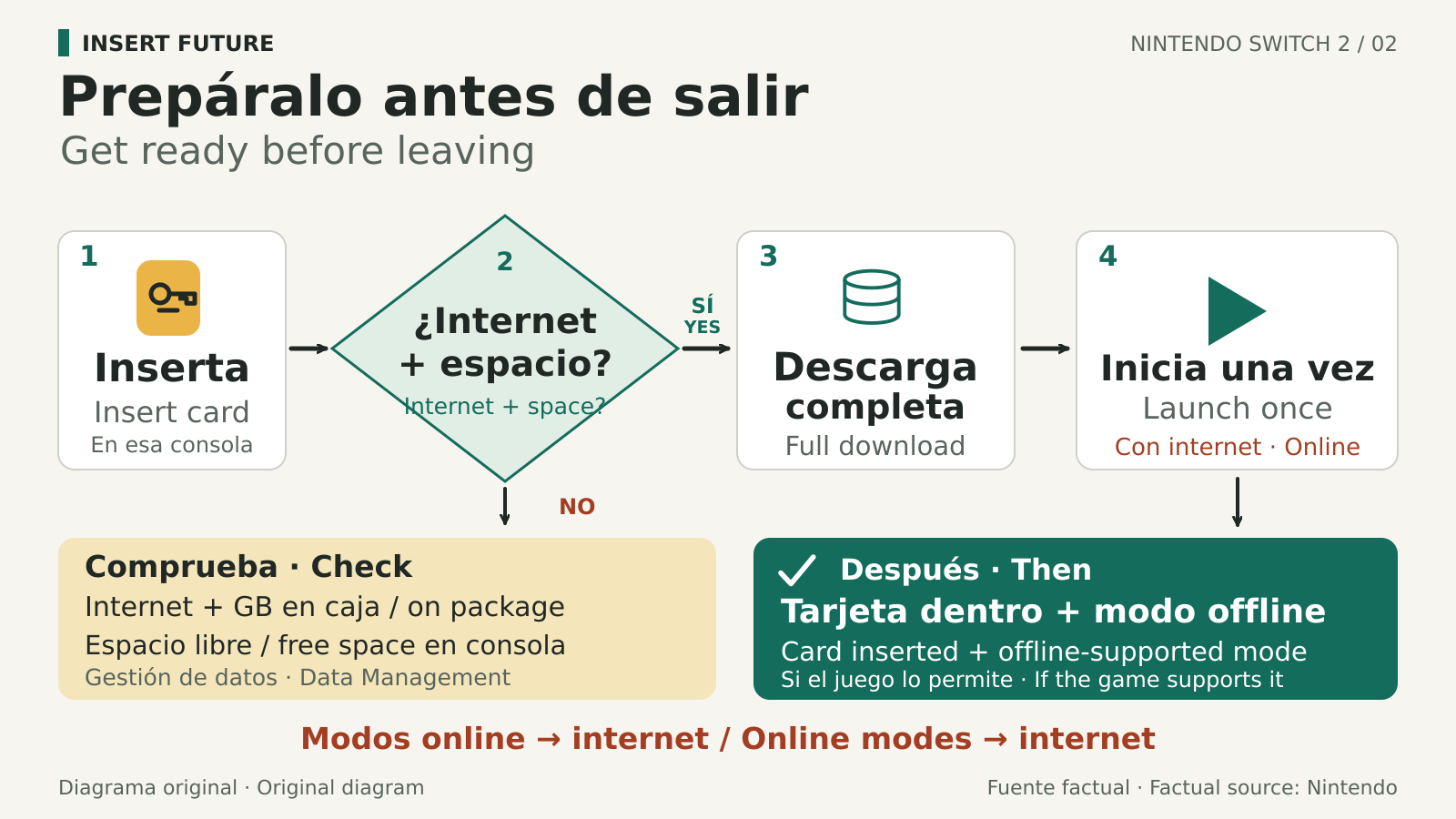
- Connect to the internet and complete any requested system update. Insert the game-key card and follow the HOME Menu instructions. Complete the download and launch the game for the first time while online.
- Before leaving, test the mode you plan to use with the console disconnected from the internet. Keep the card inserted. Offline startup does not make an online multiplayer mode work without a connection.
What moves when you lend the card?
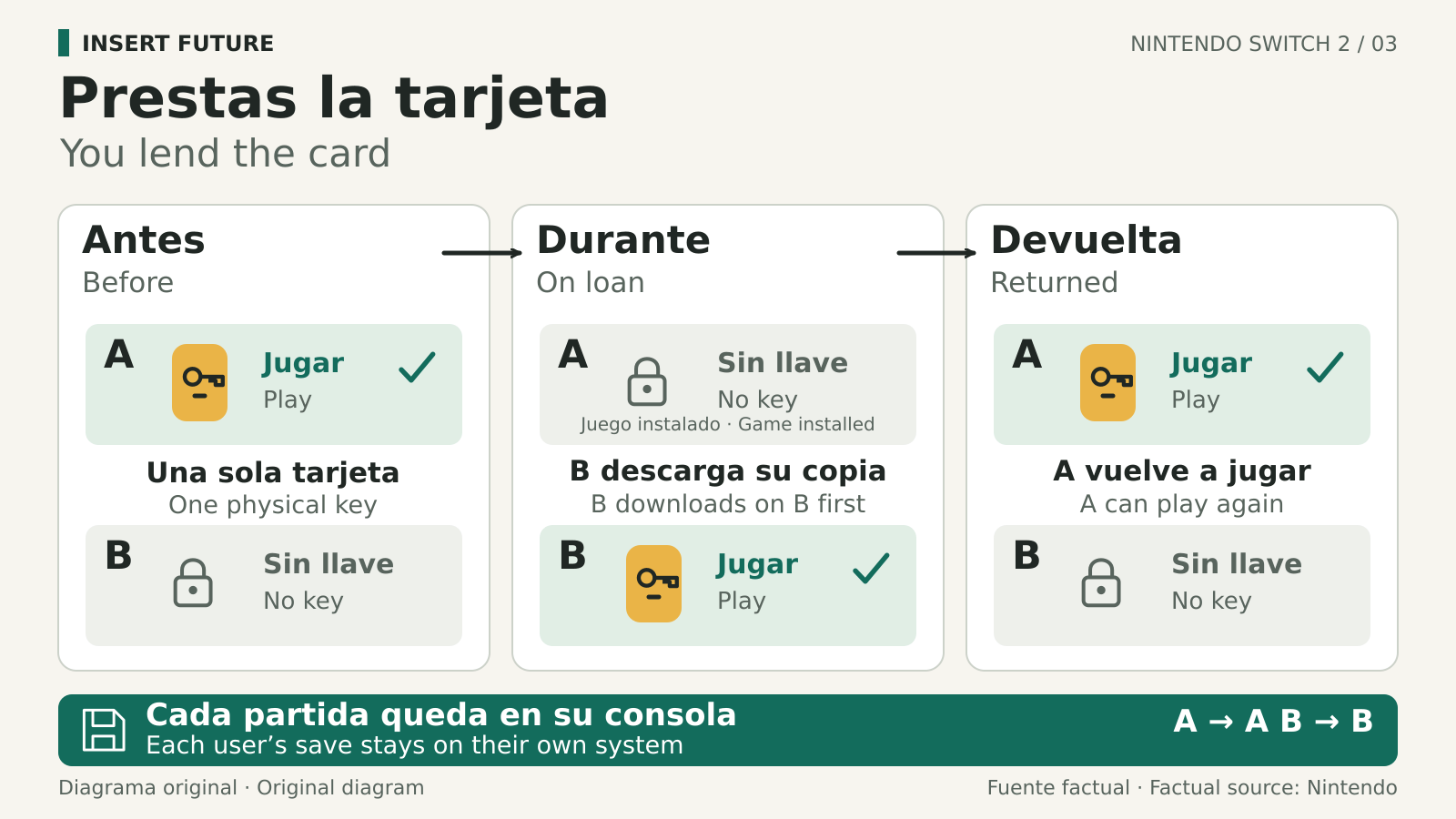
Nintendo’s September 23 explanation says you can lend a game-key card to anyone. They do not have to join your Nintendo Account family group. If the game is not already installed, the recipient downloads it on their Switch 2. You do not need to share your login or password.
Your installed game files are not a second usable copy while the borrower has the card. Your console still needs that card to run this copy. Returning it gives you access again without carrying the borrower’s progress into your save, because save data stays in each console’s internal memory.
For a shared play session rather than a physical loan, GameShare has different rules and only works with supported games. Handing over a game-key card and hosting a GameShare session are separate ways to share access.
If it will not start offline
Check that the correct card is inserted, the game finished downloading on this console and the selected mode supports offline play. A request to download game data means the card alone is not enough. If the game asks for an online service, check that title’s requirements before relying on it for a trip without internet.
The conversation starts here
Sign in with a supporter account to comment. Sign in
Nobody has commented yet. Want to go first?