
We liked the Elgato Stream Deck + a lot. It sits on our newsroom desk, plugged into a Windows PC, and it has become the control panel we reach for first every workday. It speeds up things that used to take several clicks or a keyboard shortcut we had to remember. We give it 8.5/10, and the price is its main drawback.
It is a control panel that plugs into your computer over USB-C and has three kinds of controls: eight keys with built-in screens up top, a touch strip in the middle and four dials at the bottom. Elgato's US store lists it at $179.99, and on October 30, 2026, it was throwing in a set of colored dials worth $19.99 for free. Elgato sent us the unit we tested.
Eight screen keys, four dials and a touch strip
Each key is a tiny 120 × 120-pixel display that shows an icon or label for what it does. That means you can change what every key does without losing track, because the picture changes with it. Press one and it runs whatever action you assigned in Elgato's free Stream Deck app for Windows and Mac.
The dials turn endlessly in both directions and also click in. They handle anything you adjust gradually, like volume, the brightness of a light or a camera's zoom. The 108 × 14 mm touch strip right above them shows each dial's value, such as a volume percentage. Tap it above a dial to trigger an extra function for that dial.
Shortcuts and apps at a tap
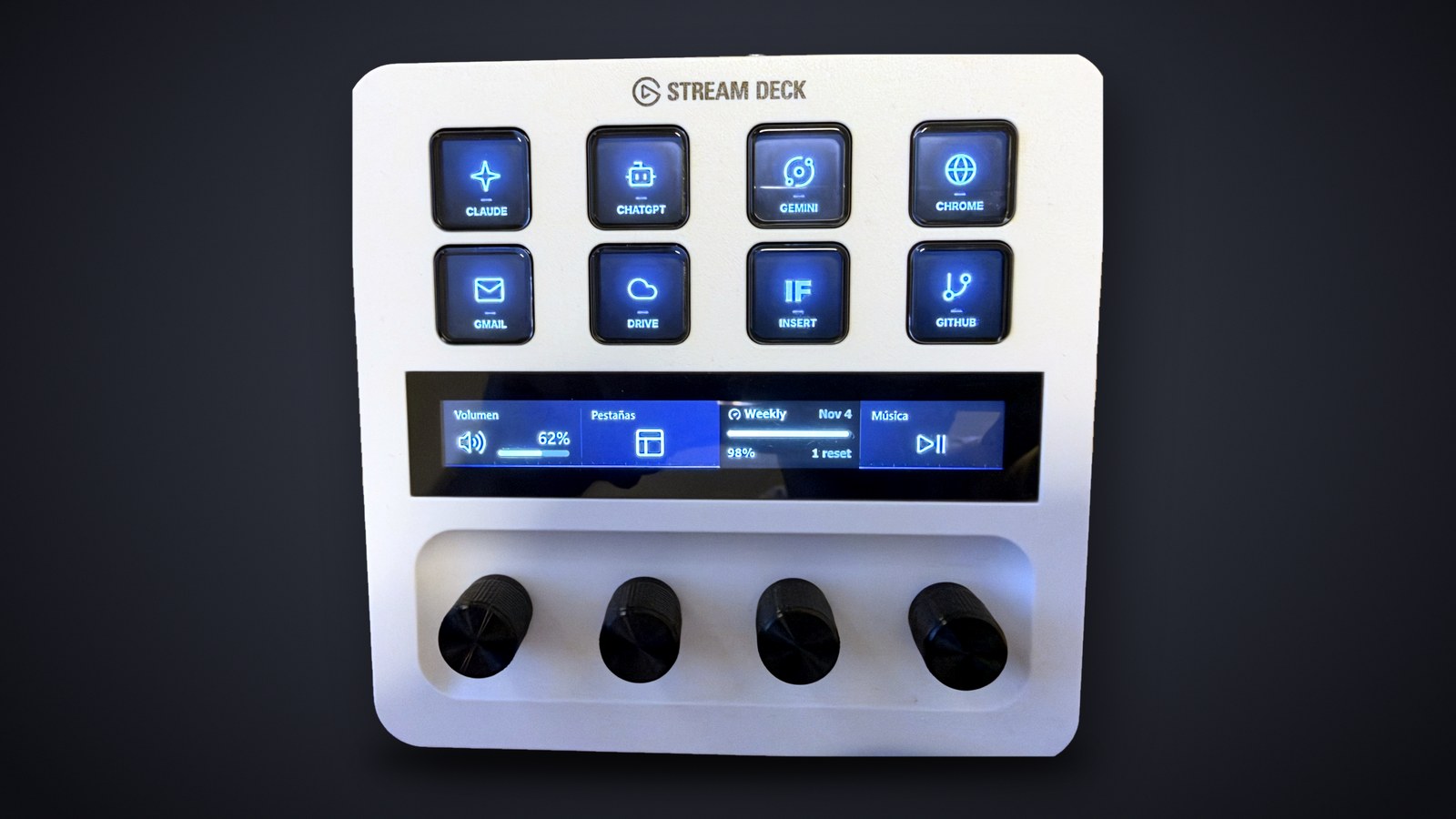
We leaned on it mostly for shortcuts inside apps and for keys that open apps and websites. Our work profile, the one in the photo at the top, has a key each for Claude, ChatGPT, Gemini, Chrome, Gmail, Google Drive, the INSERT FUTURE site and GitHub. Instead of remembering a three-key combo or digging through a menu, we just press a key on the Stream Deck.
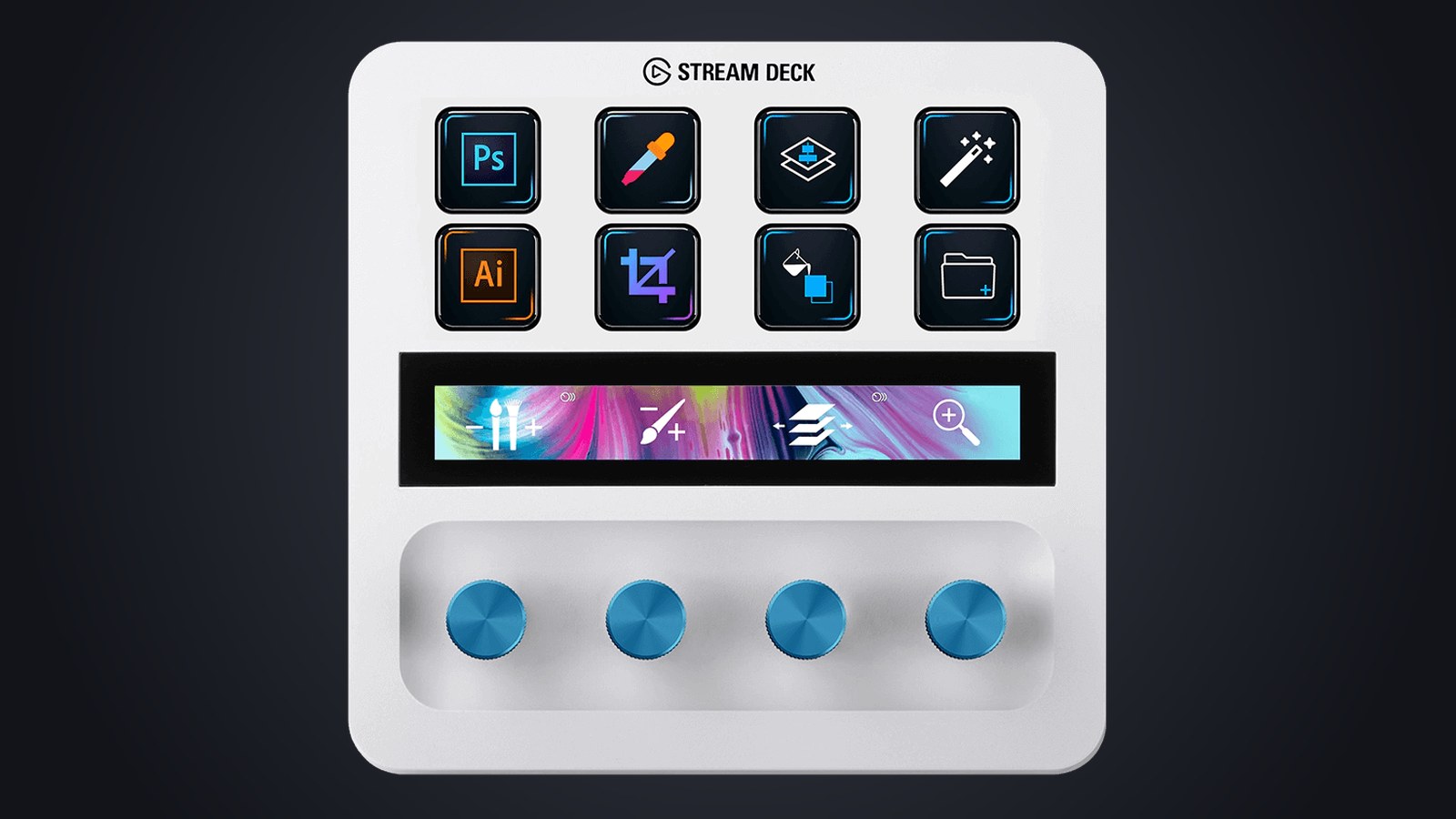
For Photoshop, for example, Elgato offers a free plugin, an add-on for the Stream Deck app, that puts tools like the eyedropper and crop on the keys, and lets the dials scroll through layers or adjust hue and saturation.
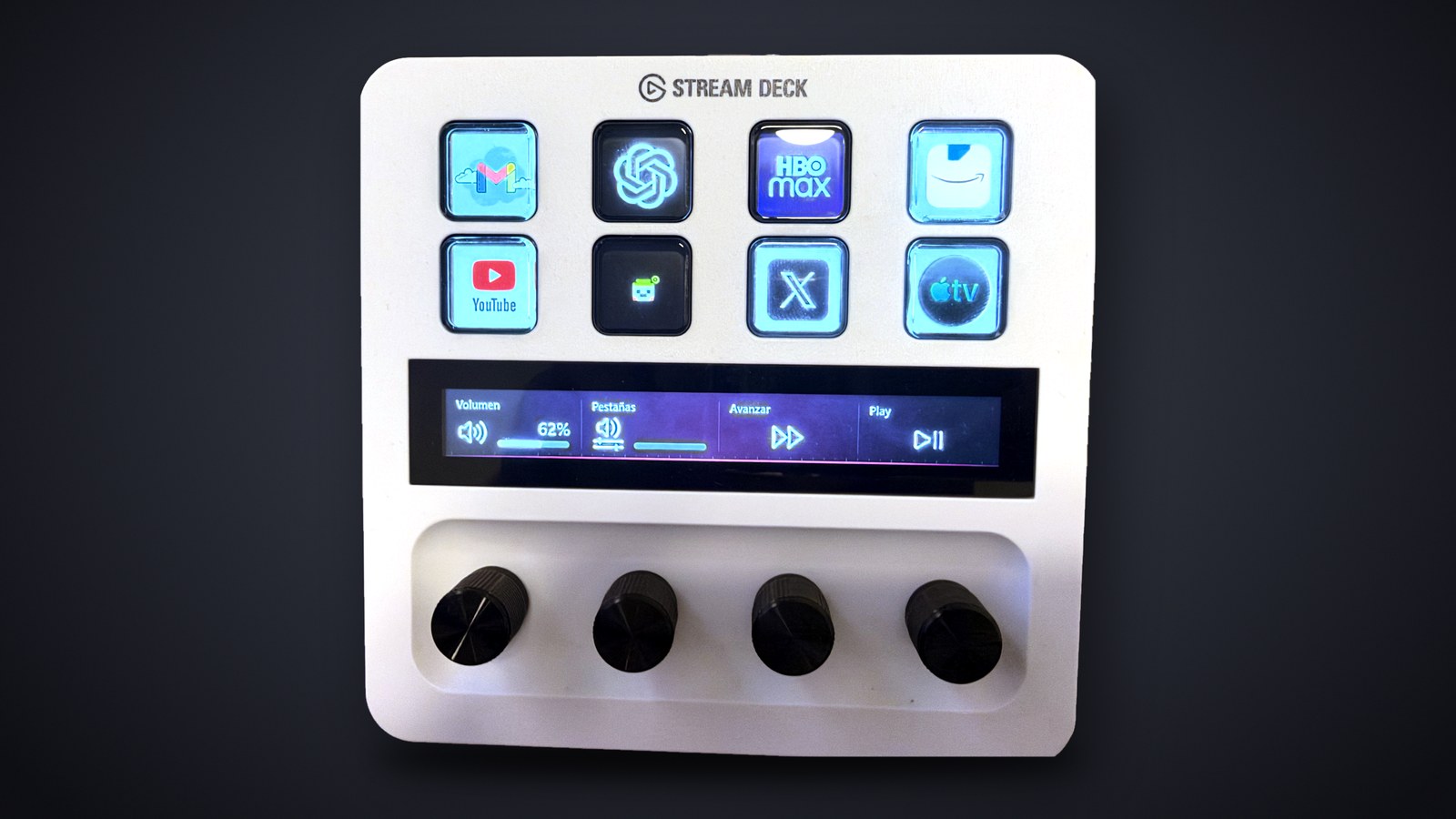
Eight keys may not sound like much, but they go further than you might think. Everything you assign to the keys and dials is saved in a profile, and each profile can hold several pages, separate sets of functions you flip through by swiping the touch strip. It can also hold folders that open another set of keys and close with a back key. We run two: the work profile in the top photo and an entertainment profile with Gmail, ChatGPT, HBO Max, Amazon, YouTube, X and Apple TV.
With smart profiles, the Stream Deck switches profiles on its own based on the app you are using, so moving from your browser to Photoshop brings up your Photoshop keys without touching anything. For that automatic switch to work, the Stream Deck app window has to be minimized, and Elgato notes it does not work with Microsoft Store apps built on UWP.
Multi-actions: several steps, one key
A multi-action is a key that runs a list of actions in order, top to bottom, with a single press. You build one by dragging the action called Multi Action onto a key and dropping the steps inside, with delays of a few milliseconds between them if something needs time to load.
Ours sits on the pixel-character key in the photo below. One press opens Premiere Pro, the INSERT FUTURE site, the local GitHub folder where we work and our email. It is the first thing we do every morning, and a single tap gets the whole desktop ready.
Since version 7.0 of the app, released in August 2025, a single key can also hold up to three different actions depending on whether you tap it once, tap it twice or hold it.
The dials give every app its own volume knob
The dials are what set the Stream Deck + apart from Elgato's keys-only models, and audio is where they shine. With the free Volume Controller plugin, each dial can control the volume of a specific app. You can turn down Spotify without touching your video call, or the other way around, and the strip shows where each one sits. Pressing a dial usually mutes that app, and a key can mute your mic.
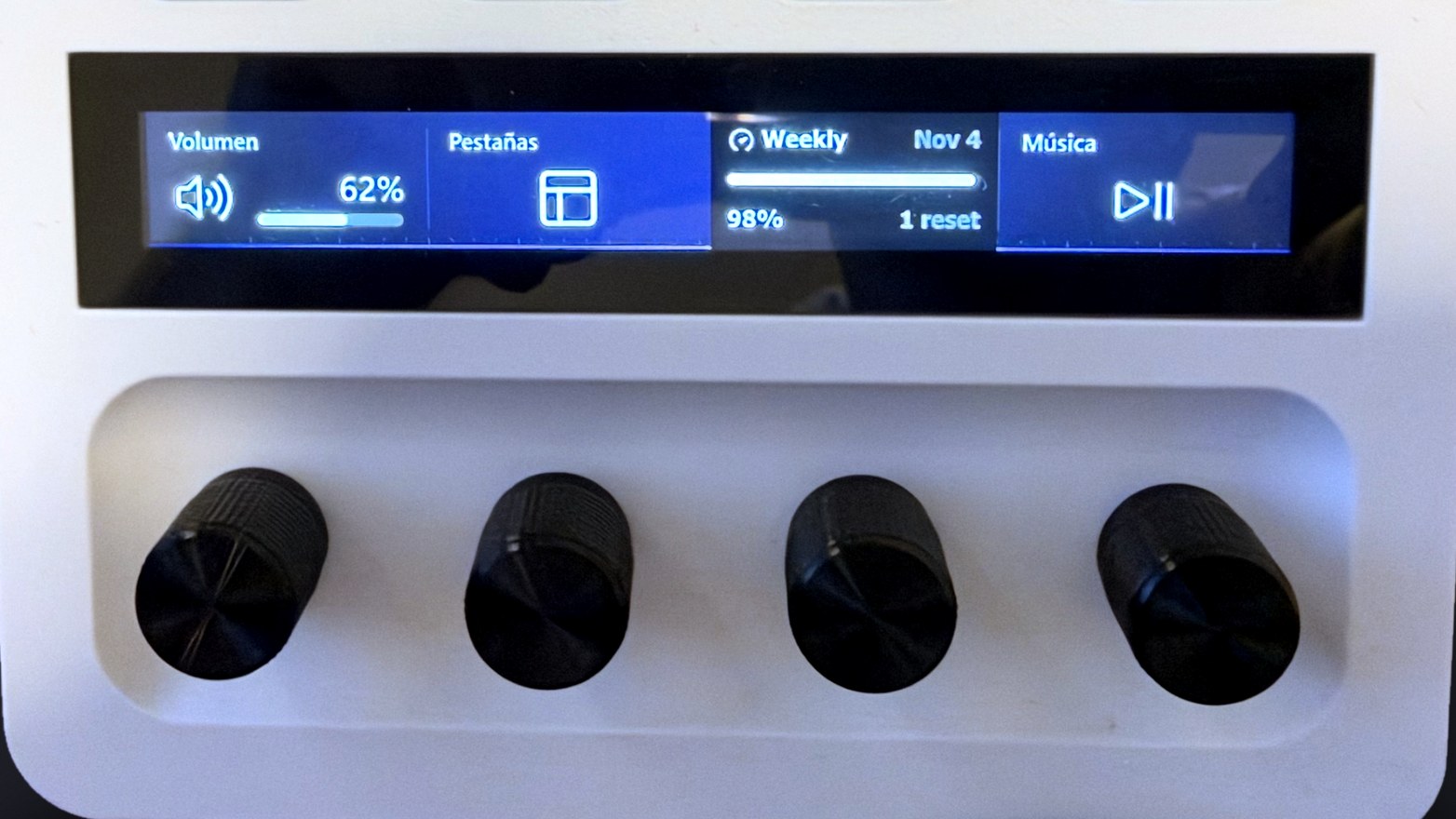
On our work profile, the first dial handles overall volume, the second flips between browser tabs as you turn it and the last one pauses and resumes music.
There are also free plugins for Spotify, OBS (the streaming and recording app), Discord and Twitch. Wave Link, Elgato's free app for mixing your computer's audio, has its own Stream Deck plugin and works with any microphone your computer recognizes, not just Elgato's. One caveat: the dials only accept actions from plugins built for them, so not everything you can put on a key can go on a dial.
Build, cable and software
It weighs 465 grams, a little over a pound, and measures 5.5 × 5.4 × 4.3 inches. The stand is built in and set at a fixed angle you cannot adjust. It connects with the 1.5-meter (about 5-foot) USB-C to USB-C cable in the box and needs no separate power supply. Elgato recommends plugging it straight into your computer, since an unpowered USB hub can cause problems.
The Stream Deck app is free and has to be running, even minimized, for the keys to work. According to Elgato's help center, the current version runs on 64-bit Windows 10 and 11 and on macOS 13 or later. Elgato's plugin marketplace is mostly free, though it also sells paid plugins, icons and profiles.
On our Windows PC we did notice one small bit of friction. When you turn the PC on from a full shutdown, the app takes a moment to open, and the keys do nothing until it has loaded. If you put the PC to sleep instead, the Stream Deck responds right away when you wake it.
Why 8.5 and not 9
The main thing holding it back is the price. The short wait for the app after a full shutdown is a minor annoyance that goes away if you use sleep mode. For $179.99 you get eight keys, four dials and a touch strip, while Elgato's 15-key model costs $149.99 and the eight-key Neo $99.99, though neither has dials or a touch strip. If you mostly want shortcuts, one of those may be enough. If you also want to turn a knob for volume or any other setting, the + is the one that does it.
Verdict: 8.5/10
The Stream Deck + made us work better and faster. Shortcuts, one-tap apps and multi-actions save time every day, and the dials make volume and tab switching easy. It suits anyone who spends long hours at a computer repeating the same tasks, whether that is editing, video calls or streaming. In our newsroom, it is now the first thing we touch when we sit down.
The name makes a lot of people think of live streaming, but we used it almost entirely for work. When we showed it to a friend, the first thing he said was that it costs too much, and he has a point: $179.99 per desk adds up fast across an office. What if Elgato made a Stream Deck built for office work, priced at or below the $99.99 Neo, with work shortcuts set up out of the box, so anyone could automate repetitive tasks without starting from scratch?
On the peripherals front, we have also reviewed the MSI Forge GK600 TKL Wireless keyboard, the MSI Versa 300 Elite Wireless mouse and the MSI Maestro 500 Wireless headset.
Frequently asked questions
What is the Elgato Stream Deck + for?
It is a USB control panel with eight screen keys, four dials and a touch strip. The keys fire shortcuts, open apps and websites or run several actions in a row, and the dials adjust things gradually, like each app's volume or a light's brightness. We used it mostly to get work done faster.
Does the Stream Deck + work without the app running?
No. Elgato's free Stream Deck app has to be running for the keys to work, though it can stay minimized. In fact, profiles that switch automatically based on the active app only work while the window is minimized.
Why does the Stream Deck + take a while to work after starting the PC?
The keys depend on the Stream Deck app, and when the PC starts up from a full shutdown, it takes a moment to open. We saw this on a Windows PC. If you put the computer to sleep instead of shutting it down, the app stays open and the Stream Deck responds right away.
Does the Stream Deck + work with a Mac?
Yes. According to Elgato's help center, the current version of the app runs on macOS 13 or later and on 64-bit Windows 10 and 11.
Should I get the Stream Deck + or the 15-key model?
The 15-key model has nearly twice as many keys and costs $149.99 at Elgato's US store, $30 less, but it has no dials or touch strip. If you mainly want shortcuts, it may be enough. If you also want to turn a knob for per-app volume or other settings, go for the +.
Do you need an Elgato microphone to control audio with the dials?
No. The free Volume Controller plugin maps each dial to an app's volume, and Wave Link, Elgato's free audio mixer, works with any microphone your computer recognizes.
Is the Stream Deck + worth buying?
We give it 8.5/10. Shortcuts, multi-actions and volume on the dials made us work better and faster. The main catch is the $179.99 price. If you only need shortcut keys, Elgato's models without dials cost less.
The conversation starts here
Sign in with a supporter account to comment. Sign in

Nobody has commented yet. Want to go first?