
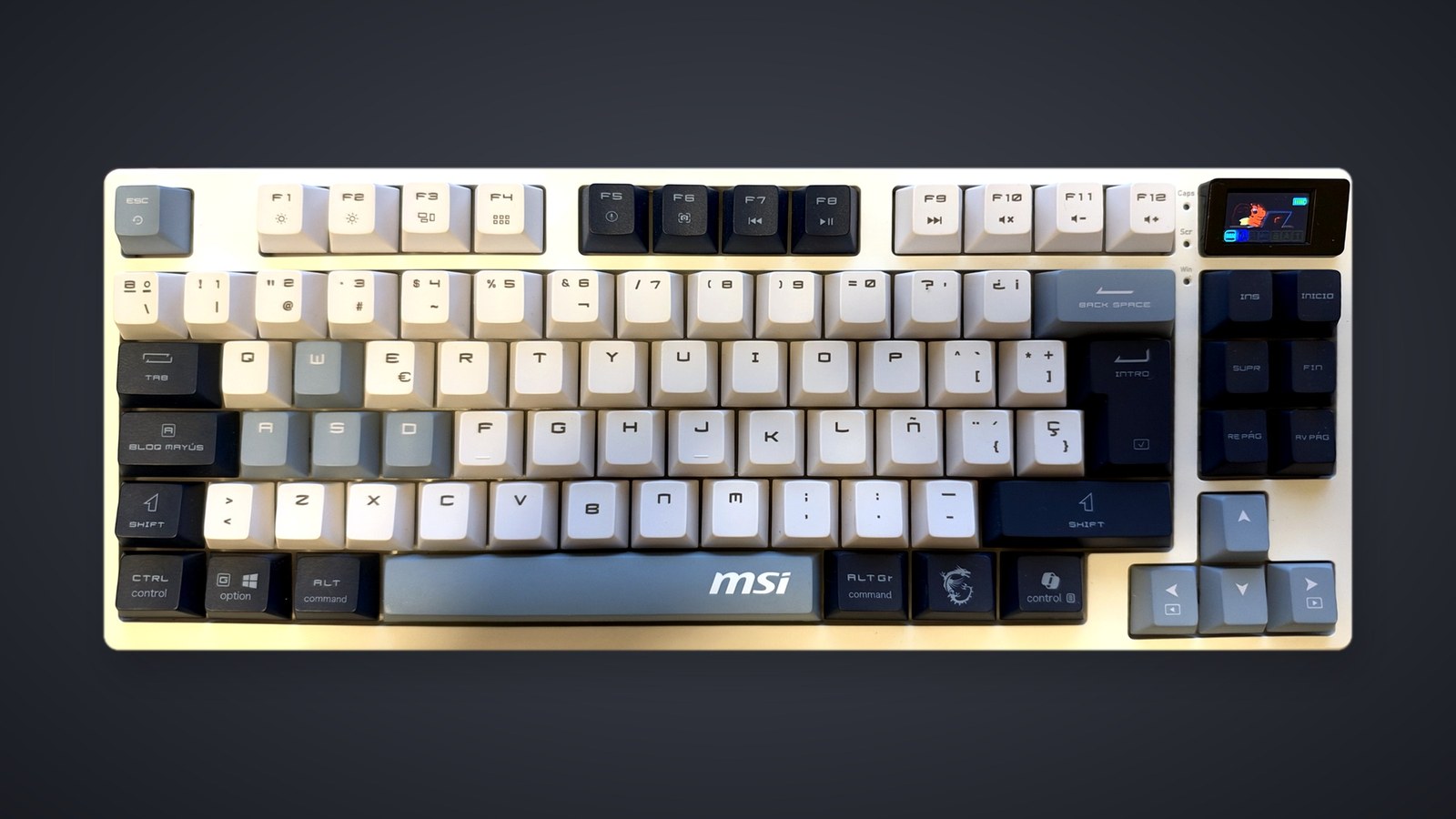
The MSI Forge GK600 TKL Wireless is one of the best keyboards we have tested. The board we use every day is a Logitech G Pro X TKL that cost us more than twice as much, and we like this MSI just as much, if not more. It earns 9/10 for the feel of its switches, the sound of every keystroke and a design topped off by a tiny screen we love.
MSI does not list a price on its US product page. Micro Center lists it at $89.99, and on October 23 it was on sale there for $59.99, in-store pickup only. Either way it costs well under $100, and that price is one of its biggest strengths.
MSI sent us the keyboard for this review. We used it on Windows, mostly plugged in but also wirelessly, along with MSI's own software. Our unit is the SKY version, white with white, light gray and navy keycaps, in a Spanish layout. We did not measure battery life or latency, so the battery and charging figures below are MSI's.
Smooth linear switches and a muted sound
A switch is the part under each key that registers a press. The GK600 uses linear mechanical switches, which means the key travels down in one smooth motion, without the small bump halfway or the audible click you get on other mechanical boards. We love that feel. Every press is smooth from top to bottom, whether we are gaming or typing.
Because the switches are mechanical, each key always fires at the same point in its travel. Magnetic keyboards like the one in our Razer Huntsman V3 HE TKL review let you move that point, although we noted there that we still preferred the feel of a traditional mechanical board. Our guide to magnetic versus mechanical keyboards covers the difference.
The sound won us over too, and MSI's spec sheet explains where it comes from. Inside are four types of foam (IXPE, PU, a sound-dampening layer and a layer under the switches), plus a silicone pad and a silicone gasket. The foam fills the hollow spaces where each keystroke would otherwise echo, and the gasket rests the internals on something soft, so presses feel and sound cushioned.
The switches are hot-swappable, so you can pull them out without soldering. MSI includes a puller and supports third-party 5-pin switches, which means you can swap in a different feel, such as a tactile or heavier switch, at home. MSI does not name the stock switch or its actuation force, a figure that would help you judge how light it feels before buying. We never felt the urge to replace them.
Design, keycaps and a screen with MSI's mascot
We love the white, light gray and navy color scheme, with a gray space bar carrying the MSI logo. The keycaps are textured PBT, a hard plastic that MSI says resists wear and the shine that finger oils leave over time. The legends are dye-sublimated, meaning the ink is absorbed into the plastic instead of printed on top, so they will not rub off.
This is a tenkeyless (TKL) board, so there is no number pad, and that frees up room for your mouse. It measures 13.7 by 5.5 inches and weighs 2.1 pounds, which makes it a desk keyboard rather than one you toss in a backpack. The bottom-row keys carry both Windows and Mac legends, and two rear feet give you two typing angles. MSI notes that key count and layout vary by language, so a US unit may not match our Spanish one key for key.
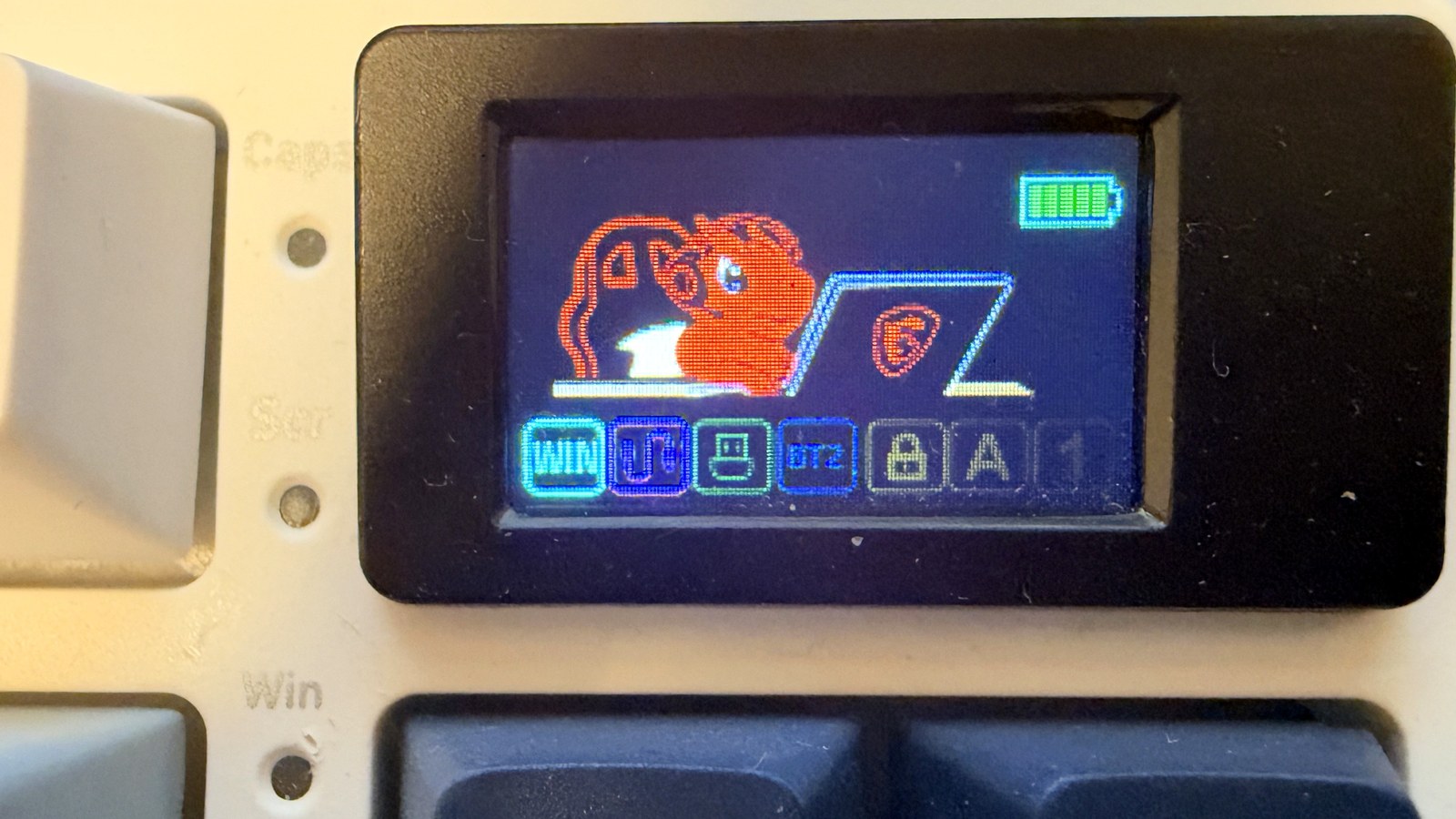
The screen sits in the top-right corner, above the Ins and Home keys. At 1.06 inches diagonally, it shows battery level, lighting profile and brightness, plus icons for the operating system mode, connection and Caps Lock. Ours shows MSI's mascot, a little orange dragon sitting in front of a laptop. It is really cute, and it is practical too, because you can check the battery without opening any software.
Wired, 2.4 GHz or Bluetooth, with a 4,000 mAh battery
The GK600 connects three ways: a USB-C cable, a 2.4 GHz wireless link and Bluetooth. We used it mostly with the included 6-foot cable, and it worked perfectly. Wireless worked very well too, and Bluetooth lets you pair it with other devices such as a laptop or tablet.
The battery is rated at 4,000 mAh, a figure that describes how much charge it holds rather than how long it lasts, since the lighting has the biggest say in battery life. MSI quotes up to 20 days with the backlight off and gives no figure with RGB on, which drains it faster. Since we kept it plugged in most of the time, we did not test battery life ourselves. A full charge takes about six hours, according to MSI, but you can keep gaming or typing on the cable while it charges, so the wait barely matters.
MSI does not publish the polling rate, which is how many times per second the keyboard reports key presses to your computer. Competitive players tend to care about that number, and without it you cannot compare the GK600 with boards that advertise 1,000 or 8,000 reports per second, like the Razer Huntsman V3 HE.
The spec sheet does list N-key rollover, which registers every key even when you press many at once. In a game, that keeps a command from getting lost when you run, jump and crouch at the same time.
RGB lighting and MSI's software
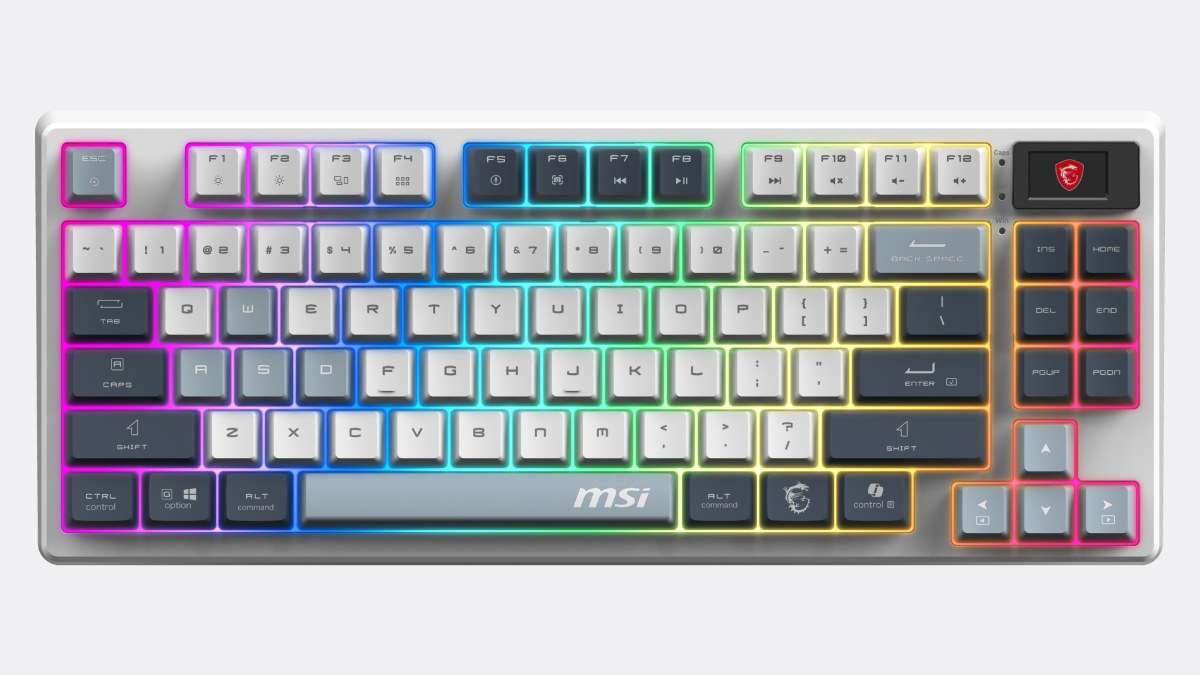
The RGB lighting glows around every key, with 20 effects and five levels of speed and brightness. You change it with shortcuts on the function row, which also handle music and volume without leaving your game.
For everything else there is MSI Center, the company's app. We used it on Windows and found it good. MSI also lists support for macOS 11 or later, but we only tested on Windows.
Verdict: 9/10, just short of a 10
We give it 9/10. We did not find anything we dislike. The linear feel, the muted sound, the design and the screen all won us over, and it performs very well both wired and wireless. We save a 10 for something close to flawless, and the GK600 is one step away.
Some details are missing from MSI's spec sheet. There is no published polling rate and no named switch, so if you shop by those numbers, you have nothing to compare. There is no number pad either, and if you want to adjust where each key actuates, you need a magnetic board. For everyone else, it delivers what we value most in a keyboard that costs more than twice as much.
The conversation starts here
Sign in with a supporter account to comment. Sign in

Nobody has commented yet. Want to go first?