
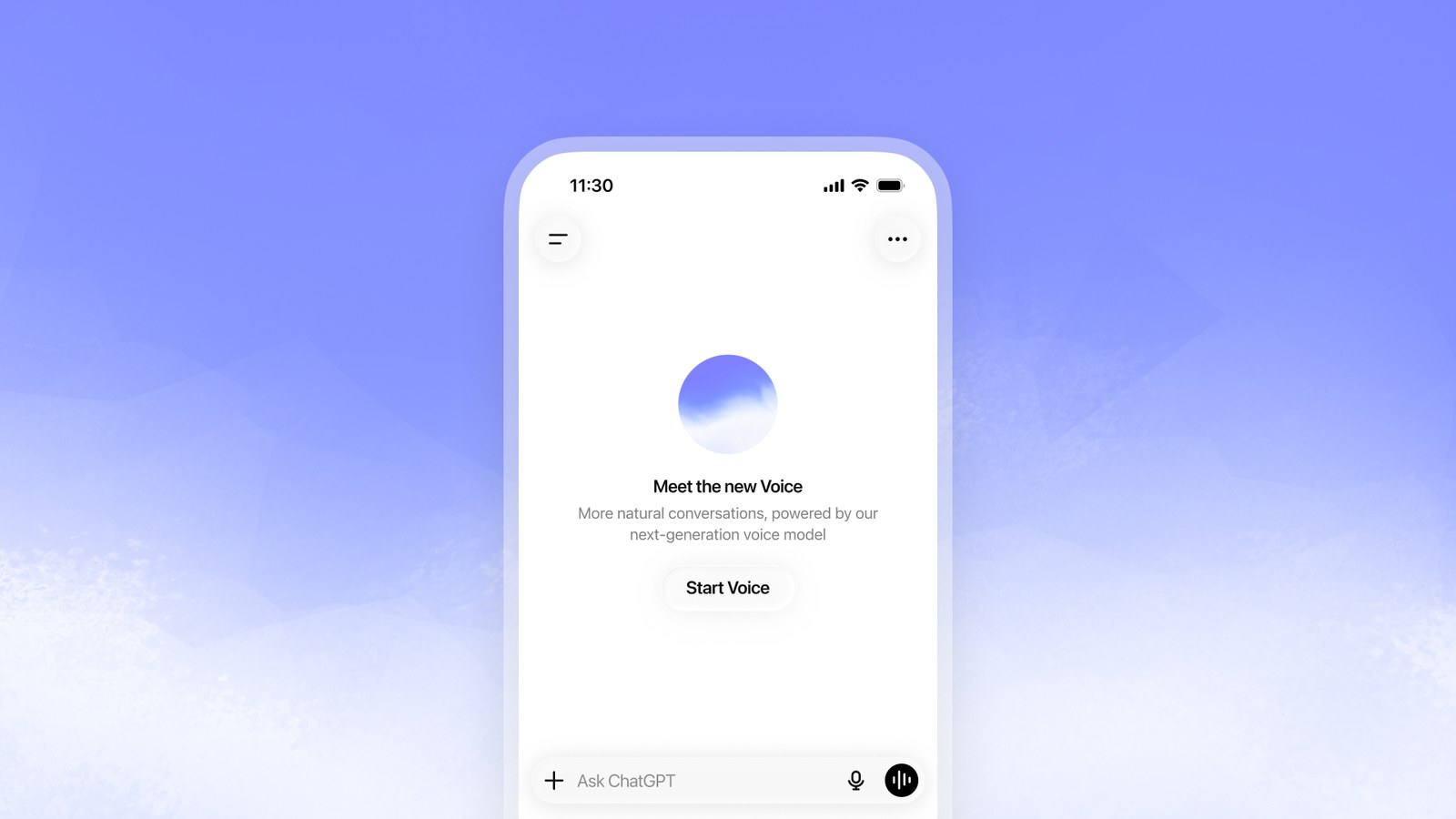
OpenAI will remove ChatGPT's two older voice modes, Advanced and Standard, on December 11, 2026. That day they disappear from the Voice section of Settings, and anyone who still has one selected moves automatically to Live, the voice experience OpenAI launched in July with its GPT-Live AI model. The details are on OpenAI's help page about the retirement, and the company began notifying users on November 10.
There's nothing to do, and your history stays put. Conversations started in the old modes remain in ChatGPT and can be continued by typing or talking, with Live answering from that date on. Until December 11, you can keep using Advanced or Standard if you prefer them, though OpenAI says nearly all voice users had already moved to Live and that voice usage in ChatGPT has almost doubled since July.
How Live works
Live listens and talks at the same time, much like a phone call. You can cut in mid-sentence, it can drop a quick 'mm-hmm' while you keep going, and it can stay quiet while you think. Advanced Voice understood your audio directly, without converting it to text first, but waited for you to finish before replying. Standard Voice chained three programs together, one to turn your speech into text, the text model to write the answer and another to read it out, losing time and information at each handoff.
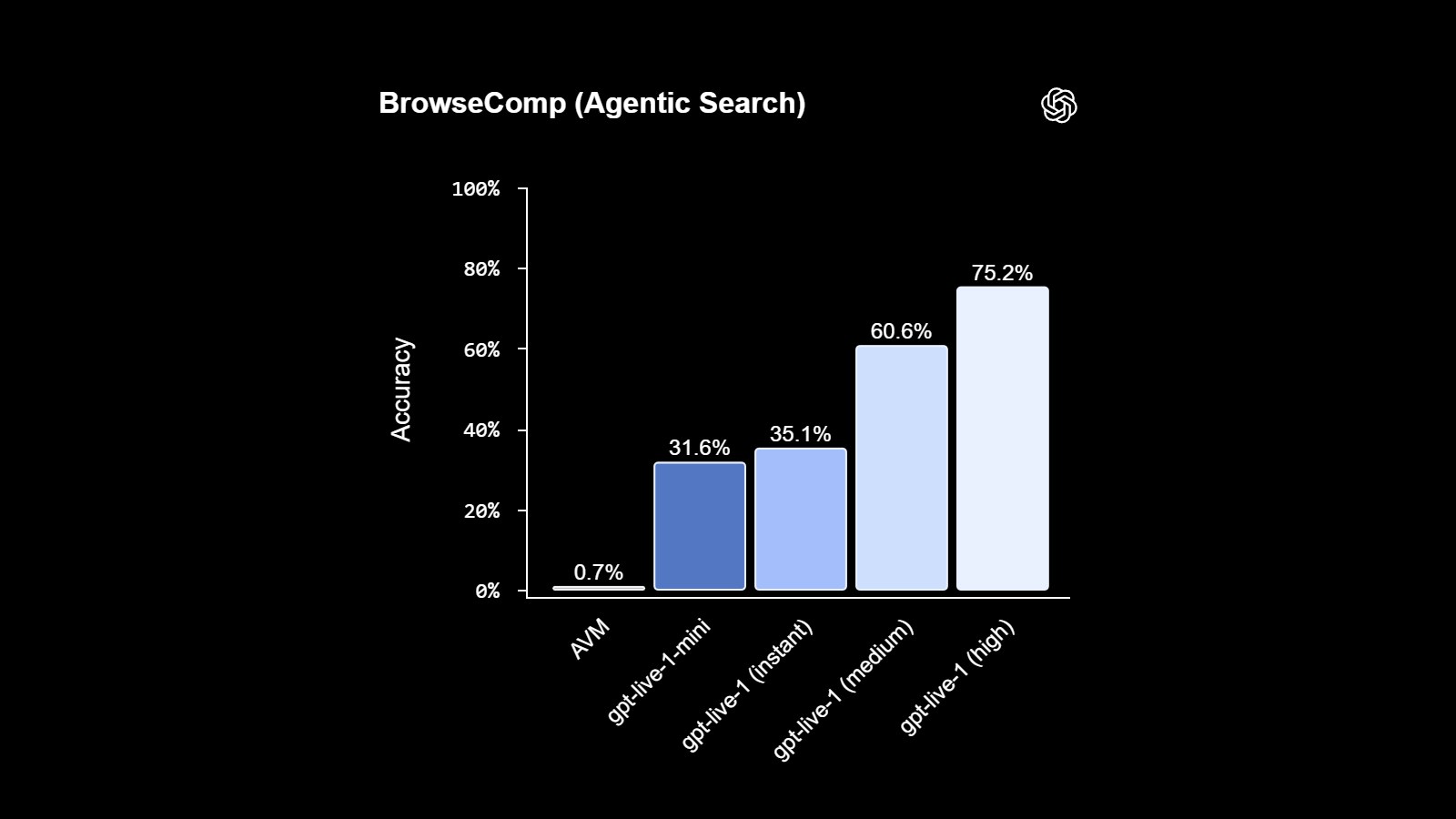
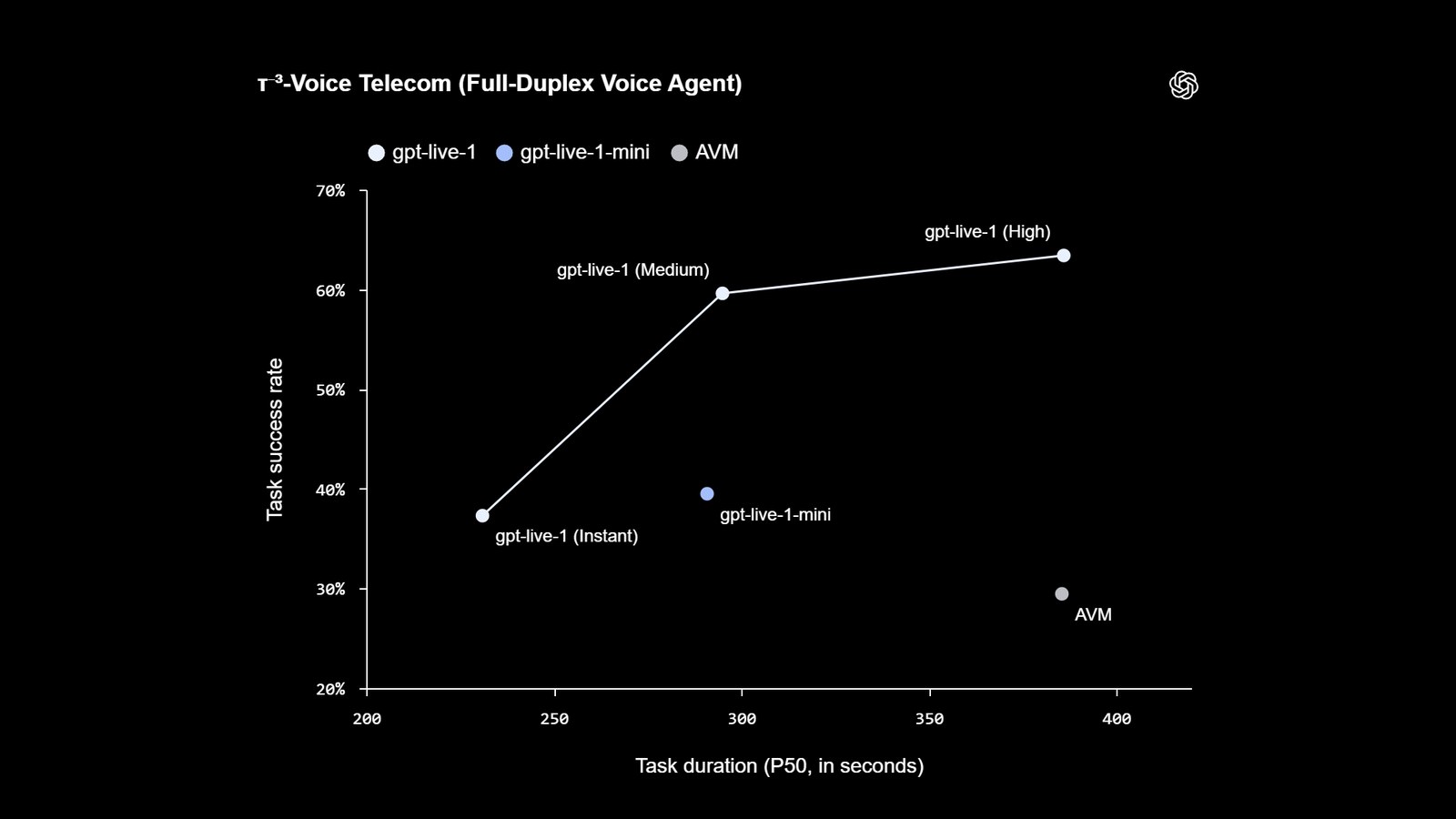
When you ask for something heavier, like a web search or a long problem, Live hands it to one of OpenAI's text models running in the background while the conversation continues.
Plans and devices
Live runs in the ChatGPT apps for iOS and Android and on the web. Since Live launched, free accounts have used GPT-Live-1 mini, a smaller model, while the paid Go, Plus and Pro plans get GPT-Live-1. When Live hands off a task, you can choose how much time the background model spends thinking it through, with settings called Instant, Medium and High. OpenAI hasn't published voice usage limits by plan.
Parents of teens can still turn voice mode off for a linked account through ChatGPT's parental controls. That setting isn't affected by the retirement.
What Live can't do yet
Live doesn't support live video or screen sharing. Those two features will keep running on Advanced Voice after December 11, until Live can handle them, and OpenAI hasn't given a date. If you point your camera at something for ChatGPT to look at, that won't change for now. Google already offers both in Gemini Live, its voice assistant.
Custom GPTs, the versions of ChatGPT that users set up with their own instructions for a specific job, keep using Advanced Voice until December 11. That's also the day OpenAI retires custom GPTs themselves for most accounts, replacing them with plugins, a new add-on system.
The people most likely to miss Standard Voice are those who used it to hear long answers, since it read out the text model's full response. OpenAI says it still wants to improve how deep Live's answers go. Until then, you can ask Live directly for a detailed explanation, or type the question and use Read Aloud to hear the reply.
Frequently asked questions
When is ChatGPT's Advanced Voice going away?
On December 11, 2026. That day OpenAI removes Advanced and Standard Voice from the voice options in Settings and moves anyone using them to Live automatically. You can keep using them until then.
What is Live in ChatGPT?
It is the voice mode powered by GPT-Live, the model OpenAI launched in July 2026. It listens and talks at the same time, lets you interrupt, and hands complex searches or reasoning to a text model in the background without ending the conversation.
Is ChatGPT Live free?
Yes. Free ChatGPT accounts can use it with GPT-Live-1 mini, a smaller version of the model, while the paid Go, Plus and Pro plans use GPT-Live-1. OpenAI hasn't published voice usage limits for each plan.
Can I still use my camera or share my screen with ChatGPT voice?
Yes. Live doesn't support live video or screen sharing yet, so those features will keep running on Advanced Voice after December 11. OpenAI hasn't said when they will move to Live.
Will my old voice conversations be deleted?
No. Conversations you started with Advanced or Standard Voice stay in your ChatGPT history. You can pick them up by typing or talking, and Live will answer from December 11 on.
The conversation starts here
Sign in with a supporter account to comment. Sign in



Nobody has commented yet. Want to go first?