
The cheapest way into Wacom right now is the Bluetooth Intuos Small, which Wacom's US store lists at $59.95, down from $99.95. If you want to draw without a computer, the MovinkPad 11 is $499.95, and Wacom isn't discounting it in the US. This is a buying guide rather than a review. It compares Wacom's spec sheets and the US prices we checked on Nov. 23, and it notes which prices are discounts and which are list price.
- Tight budget: Intuos Small with Bluetooth, $59.95 (was $99.95) at Wacom.
- More room to move your arm: Intuos Medium with Bluetooth, $99.95 (was $199.95) at Wacom.
- Art or design student with a laptop: Intuos Pro Medium, $299.95 as a Black Friday deal at Best Buy.
- See the line under the pen tip: Wacom One 14, $224.95 (was $299.95) at Wacom.
- Draw on the couch or on the go: MovinkPad 11 at $499.95 or MovinkPad Pro 14 at $1,099.95, both at full price.
Three ways to draw
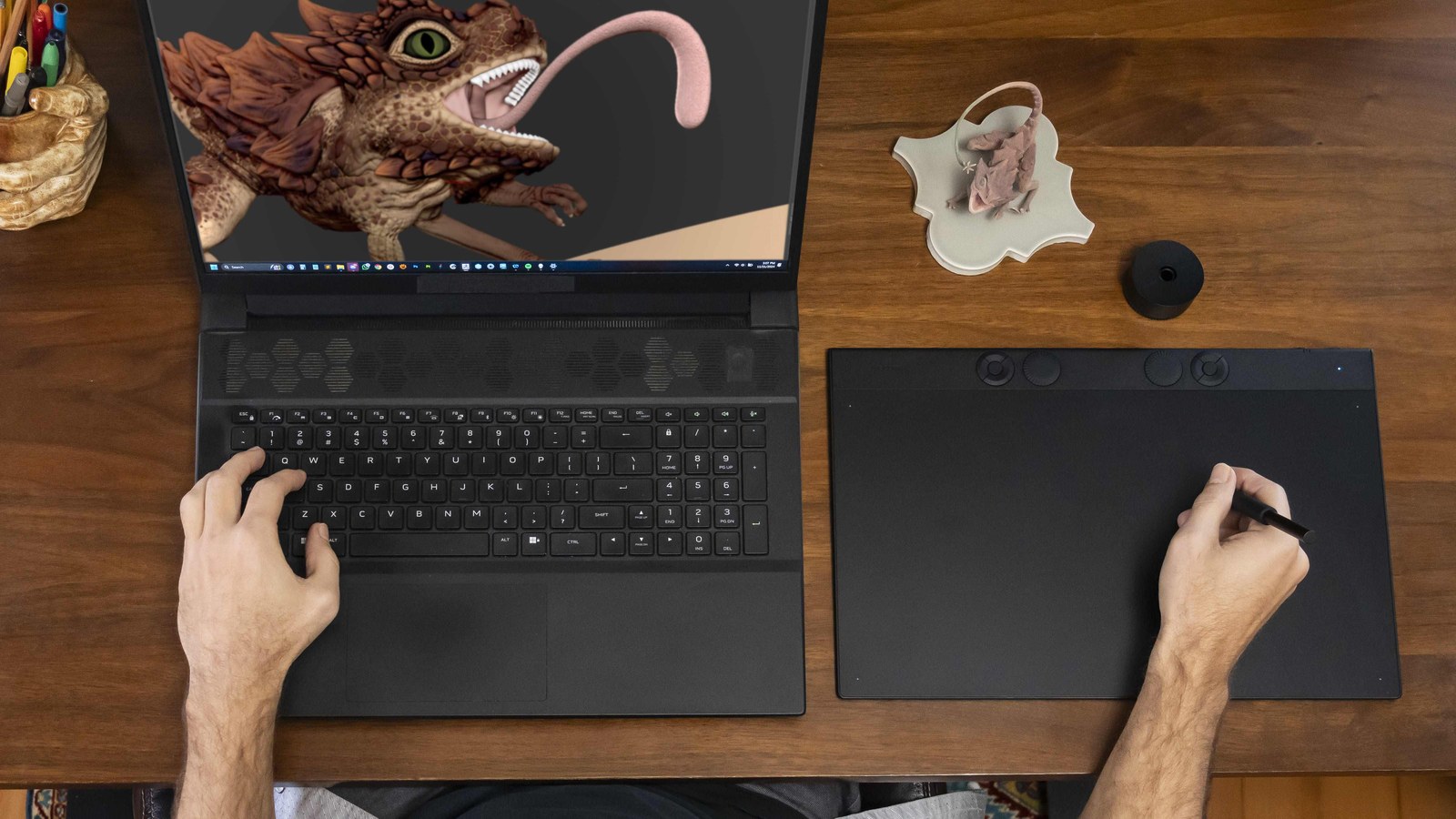
A pen tablet such as the Intuos has no screen. It plugs into a computer, and every spot on its surface maps to a spot on your monitor, so your hand works on the desk while you watch the line appear on screen. It's the cheapest option, and it takes some practice to stop looking at your hand.
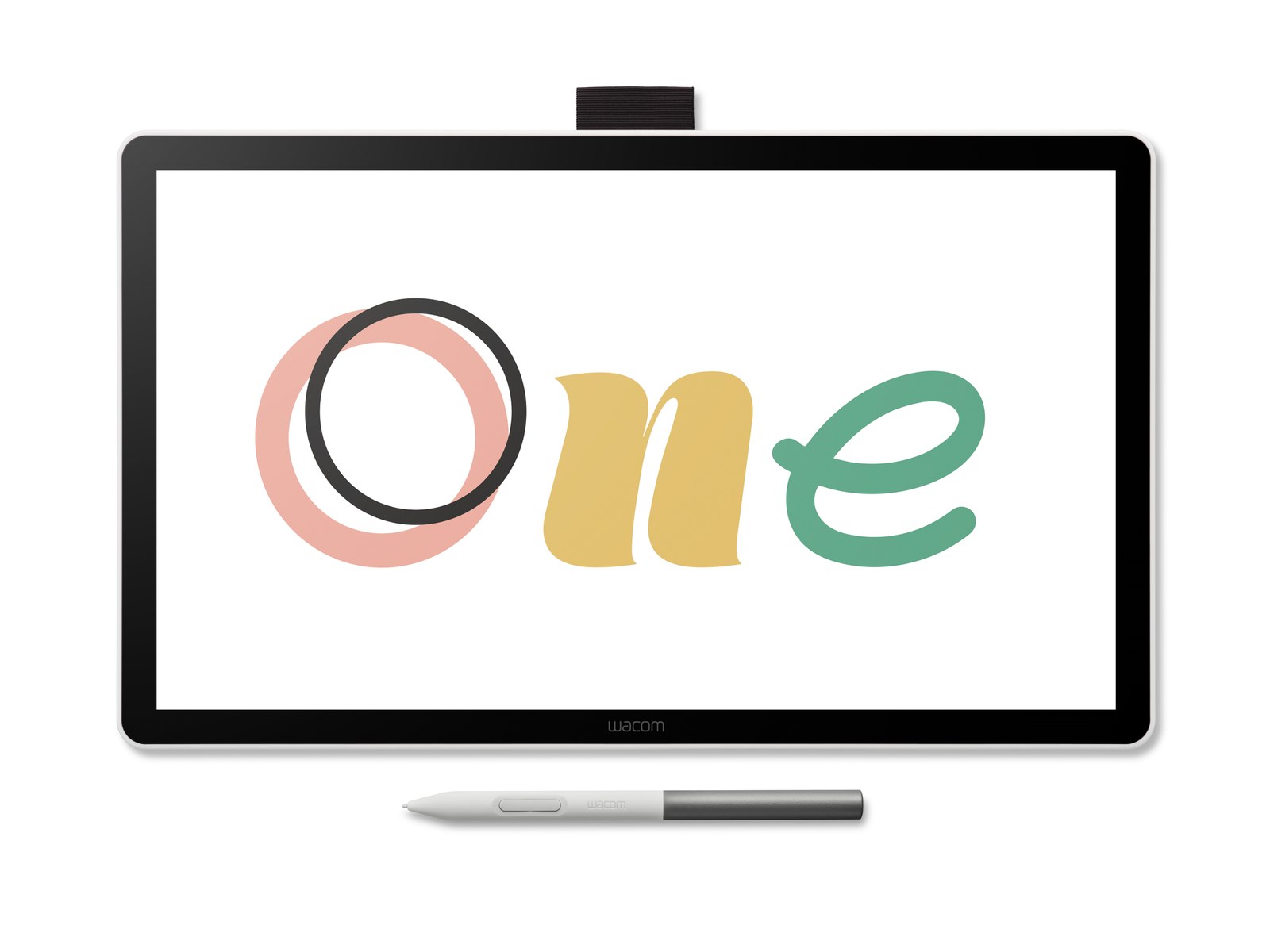
A pen display such as the Wacom One 14 or the Cintiq 16 is a monitor you draw on directly. You see the stroke right under the tip, but the computer still runs the software and feeds the display over a cable.
A MovinkPad is an Android tablet with its own processor and battery, so the drawing app runs on the device itself. Wacom bundles a license for Clip Studio Paint Debut, the entry version of that illustration app.
Why the pen never needs charging
Every model here uses Wacom's electromagnetic resonance (EMR) pen. The tablet sends out a weak magnetic field that powers a small circuit inside the pen, and the pen answers with its position and how hard you're pressing. That's why it has no battery and comes in the box. Apple takes a different route: the OLED iPad mini works with the Apple Pencil Pro, which is sold separately and charges while magnetically attached to the iPad.
Pressure levels are the number of steps the pen can tell apart between a light touch and a hard press. Your app turns each step into a thicker or darker stroke. The Intuos and Wacom One 14 read 4,096 levels, while the Intuos Pro, the MovinkPads and the current Cintiq 16 read 8,192, so each step is smaller. Surface size and whether you draw on the image itself will shape your day-to-day experience more than that number.
If you're just starting
The Intuos Small gives you a 6 by 3.7 inch drawing area and four ExpressKeys you can set to shortcuts like undo, so you can keep your other hand off the keyboard. The Bluetooth version Wacom is discounting also frees you from the cable.
For $40 more, the Intuos Medium is the same tablet with a larger surface, roughly 8.5 by 5.3 inches. The extra room lets you draw longer strokes by moving your whole arm instead of just the wrist.
If you're studying art or design
The Intuos Pro is Wacom's professional pen tablet. It adds the Pro Pen 3 with 8,192 pressure levels and tilt recognition, which lets brushes widen as you lean the pen like the side of a pencil, plus Bluetooth, programmable dials and a body 4 to 7 mm thick. The Medium has a 10.4 by 5.8 inch surface in the same proportions as a widescreen monitor. Best Buy lists it at $299.95 as a Black Friday deal, $80 under its comparison price.
If you'd rather see the line under the tip, the Wacom One 14 is $224.95 at Wacom, down from $299.95. Its 14-inch 1080p screen covers 98% of sRGB, the color space most web images use. It runs on a single USB-C cable only if your computer's port carries video (DisplayPort Alt Mode or Thunderbolt 3 and later). Otherwise you need Wacom's converter kit, sold separately.
The newer Cintiq 16 is $624.95, down from $699.95. For the extra $400 over the Wacom One 14 you get a 16-inch 2560 by 1600 screen and the Pro Pen 3 with twice the pressure levels.
If you want to draw without a computer
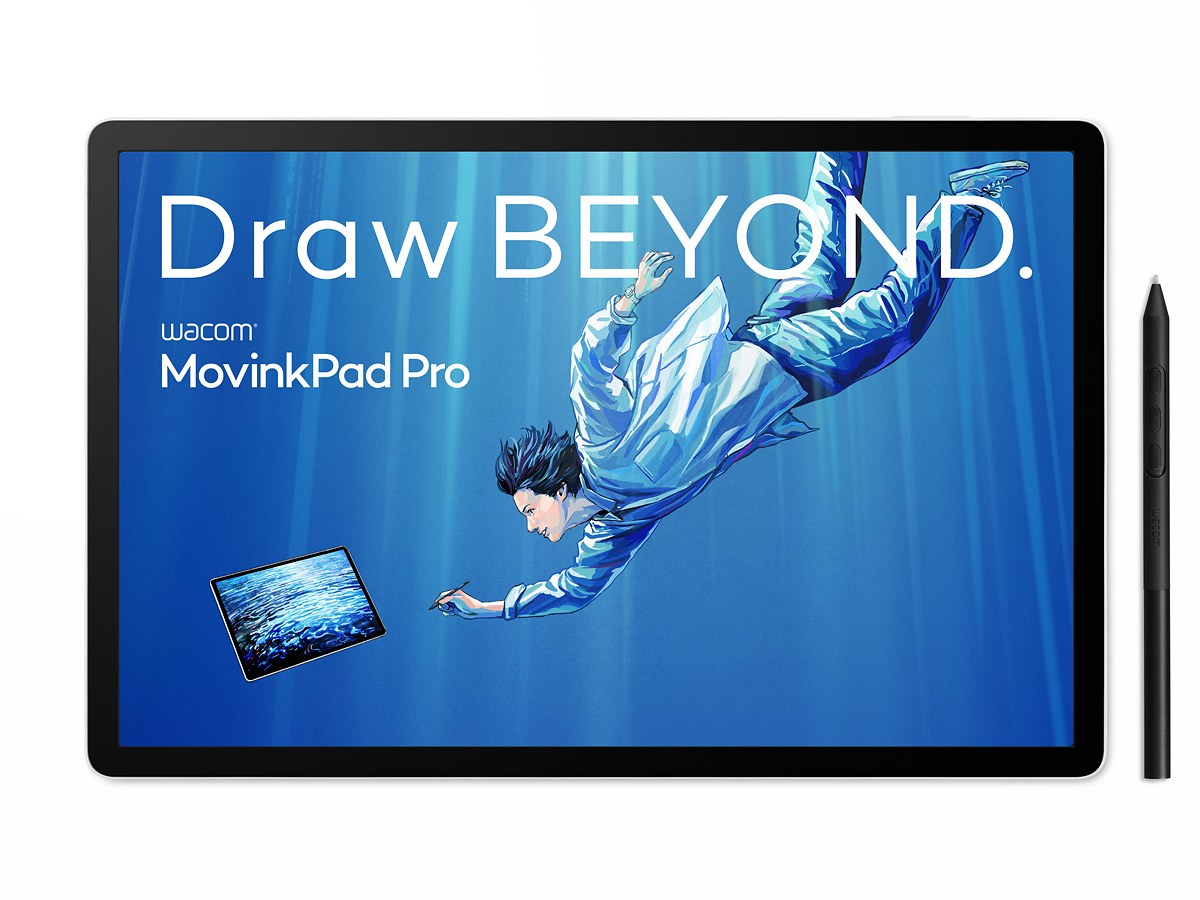
The MovinkPad 11 costs $499.95. It has an 11.45-inch screen, a MediaTek Helio G99 chip, 8GB of RAM, Android 14, a 7,700mAh battery and weighs 1.3 pounds. Its 128GB of storage can't be expanded, which matters if you keep large project files on the tablet.
The MovinkPad Pro 14 costs $1,099.95, or $600 more. That buys a 14-inch OLED screen at 2880 by 1800 with deep blacks because each pixel switches off on its own, a Snapdragon 8s Gen 3 chip, 12GB of RAM, 256GB of storage plus a microSD slot, and a 10,000mAh battery. A bigger battery feeding a bigger screen doesn't guarantee longer use, and Wacom doesn't publish comparable battery-life figures. It can also act as a pen display for a computer through a beta mode that supports Windows 11 and macOS 14 or 15, but not macOS 26.
The MovinkPad Pro EVA Edition, for Evangelion fans, is $1,129.95. The $30 over the standard Pro 14 adds a cover, a foldable stand, a roll-up case, an EVA-themed pen and Evangelion themes in Wacom's apps, while the standard model ships without a cover. Wacom sells that cover separately for $59.95, though it was out of stock.
What the sale covers
Wacom is running a month-long "Black Sale" in some of its stores outside the US, but we couldn't find a matching Black Friday page on its US store. Its tablet pages show special prices without an end date, and the MovinkPads sit at list price. Check the cart total before you pay.
The sale doesn't hinge on Friday, Nov. 27, the day Black Friday falls. If you're also shopping for a console, Nintendo's Black Friday offer bundles Mario Kart World with the Switch 2 for the price of the console.
Frequently asked questions
Which Wacom tablet should a beginner buy?
If you'll draw on a computer, the Bluetooth Intuos Small is $59.95 at Wacom's US store, down from $99.95, and gives you a 6 by 3.7 inch surface with four shortcut keys. For $99.95, the Intuos Medium is the same tablet with more room to move your arm. Both read 4,096 pressure levels with a pen that never needs charging.
What's the difference between an Intuos and a Wacom One 14?
The Intuos is a pen tablet with no screen. You draw on its surface and watch the line appear on your monitor. The Wacom One 14 is a 14-inch pen display you draw on directly, so you see the stroke under the tip. Both need a computer. The Wacom One 14 is $224.95 at Wacom, down from $299.95.
Does the Wacom MovinkPad need a computer?
No. The MovinkPad 11 and MovinkPad Pro 14 are Android tablets with their own processor, battery and storage, and Wacom bundles Clip Studio Paint Debut. The Pro 14 can also work as a pen display for a computer, through a beta mode limited to Windows 11 and macOS 14 or 15. Neither was discounted at Wacom's US store on Nov. 23.
Do Wacom pens need charging?
No. Wacom pens use electromagnetic resonance. The tablet emits a weak magnetic field that powers a circuit in the pen, and the pen sends back its position and pressure. That means no battery and no charging, and the pen ships in the box with the Intuos, Wacom One, Cintiq and MovinkPad models covered here.
How many pressure levels does a drawing tablet need?
Intuos and Wacom One models read 4,096 levels, while the Intuos Pro, Cintiq 16 and MovinkPad models read 8,192. Each level is one step between barely touching and pressing hard, which your app turns into a thicker or more opaque stroke. Doubling the levels makes those steps finer, but the size of the drawing surface and whether you draw on the screen itself make a bigger difference day to day.
Is the MovinkPad Pro 14 worth $600 more than the MovinkPad 11?
The extra $600 buys a 14-inch OLED screen at 2880 by 1800, a Snapdragon 8s Gen 3 chip, 12GB of RAM instead of 8GB, 256GB of storage with a microSD slot instead of 128GB with no expansion, and a pen-display mode for computers. Wacom doesn't publish comparable battery-life figures, so a bigger battery doesn't guarantee longer use.
Is the Intuos Pro on sale for Black Friday?
Best Buy lists the Intuos Pro Medium at $299.95 as a Black Friday deal, $80 under its $379.95 comparison price. It uses the Pro Pen 3 with 8,192 pressure levels and tilt, connects over Bluetooth or USB-C and has a 10.4 by 5.8 inch surface. We couldn't confirm a Black Friday price for it on Wacom's own US store.
The conversation starts here
Sign in with a supporter account to comment. Sign in

Nobody has commented yet. Want to go first?