
Start outside the game. According to the PlayStation Blog, every sound in GTA VI runs through PS5 3D Audio, and with headphones that only kicks in once you switch it on in the console's sound settings. After that, three more things are worth a few minutes: a profile matched to your ears, the game's Audio menu and a console feature that brings voices forward.
We wrote this with the JBL Quantum 950 in mind, the headset JBL lent us and the first piece of hardware to earn a 10 from INSERT FUTURE. We run it on our PS5 through its base station over USB, and the last section covers which of its features to use with GTA VI and which one to leave off.
Turn on PS5 3D Audio and build your profile
3D Audio processes sound so it seems to come from in front of you, behind you or either side, not just from the left or right channel. That's what lets you tell whether a car is coming up behind you or alongside. PlayStation's support page lays out the steps:
- Go to Settings > Sound > 3D Audio (Headphones).
- Turn on Enable 3D Audio for Headphones. The console swaps stereo output for 3D, and turning it off takes you back to stereo.
Everyone hears where a sound comes from a little differently, since the shape of your head and ears plays a part. That's why the same menu has Create Personalized 3D Audio Profile. The console plays a series of sounds and asks where you hear each one and which way it's moving, then builds the profile from your answers.
When you're done, turn on Apply Personalized 3D Audio Profile. If you'd rather skip the test, pick one of the five preset profiles the PS5 offers instead.
Can't hear the dialogue? Boost voices from the console
Audio Focus is a PS5 accessibility feature that amplifies quiet sounds in specific frequency ranges. In GTA VI, it can help when mission conversations get lost under traffic or music. PlayStation's Audio Focus page says it only works with headphones. To turn it on:
- Go to Settings > Sound > Volume > Audio Focus and turn on Use Audio Focus.
- Under Focus Type, choose Boost Voices.
- Set Adjustment Level to Weak first, and only move up to Medium or Strong if voices are still hard to make out.
Try it with Audio Preview before you play, and turn your headphone volume down first, because PlayStation warns the feature can make some sounds very loud.
On a JBL Quantum 950, turn its spatial sound off
The Quantum 950 connects to a PS5 through its base station, which plugs into the console over USB-C and pairs with the headset on its own over a dedicated wireless link. The headset also has its own spatial sound, QuantumSPATIAL 360, which JBL's user manual lists for PS4 and PS5 and which toggles with a short press of its button on the ear cup.
For GTA VI, we'd leave it off and stick with the console's 3D Audio. Both do the same job, placing each sound around you, so with both on the audio would be processed twice in a row. Since Sony says all of the game's sound goes through PS5 3D Audio, that's the one to start with. JBL's version also didn't win us over with video in our review. To compare them, turn off the console's 3D Audio first and then switch on the headset's.
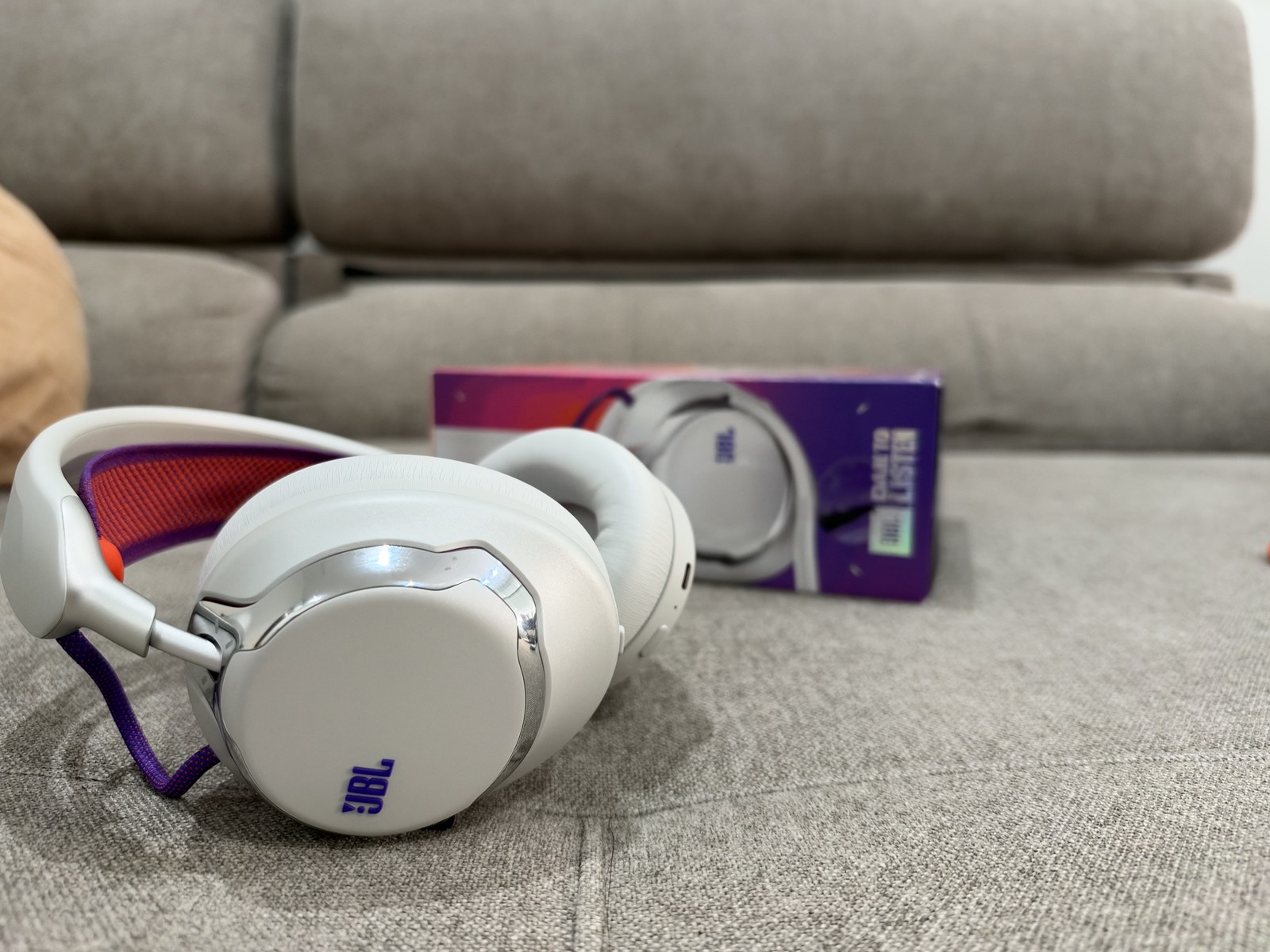
Noise cancellation, which blocked outside sound very well in our testing, runs off the ANC button on the ear cup. Each press cycles from noise cancellation to Ambient Aware, which lets in the voice of whoever's next to you, and then to off.
Long sessions don't force a break either. While you play on one battery, the other charges in the base in about three hours, and you swap it by taking off the right ear cup's cover. Bluetooth works at the same time as the base, so you can keep your phone paired and take a call without pulling the headset off.
Xbox players are out of luck with this model, since JBL doesn't list Xbox among the Quantum 950's platforms. In the US, JBL also sells a Quantum 950X variant that retailers list for Xbox, which we haven't tested.
Frequently asked questions
Does GTA 6 support 3D audio on PS5?
Yes. According to the PlayStation Blog, every sound in GTA VI uses PS5 3D Audio. With headphones, turn it on in Settings > Sound > 3D Audio (Headphones) with the Enable 3D Audio for Headphones option.
How do I create a 3D audio profile on PS5?
Go to Settings > Sound > 3D Audio (Headphones) and pick Create Personalized 3D Audio Profile. The console plays sounds and asks where you hear them. Then turn on Apply Personalized 3D Audio Profile, or choose one of the five presets.
How do I mute licensed music in GTA 6?
The Audio section of the game's settings has an option to mute licensed music, meant for streamers. According to Shacknews, the original score keeps playing and song captions stay on screen.
What can I do if I can't hear the dialogue in GTA 6?
Try PS5 Audio Focus, which only works with headphones. It's under Settings > Sound > Volume > Audio Focus. Turn on Use Audio Focus, choose Boost Voices and start at the Weak level. Lower your volume first, since some sounds can get very loud.
Should I use the JBL Quantum 950's spatial sound with GTA 6?
We'd leave it off and use PS5 3D Audio, which is what the game is built around. With both on, the sound gets processed twice. QuantumSPATIAL 360 toggles with a short press of its button on the ear cup.
The conversation starts here
Sign in with a supporter account to comment. Sign in


Nobody has commented yet. Want to go first?