

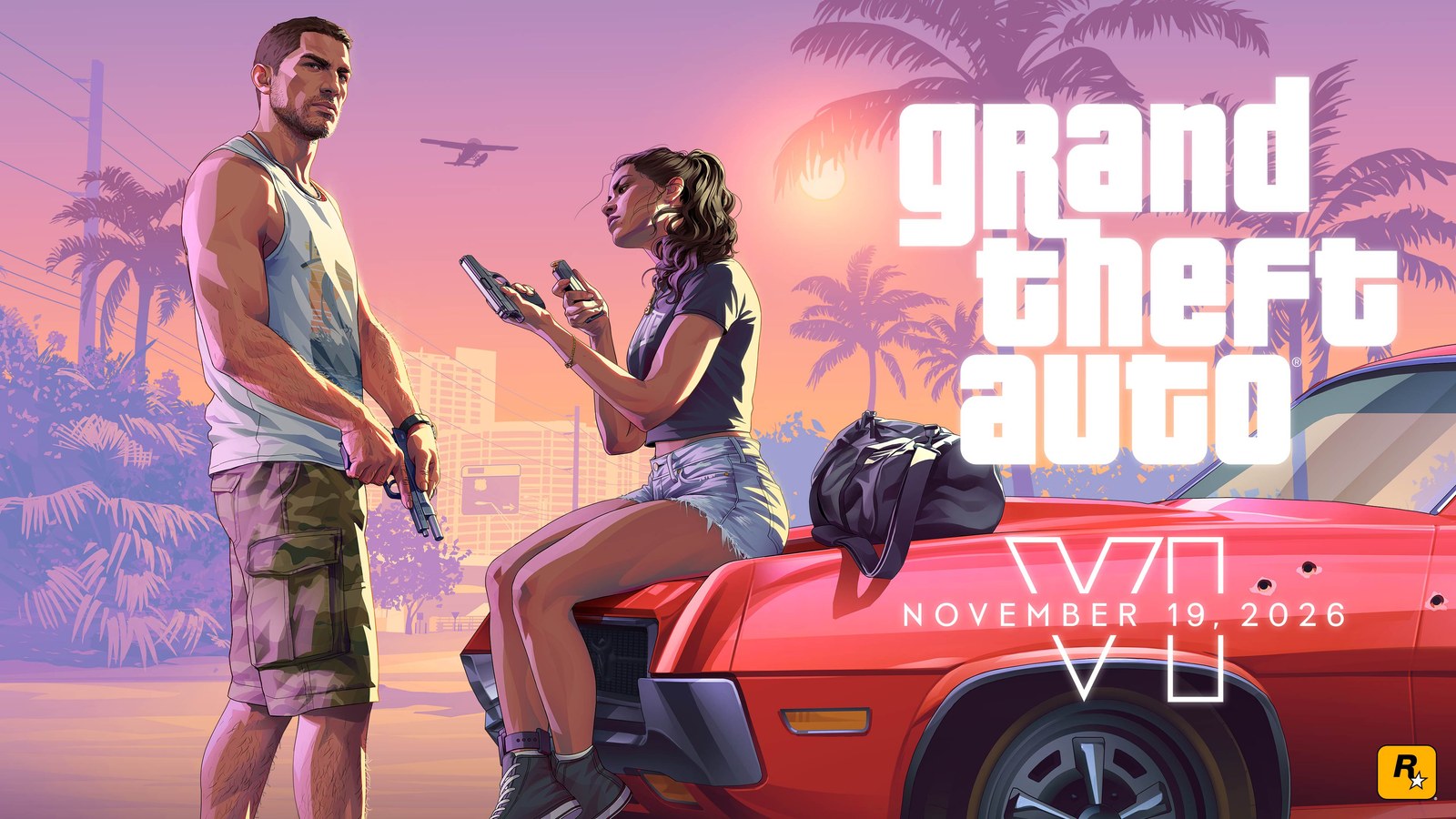
Grand Theft Auto VI comes out November 19 rated M for Mature 17+ by the ESRB, the board that rates games in the US and Canada. That means the ESRB considers it generally suitable for ages 17 and up. In Europe it carries PEGI 18, the top of that scale.
To stop a kid from launching it on PS5 or Xbox Series X|S, they need to play on their own child account inside your console family, set up with their real birthdate. With that in place, the console blocks games rated above their age and sends you a request if they try to open one. Below are the steps for each console and the slip-ups that defeat the block.
What the rating says is in the game
The ESRB lists seven content descriptors for GTA VI, plus in-game purchases. Here's what each means, using the ESRB's own ratings guide:
- Blood and Gore: depictions of blood or the mutilation of body parts. - Intense Violence: graphic, realistic-looking physical conflict. - Strong Sexual Content: explicit or frequent depictions of sexual behavior, possibly with nudity. - Nudity: graphic or prolonged nudity. - Use of Drugs and Alcohol: characters consume illegal drugs or alcohol. - Strong Language: explicit or frequent profanity. - Mature Humor: adult humor, including sexual references. - In-Game Purchases: offers to buy digital goods with real money.
Other boards agree. PEGI lists violence, sex, drugs and in-game purchases on European store pages, and Germany's USK rated it adults-only on October 13, citing drastic violence, drugs and criminal role models. In early October, a more detailed description attributed to PEGI's website made the rounds on social media and has since disappeared. We couldn't verify it at the source, so we're not using it to describe the game.
Why some store pages still say Rating Pending
The ESRB database already lists GTA VI as M, but Microsoft's US Xbox page still showed "Rating Pending" on October 30. The ESRB uses RP for games that haven't been assigned a final rating yet, and the label is supposed to be replaced once one is. Here, the rating exists and the store page simply hasn't caught up.
In Europe, PEGI's public database didn't return GTA VI on October 30 either, even though the PEGI 18 label is on PlayStation Store and Microsoft Store listings. PEGI explains that a publisher's questionnaire generates a provisional rating first, which its administrators then approve or change before release. For parents, none of this changes the answer. Every board that has rated GTA VI so far has put it at 17 or 18 and up.
How to block it on PS5
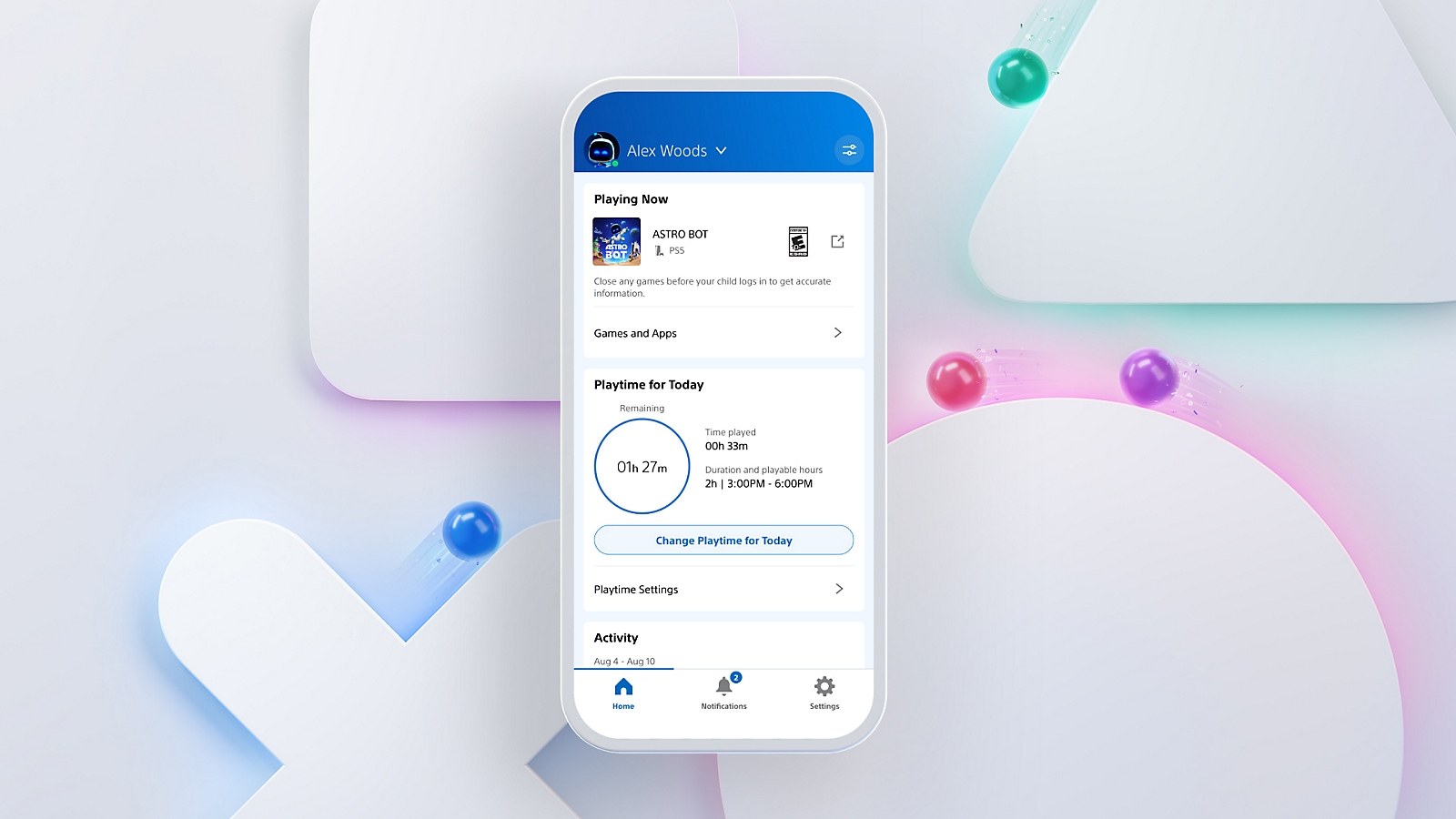
On PS5, restrictions live on the child's account rather than the console, and they follow them to any PS5 or PS4 they sign in to. Our full PS5 parental controls guide covers everything. For GTA VI, these settings matter:
1. Set up a family on PlayStation Network and a child account for each kid, with their real birthdate. The console checks that age against each game's rating. 2. Go to Settings > Family and Parental Controls > Family Management, pick your child and check Age level for games and apps. Sony's preset restriction levels all set it to the child's age, so a 13-year-old can't launch an M-rated game. 3. Leave the monthly spending limit at $0, the default. Purchases on a child account come out of the family manager's wallet.
If your kid tries to start the game, it's blocked and they get a screen to ask permission. You'll receive a notification and an email, and you can decide from Notifications on the PS5 or in the PlayStation Family app. According to PlayStation Support, changes made while they're playing kick in after they sign out and back in.
The most common hole is a kid playing on a parent's account. The limits only protect their own profile, so don't leave yours signed in or share your password.
How to block it on Xbox Series X|S
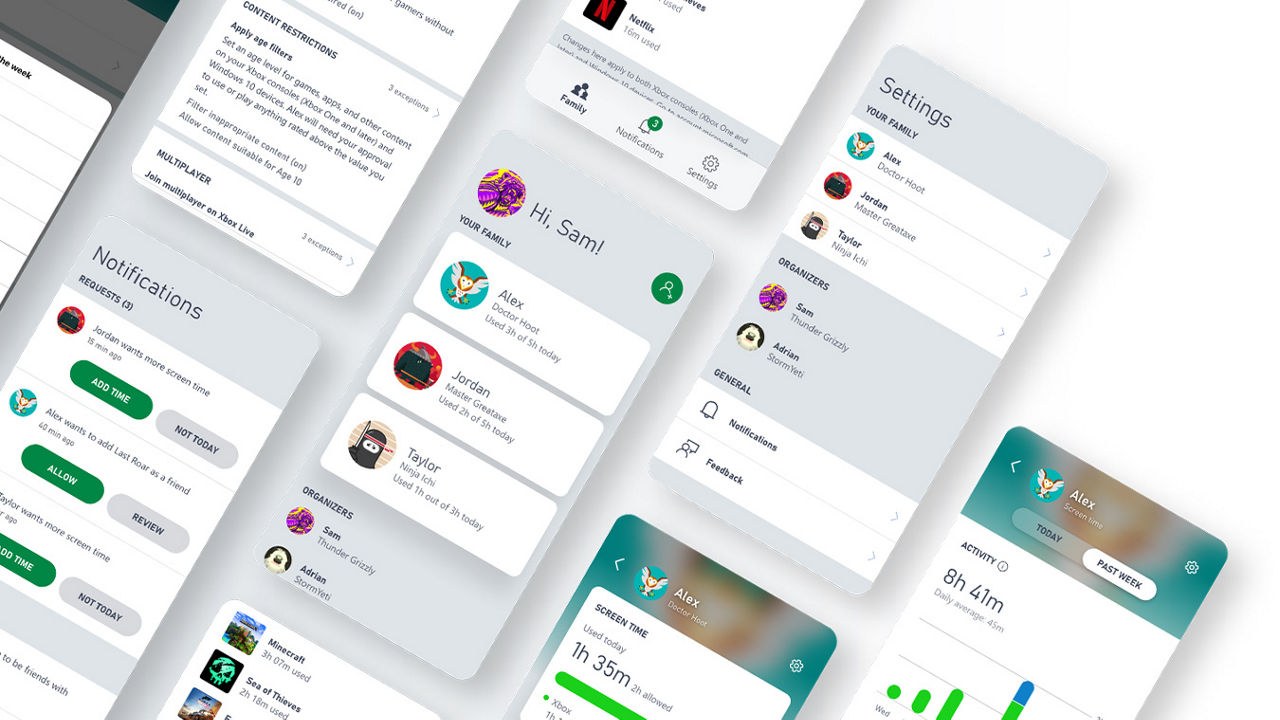
On Xbox, your child needs an account in your Microsoft family group. Microsoft sets their age limit from that account's birthdate by default, so make sure it's right first. Using the Xbox Family Settings app on Android or iOS:
1. Open the app, tap your child's account tile, then the Settings icon in the top-right corner. 2. Select Content restrictions and, under Apply age filters, choose the age limit. Anything rated higher will need your approval. 3. Under Spending, turn on Ask to buy so every purchase comes to you first. Redeeming an Xbox gift card doesn't need your approval, so your child can add balance to their account without going through you.
On the console itself, press the Xbox button, go to Profile & system > Settings > Account > Family settings, choose Manage family members, pick your child and set the age under Access to content, per Xbox Support.
Your kid's requests show up in the app's Notifications tab. On the console, permission can also be requested and granted on the spot. In My games & apps > See all, select the game and Ask now, and you choose between Always and Just this once. Microsoft warns that Always is permanent and can't be revoked, so for an M-rated game, Just this once is the safer choice if you ever make an exception.
When an adult and a child are signed in at the same time, the console enforces the youngest member's limits, so you'll need to sign your kid out to play it yourself. It also helps to set a six-digit PIN under Profile & system > Settings > Account > Sign-in, security & PIN > Create my PIN, which Microsoft says stops family members from overriding parental controls through your profile. If your kid knows your Microsoft account password, though, they can reset that PIN.
Test it before November 19
Preloading starts at local midnight on November 12, according to Rockstar Support, so the game may sit on your console a week before launch. Being installed doesn't mean a restricted account can open it. A boxed copy given as a gift doesn't change anything either. The box holds a download code, not a disc, and either way the block depends on which account is playing. File sizes and unlock times are in how big GTA 6 is and when preloading starts.
To check that it works, sign in with your kid's account and try to launch a mature game you already have installed, such as GTA V, which is also rated M. You should see the block screen with the option to ask for permission. If the game starts, check the birthdate on their account and the age limit. Everything else we know about the game is in GTA 6 release date, map and characters.
Frequently asked questions
What is GTA 6 rated?
The ESRB rates GTA VI M for Mature 17+, meaning it's generally suitable for ages 17 and up. In Europe it carries PEGI 18 and in Germany USK 18. The ESRB descriptors include blood and gore, intense violence, strong sexual content, nudity, drugs and alcohol, strong language and mature humor.
Why is GTA 6 rated M?
The ESRB cites blood and gore, intense violence, strong sexual content, nudity, use of drugs and alcohol, strong language and mature humor. Germany's USK points to drastic violence, drugs and criminal role models, and PEGI lists violence, sex and drugs.
Does GTA 6 have in-game purchases?
Yes. The ESRB, USK and PlayStation Store listings all flag in-game purchases, meaning players can buy digital goods with real money. On PS5, a child account's monthly spending limit is $0 by default, and Xbox lets you require approval for every purchase with Ask to buy.
Can my kid play GTA 6 if I buy it on my account?
Only if they play on your account or you grant permission. The block depends on which account is signed in, not who bought the game. On their own child account with a real birthdate, PS5 and Xbox block it even when it's installed and let them send you a request.
How do I block GTA 6 on Xbox?
In the Xbox Family Settings app, open your child's settings, select Content restrictions and set the limit under Apply age filters. On the console, go to Profile & system > Settings > Account > Family settings. If you grant an exception, pick Just this once, since Always can't be revoked.
What does Rating Pending mean on a game listing?
RP means the ESRB hasn't assigned a final rating yet, and it should be replaced once one is. For GTA VI the ESRB has already assigned M for Mature 17+, so an RP label on a store page means that page hasn't been updated.
The conversation starts here
Sign in with a supporter account to comment. Sign in

Nobody has commented yet. Want to go first?