

It is not called Nano Banana
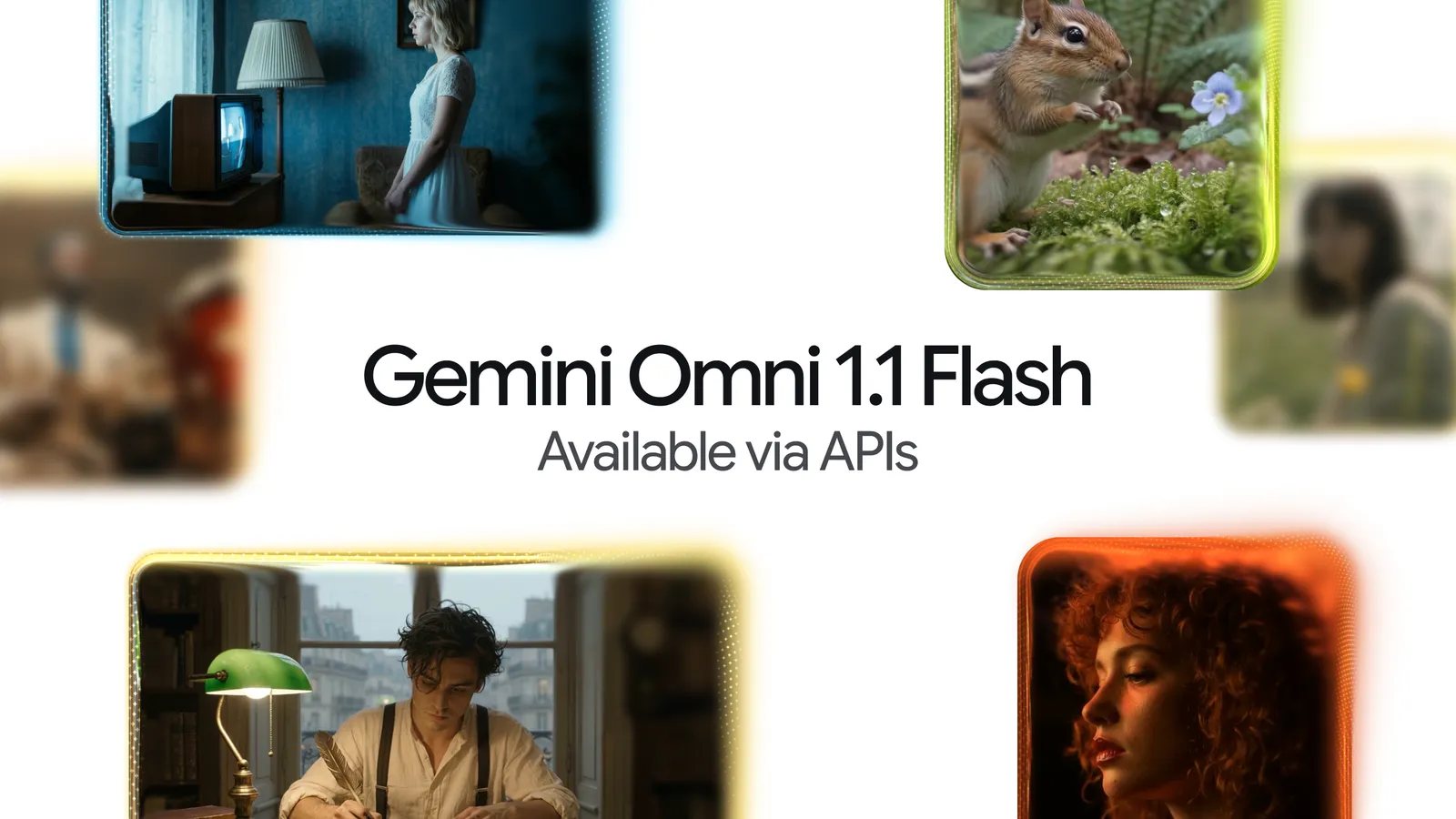
Upload a video, type 'remove the microphone', 'turn the controller into ice' or 'replace this room with a beach', and Gemini returns a new clip with the requested change. That is the idea behind calling Gemini Omni 1.1 Flash the 'Nano Banana for video', even though Google does not use that name itself. The comparison makes immediate sense.
Nano Banana remains Google's image generation and editing family. Omni 1.1 Flash specialises in conversational video: it creates a scene from text or images, then remembers the previous version while you replace the background, adjust the lighting and add an object in successive rounds. Google launched it in Flow, its AI filmmaking workspace, on August 27 and made it a stable production model for developers through the API. Google DeepMind product leads Anish Nangia and Alisa Fortin describe the release as production-ready. It is still a different kind of Flash from Gemini 3.7, built for coding and agents: they share the brand and the emphasis on speed, but not the same capabilities.
Editing by talking is the important part
Generating a video from scratch is no longer surprising. The difficult part is preserving its motion, framing and subject when only one element needs to change. Omni accepts clips up to 10 seconds long for editing and produces three-to-ten-second video at 24 frames per second. A prompt can remove an object, swap a material, transform the style or change visible text.
The difference between a flashy demo and a usable tool is the ability to correct the result over several rounds. Google recommends simple instructions and adding 'keep everything else the same' when the requested change is narrow, though even that does not guarantee every pixel will survive untouched. Our tests produced some striking results, but the model did not always follow the first instruction.
It still cannot match the precise control of a conventional editor. What it can do is get the idea much closer to finished before you open one.
Forty-second scenes, 360p drafts and 4K output
Omni 1.1 can extend a scene in ten-second steps to a total of 40 seconds. It examines the previous video's final ten seconds rather than relying on its last frame alone. You can also supply a first and last image for the model to invent the motion between them, or provide up to three three-second video references to carry a likeness or action into a new scene.
The 360p draft mode is less glamorous and probably more useful. Google measures throughput up to 60% faster than 720p and charges one third as much through the API. Test a composition cheaply, discard the failures, then render the winner at 1080p or 4K. It is the logic of a sketch: nobody paints the final canvas before deciding where the chair belongs.
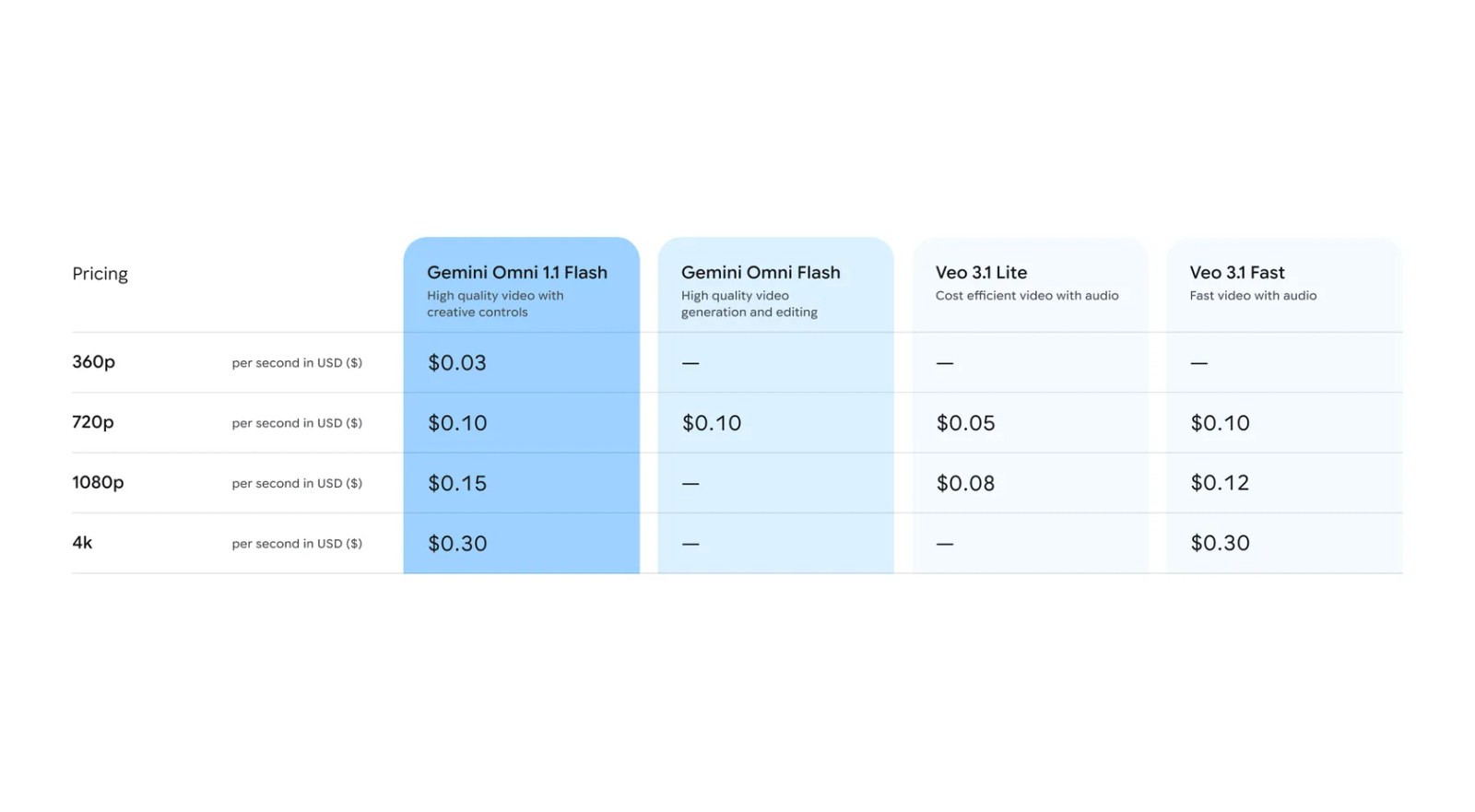
API pricing is $0.03 per second at 360p, $0.10 at 720p, $0.15 at 1080p and $0.30 at 4K. A ten-second clip therefore costs $0.30, $1, $1.50 or $3, depending on resolution. Every generated video carries Google's invisible SynthID watermark.
Flow pricing and the European catch
Omni 1.1 Flash is now available in Google Flow to AI Plus, Pro and Ultra subscribers. Current costs do not match the six or twelve credits quoted in some early demonstrations: generation ranges from 15 to 30 credits for four, six, eight or ten seconds, while editing a video costs 40. Upscaling to 1080p is free for Plus, Pro and Ultra; 4K requires Ultra and 50 credits.
Pro supplies 1,000 monthly credits, so there is no honest single answer to 'how many videos per month'. Duration, edits and the number of generations made by one request all matter. Students using Google's free AI Plus offer receive 200 monthly credits rather than Pro's 1,000.
The crucial limitation is regional. Google does not currently allow people in the European Economic Area, Switzerland or the UK to edit or extend uploaded video. They can generate clips and revise or continue videos made by the model itself. Voice editing is unsupported, only English prompts have been fully evaluated, and an extension can only be appended to the end of a shot.
Google has built a video generator that finally accepts conversation and corrections. Your own footage, if you are in Europe, still does not get the same treatment.
The conversation starts here
Sign in with a supporter account to comment. Sign in

Nobody has commented yet. Want to go first?