
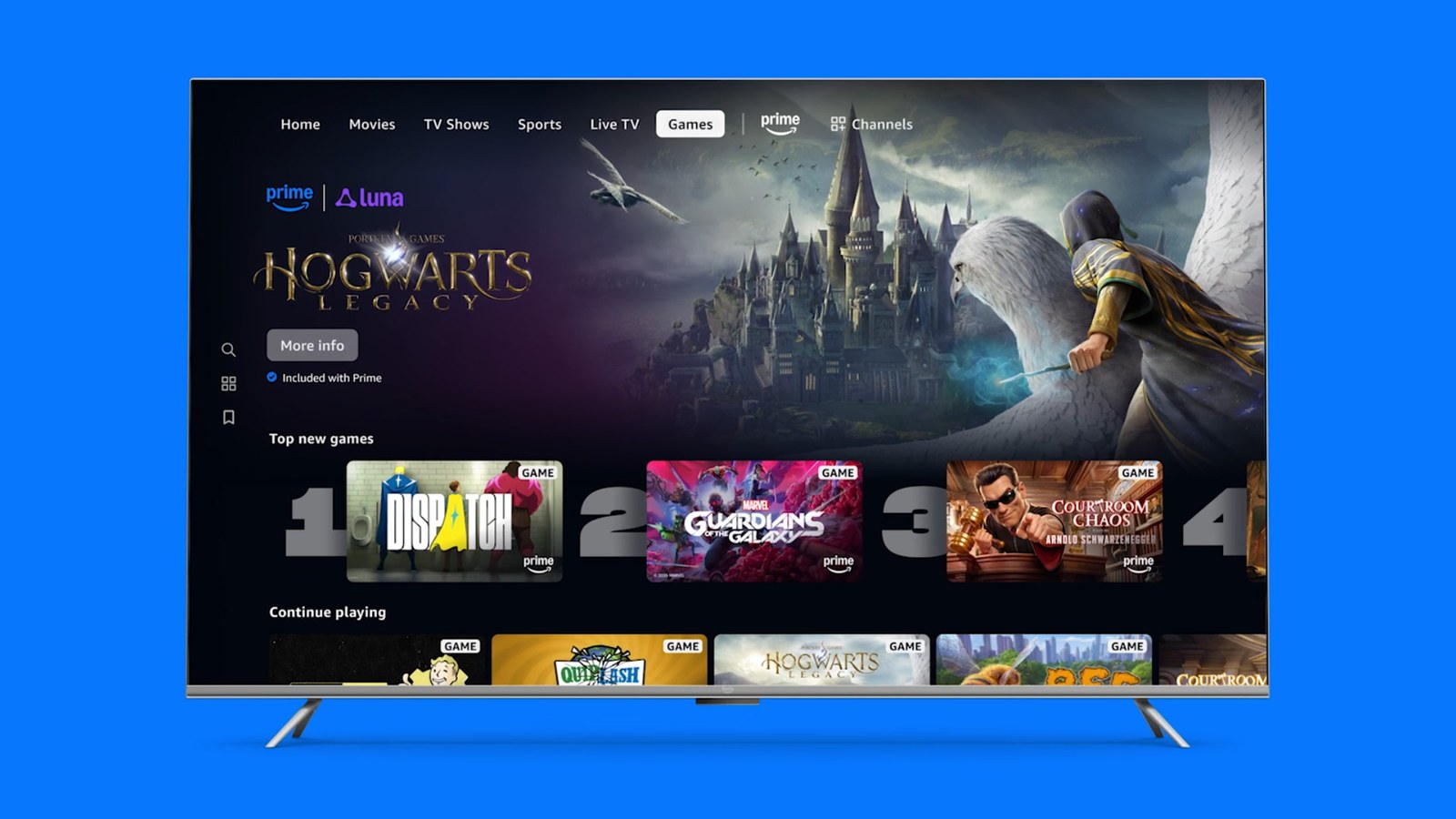
If you have Prime and a Fire TV, you can play games without a console straight from the Prime Video app. In late July 2026, Amazon added a Games tab to Prime Video on Fire TV in the US and UK. It opens Luna, Amazon's cloud gaming service, at no extra cost beyond Prime, which runs $14.99 a month or $139 a year in the US. Nothing has to be downloaded or bought.
On October 19, Amazon brought the same tab to Canada and three European countries and said eight more European countries will follow in November. In every one of those markets, the tab is only on Fire TV. Luna runs on phones, computers and some smart TVs too, but on those you play through the Luna app or website, not inside Prime Video.
How cloud gaming works
A console runs the game on the box under your TV. Luna runs it on a computer in an Amazon data center. Your Fire TV sends every button press to that server, the server works out what happens next, and the picture comes back as a live video stream, much like a show on Prime Video. That is why nothing gets installed and the device in your living room doesn't need much power.
The tradeoff is that everything rides on your connection. Each input makes a round trip to the server, and when the network gets congested, the picture softens or the response arrives late. A turn-based party game barely suffers. In a racing or action game, the same delay can cost you a corner.
How to find the Games tab
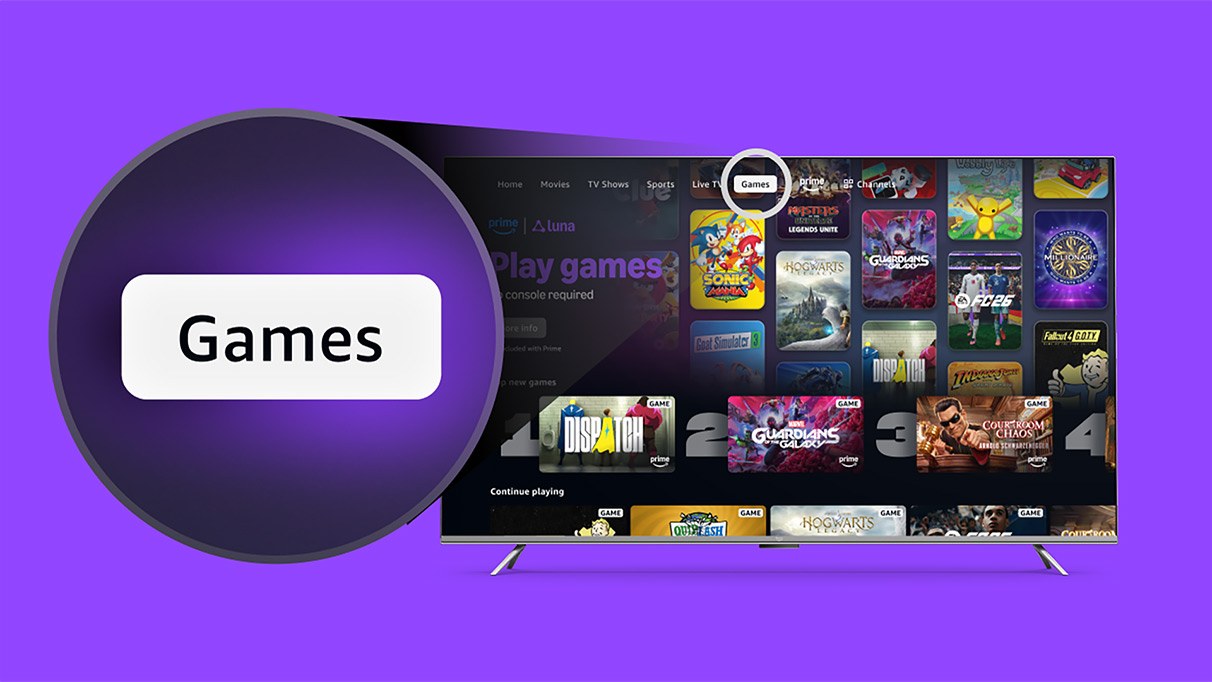
Open Prime Video on your Fire TV under the account that holds the Prime membership, select the Games tab and pick a title. Party games from the GameNight collection put a QR code on the screen. Scan it with your phone's camera and the phone becomes your controller. For the rest of the library you need a controller. Pair an Xbox One, DualShock 4 or Stadia controller through the Fire TV's Bluetooth settings first. The Luna Controller is set up once in its app and connects over Wi-Fi.
Amazon hasn't said which Fire TV models get the tab. Luna's device list covers Fire TV hardware running Fire OS 5 or Vega OS 1.1 and later. If the tab is missing, make sure the system software and the app are up to date.
What Prime includes
Amazon says more than 60 games come with Prime, including over 25 local multiplayer titles in GameNight. When the Games tab launched, Amazon highlighted Hogwarts Legacy, EA Sports FC 26 and Indiana Jones and the Great Circle, along with party versions of Clue, Ticket to Ride and Taboo.
Sonic X Shadow Generations is in the library too, and the Star Wars: Galactic Racer campaign arrived on Luna on October 6, the same day the game launched on consoles. A brand-new campaign you would pay for separately on a console is playable here as part of Prime.
Included games aren't yours to keep. You can play them while they stay in the library and your Prime membership is active, and Amazon rotates titles in and out each month. There is also Luna Premium, a paid upgrade with a bigger library that replaced Luna+. Amazon's Prime announcement doesn't list its price, so check it in the Luna app before you subscribe.
Which controller works on Fire TV
GameNight only needs phones. Each player scans the QR code and uses the touchscreen as a gamepad, so a four-player session doesn't require four controllers. The metal shooter Space Metal Mania even lets a group mix phones and controllers in the same match.
Racing and action games are easier with a real controller. Amazon's supported controller list names the Luna Controller, the Xbox One controller, the PS4 DualShock 4 and the Stadia controller for Fire TV. The PS5 DualSense is listed for PCs, Macs, phones and Samsung TVs but not for Fire TV, so owners of a PS5 pad alone should plan on another device or another controller.
Playing Luna without a Fire TV
Without a Fire TV, the Prime Video tab won't help yet, but your Prime membership still unlocks Luna elsewhere. Supported options include Chrome and Edge on PCs and Macs, Safari on iPhone and iPad, Chrome on Android, Fire tablets from 2018 onward, Samsung TVs from 2020 onward and LG TVs from 2021 onward, the last two with minimum software versions. Comcast's Xumo Stream Box and Xfinity X1 TV Box are on the list as well. On all of them you sign in to the Luna app or website with the same Amazon account.
Internet speed and data use
Amazon asks for a sustained connection of at least 10 Mbps for 1080p play and recommends a wired network or, on Wi-Fi, the 5 GHz band. Sustained means the speed has to hold for the whole session, including when someone else in the house is streaming or downloading. Amazon also suggests turning off any VPN and switching your TV to game mode.
Speed is only half the picture. Megabits per second tell you how much data fits through the line, while lag depends on how long each button press takes to travel there and back. Our guide to cloud gaming speed and data use explains how to check both.
Luna's help page warns that cloud gaming can use up to 10 GB an hour at 1080p. At that rate, 100 hours of play in a month would use about 1 TB, so check whether your home internet plan has a monthly data cap.
Limits: resolution, location and play time
Amazon documents 1080p and says nothing about 4K, so on a large 4K TV the picture will look softer than native 4K content.
Access is tied to where you live. According to Luna's country page, your Prime membership has to come from the country you currently reside in.
Neither the announcement nor the help pages we checked mention a monthly hour cap like the one Microsoft now applies to Xbox Cloud Gaming on Game Pass.
The conversation starts here
Sign in with a supporter account to comment. Sign in
Nobody has commented yet. Want to go first?