
Google will hold on to Gemini's temporary chats, and to every conversation you have with History turned off, for about two months. Until now the limit was 72 hours, so the window is roughly 20 times longer. Google announced the change on Monday, November 16, on its official blog, and the Gemini Apps Privacy Hub already lists the new period. The new settings will reach the Gemini app worldwide over the coming weeks.
Temporary chats still stay out of your history, and Google says it does not use them to train its models, meaning it doesn't feed them to its AI as examples to learn from. What changes is how long they remain tied to your account on Google's servers. Google says it keeps them to respond to you, process any feedback you send, and protect Google, its users and the public. It has not said what prompted the longer window.
Saving history and training are now separate
Until now, one switch, Gemini Apps Activity (Keep Activity), made two decisions at once: whether your chats were saved and whether Google could train on them. If you wanted your conversations kept, you also handed them over for training.
Google is splitting that switch. The History setting decides whether conversations are saved so you can come back to them. Inside it sits a separate box, Chat content including text & uploads, which decides whether your chats train Google's generative AI models. Google's help page says that box is off by default and only exists when History is on. Google has not said how the change treats people who already had activity turned on, so check the box once the update reaches you.
Some things stay the same. With History on, Gemini deletes chats after 18 months unless you pick 3 or 36 months or no auto-delete.
How that compares with ChatGPT and Claude
Among the three big assistants, the change takes Gemini from keeping these chats for the shortest time to keeping them the longest. OpenAI holds ChatGPT temporary chats for up to 30 days, and Anthropic keeps Claude incognito chats for 30 days, as we lay out in our guide to stopping ChatGPT, Gemini and Claude from training on your chats. Gemini's two months is about double that.
In all three, a temporary mode keeps a one-off question out of your history and the assistant's memory, as we explain in how ChatGPT's Temporary Chat works. None of them hides what you type from the company running it.
What you can do
Keep your history without feeding training. On gemini.google.com, open Settings & help, go to History, leave it on and make sure the Chat content box is unchecked. If History is off, you have to turn it on first to see the box.
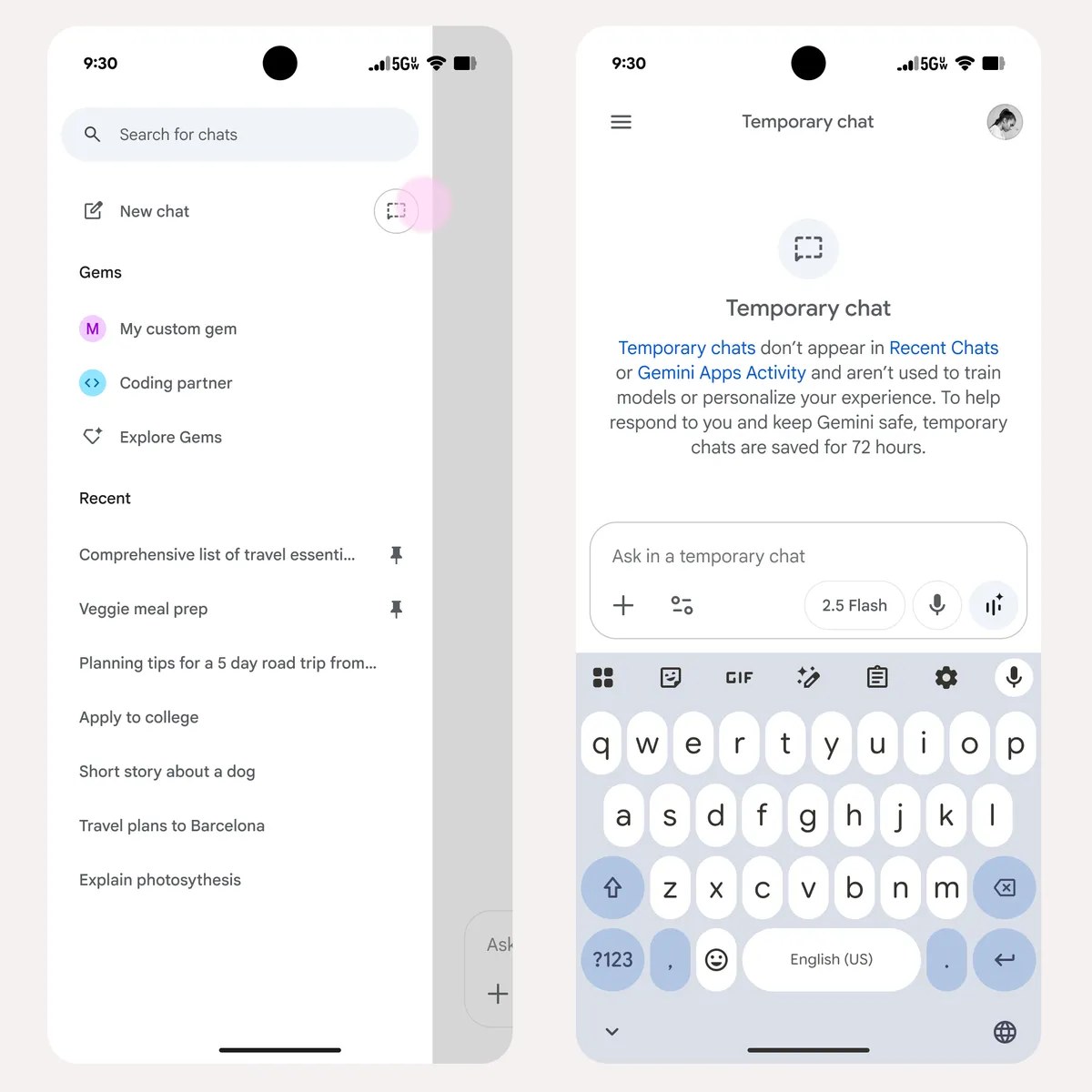
Think twice before typing something sensitive. Assume anything you type stays tied to your account for about two months, even in a temporary chat (the button next to New chat). Once you leave that chat you can't reopen it, and Google's help pages don't offer a way to delete it sooner. The safest option is not to type it.
Skip the thumbs up or down. If you send feedback with History off, Google uses that feedback and your chats from the previous 24 hours to improve Gemini, and anything a human reviewer reads can be kept for up to three years, disconnected from your account, even if you later delete your activity.
Trim what's already there. At myactivity.google.com/product/gemini you can delete single chats or date ranges and shorten auto-delete to 3 months. Work and school accounts don't get temporary chats, and their administrators set retention.
Tasks goes free in the U.S. and five other countries
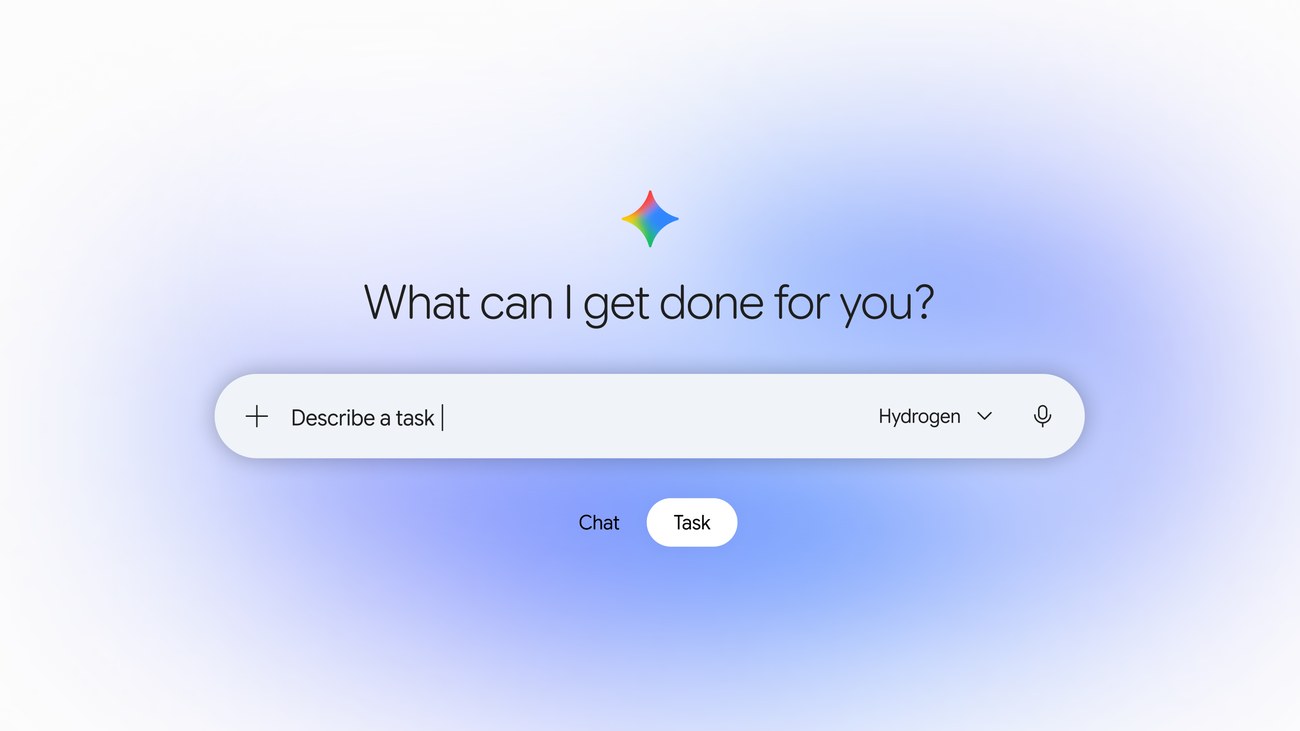
A day later, on Tuesday, November 17, Google made Tasks free in the U.S., Japan, South Korea, Canada, Australia and India. Tasks is a mode in the Gemini app that runs multistep errands for you, such as booking an appointment, checking a bill or ordering groceries. You flip the home-screen switch from Chat to Task, and Gemini, running on the new Gemini 4 Hydrogen model, works in its own walled-off virtual computer, connected to your email, calendar and payment methods. It asks for confirmation before it clicks Buy. In the U.S. you can also start tasks by forwarding an email to gemini@google.com or by texting Gemini. Google's agent arrives the same week OpenAI let its own agents pay at checkout through ChatGPT Wallet.
The conversation starts here
Sign in with a supporter account to comment. Sign in


Nobody has commented yet. Want to go first?