

To ask AI companies not to train on your site, you add a few lines to robots.txt, the plain text file that crawlers (the bots that roam the web) check before they copy your pages. Those lines shut out the training crawlers run by OpenAI, Anthropic, Google, Apple, Meta and Common Crawl. On WordPress.com and Cloudflare, a single setting adds blocking rules of its own for you.
Companies that honor the file stop training on what they collect after you change it, but none of them promises to remove what it already has, and a crawler that ignores the file will keep coming. What you type into chatbots is a separate matter, as we explain in how to stop them from training on your conversations.
The lines to paste
Add these lines to the end of your robots.txt, one per line. Each "User-agent" line names a crawler, and consecutive ones share the rule beneath them, as the file's RFC 9309 standard allows. "Disallow: /" shuts them out of the entire site.
- User-agent: GPTBot
- User-agent: ClaudeBot
- User-agent: Google-Extended
- User-agent: Applebot-Extended
- User-agent: meta-externalagent
- User-agent: CCBot
- Disallow: /
What each name covers
GPTBot, ClaudeBot, meta-externalagent and CCBot are the crawlers run by OpenAI, Anthropic, Meta and Common Crawl, and Cloudflare classifies all four as AI training bots. Google-Extended and Applebot-Extended never visit your site. They are names you use to tell Google and Apple not to train on what their regular crawlers already fetch.
To get ahead, leave a blank line and add "User-agent: __usage_ai-training" with its own "Disallow: /". It is the shared rule Google, OpenAI, Microsoft and Anthropic are preparing, and no company honors it yet. Microsoft starts on February 1, 2027, and Google in early 2027.
Crawlers you probably want to let in
AI search runs on different bots, so you can opt out of training without vanishing from chatbot answers. OpenAI surfaces sites in ChatGPT through OAI-SearchBot, which its crawler documentation says you can allow or block separately from GPTBot. Anthropic splits things the same way with Claude-SearchBot, which indexes (collects and organizes) pages for its search, and Claude-User, which fetches a page when someone asks Claude to read it. Leave them out of the file and they keep getting through.
Blocking Google-Extended won't remove you from Google Search or change your ranking, according to Google's crawler list, but it does stop the Gemini app from pulling your pages into its answers. Apple says Applebot-Extended plays no part in its search results either. Meta is different, since it also uses its crawler to index content for its products, so blocking it may reach beyond training.
WordPress
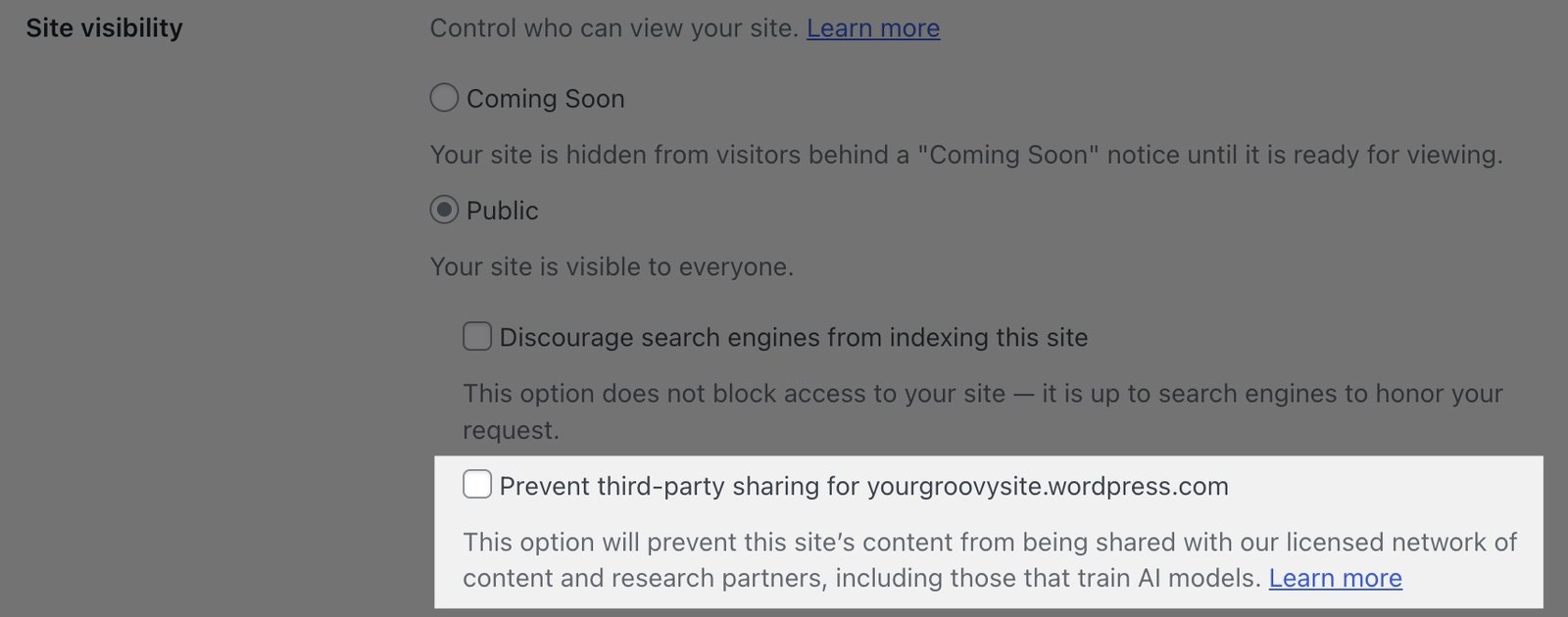
On WordPress.com, go to Settings > Reading, set Site Visibility to Public, tick Prevent third-party sharing and save. According to WordPress.com's help page, the box adds known AI bots to the disallow list in robots.txt. You have to turn it on for each site.
On a self-hosted WordPress site, the Yoast SEO plugin lets you create or edit the file under Yoast SEO > Tools > File editor. If that menu is missing, file editing is turned off on your install, and Yoast's help points you to uploading the file to your site's main folder over FTP, the standard way to move files onto a server.
Wix
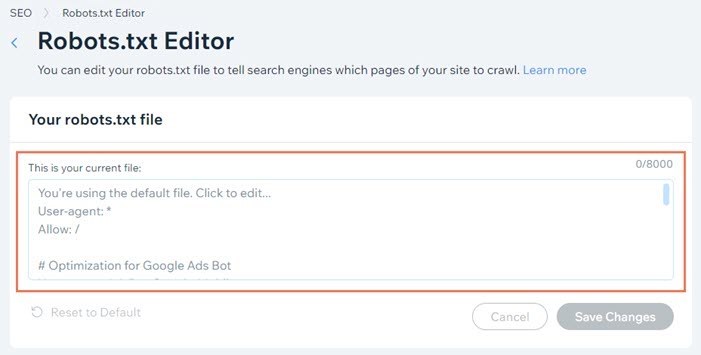
On Wix, open SEO & GEO from your site's dashboard, scroll to Tools and settings, select Robots.txt Editor and then View File. Paste the block below the existing text, select Save Changes and confirm with Save. If something breaks, Reset to Default brings back the original. Wix support won't help with those edits.
Shopify
Shopify builds robots.txt from a template in your theme, the design layer of your store. In the theme's code editor, right-click the Templates folder, create a new file and name it robots.txt.liquid. Start with the code from Shopify's theme documentation, which keeps the rules your store already has and which Shopify strongly advises against deleting, then paste your block underneath as plain text.
Cloudflare
If your site uses Cloudflare, even on the free plan, the service writes the rules for you. Open Security Settings, filter by Bot traffic, choose Configure AI bot policies, set Training to Disallow, turn on Enable Bot Preference Sync and save. Cloudflare's documentation says its rules show up above your existing robots.txt within seconds, or create the file if you had none.
To actually turn crawlers away, which robots.txt cannot do, Cloudflare's AI Crawl Control has a Block button next to each crawler on its Security tab. On the free plan it only recognizes bots by the name they announce, so it won't stop one that hides who it is.
How to check that it worked
Type your site's address followed by /robots.txt into a browser, for example yoursite.com/robots.txt. You should see your new lines, or Cloudflare's at the top. Crawlers can take up to 24 hours to notice, because the standard lets them work from a cached copy for that long. Each subdomain, such as blog.yoursite.com, needs its own robots.txt, according to Anthropic.
Frequently asked questions
Will blocking GPTBot remove my site from ChatGPT search?
No. OpenAI uses GPTBot for training and OAI-SearchBot to surface sites in ChatGPT search, and it treats each setting separately. You can block GPTBot and still let OAI-SearchBot in. If you change what OAI-SearchBot may crawl, OpenAI says its search results take about 24 hours to catch up.
Does blocking Google-Extended hurt my Google ranking?
No. Google says Google-Extended has no effect on whether your site appears in Search or where it ranks. It only controls whether content Googlebot collects can train future Gemini models and be pulled into Gemini app answers. Your regular Google results stay the same.
Does robots.txt remove what AI models already learned from my site?
No. The file only states your preference from the moment you change it. Anthropic, for instance, describes the opt-out as covering future material, and none of the companies in this guide promises to strip pages out of a model that has already been trained. The sooner you add the lines, the less content is exposed.
What is __usage_ai-training, and when will it work?
It is a shared rule that names a use, AI training, instead of a specific crawler, so two lines could cover several companies at once. Microsoft will honor it starting February 1, 2027, and Google in early 2027. OpenAI expects to follow in the coming months, and Anthropic has not given a date. Adding it now does no harm.
Can AI crawlers ignore robots.txt?
Yes. Following it is voluntary, as Cloudflare's own documentation points out. Companies that have committed to honoring it will do so, but an unknown crawler, or one that disguises itself, can still get in. Actually turning bots away takes a network-level service such as Cloudflare's AI Crawl Control.
How long does the change take to kick in?
The file updates as soon as you save it, and Cloudflare's managed rules show up within seconds. The lag comes from the crawlers, since the robots.txt standard lets them keep a cached copy for up to 24 hours. Meta and OpenAI cite roughly the same window. After a day, they should all be reading the new version.
The conversation starts here
Sign in with a supporter account to comment. Sign in



Nobody has commented yet. Want to go first?