

Avast has warned INSERT FUTURE about GTA 6-themed pages designed to steal credentials and money. In a statement received October 7, the company said its researchers reviewed more than 200 related domains and rated about 10% as medium or high risk. The warning covers fake pre-orders, downloads, giveaways and pages impersonating Rockstar or PlayStation.
Those numbers do not mean Avast confirmed more than 200 scam sites. The risk rate applies to the domains it examined, rather than the entire web. Genuine GTA 6 pre-orders also exist, so a useful check has to go beyond whether a page offers a pre-order.
Accurate release details can sit beside a malicious payment
A separate Malwarebytes investigation published in September examined a page selling an alleged leaked copy. Realistic game information and artwork surrounded payment offers that led visitors toward cryptocurrency approvals.
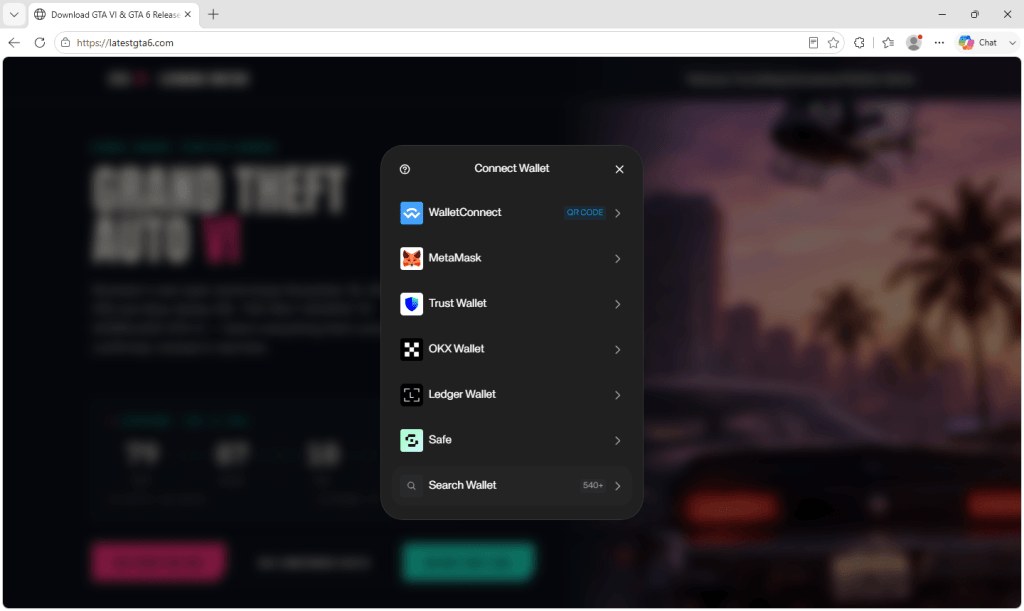
The researchers found code that could prepare transfers or request continuing access to assets. Connecting a wallet alone does not authorize the theft. Approving a transaction or asset-spending permission is the dangerous step. Disconnecting the site later does not necessarily revoke permissions already granted.
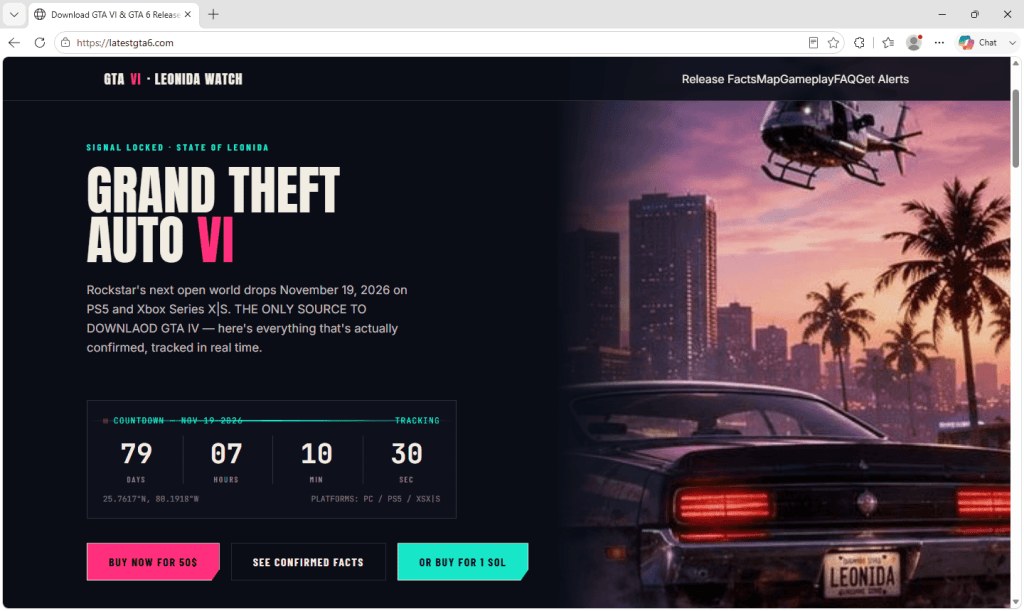
Use Rockstar to check the seller and platform
Rockstar’s official platform and edition information lists PS5 and Xbox Series X|S pre-orders, including Standard and Ultimate editions. An Ultimate label is therefore not evidence of fraud on its own. Start from Rockstar or your console’s store and verify the seller and platform there.
A page promising a playable PC download right now is not supported by that platform list. Our GTA VI PC release-date article explains what has been announced. Do not hand a platform password to a third-party giveaway or supposed leak page.
After sharing a password or approving wallet access
Go directly to your platform’s official app or website to change the password, review active sessions and check two-factor authentication. Our Steam, PSN and Xbox account-security guide walks through platform-specific recovery.
For wallet approvals, use the wallet’s official tools to review and revoke the permissions you granted. Avast’s statement does not provide victim or financial-loss totals, so it cannot establish how much these sites have stolen.
The conversation starts here
Sign in with a supporter account to comment. Sign in



Nobody has commented yet. Want to go first?