If you want one name, use ChatGPT. If you want to spend nothing, use three tools
There is no single best free AI. There is only the one that solves the job in front of you with the least friction.
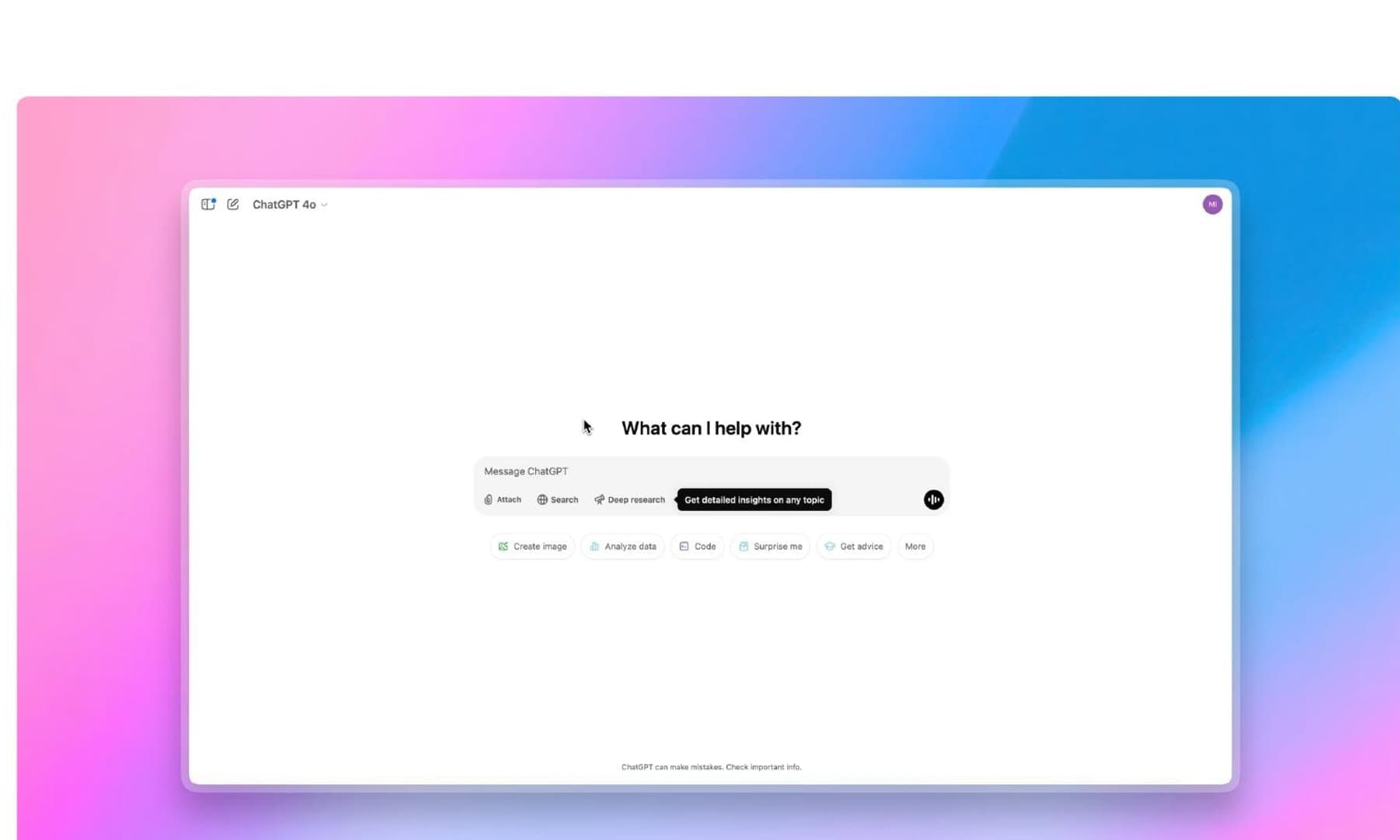
For most people, I would start with ChatGPT. The free tier combines conversation, web search, file uploads, images, voice, data analysis and a limited allowance of deep research. It does not win every test, but it stops a ten-minute task from becoming a tour of six different apps.
The best zero-cost setup still needs more than one tab. I would use ChatGPT as the default, Claude for demanding writing or reasoning and Perplexity to locate sources. If I were studying from my own material, I would replace Perplexity with NotebookLM.
This guide does not reward the longest feature list. It looks at what you can genuinely do without entering a card number — and where each product starts steering you towards the upgrade button.
ChatGPT Free is the easiest recommendation
OpenAI has packed enough into the free tier that calling it a demo no longer feels accurate. You can search current information, upload documents, analyse data, create images, use voice, organise projects and try ChatGPT Work or Codex within tighter limits. Deep research is also available in small doses.
The advantage is the complete workflow. ChatGPT can receive a PDF, find the useful section, check current information and turn the result into an email, outline or image without making you restart elsewhere.
The wall appears during sustained work. Files, images, advanced reasoning and deep research all have allowances, and OpenAI can adjust limits with demand. It is plenty for occasional use and much easier to exhaust during a full afternoon.
It remains my first answer when someone wants one free AI that can do almost everything. If you are deciding what deserves a subscription, our full ChatGPT, Claude, Gemini and Perplexity comparison deals with that separate question.
Gemini gives away the most, especially for study and images
Google has turned the free version of Gemini into an aggressive offer. It includes access to Flash and Pro models under rolling limits, plus Canvas, Gems, deep research, slide generation, screen automation and image creation with Nano Banana 2. The free context window is 32,000 tokens.
The expensive features consume allowance faster, availability varies by region and Google may tighten free access during heavy demand. Even with that small print, Gemini gives non-paying users an unusually broad toolbox.
I would choose it for free image generation before wandering into an unknown ad-filled website. It also makes sense for students and anyone already working across Google services.
The caveat is consistency. Gemini can be excellent on one request and noticeably less convincing on the next. It may have the most generous free plan without always producing the answer I would trust most.
Claude hits the limit sooner, yet still deserves a permanent tab
The free Claude plan is the least comfortable option for a long working day. Anthropic describes it as limited access for occasional use, and long conversations, files and web searches consume the allowance faster.
I would still keep it. Claude is unusually good at tone edits, preserving the intention of a rough draft and spotting the sentence that sounds synthetic without rebuilding the whole piece as a corporate memo. It is also excellent at reading code or untangling an idea you cannot yet explain.
Do not waste Claude on the weather. Save it for the paragraph, argument or code problem that genuinely needs a second mind. The limit becomes far less annoying when you stop asking it to do everything.
NotebookLM is the best free AI for studying your own material
NotebookLM is not trying to be a universal assistant. Give it notes, PDFs, websites or videos and it answers from those sources, with citations that take you back to the original passage. For exams, research or a dense manual, that restriction is a strength.
Standard access includes up to 100 notebooks, 50 sources per notebook, 50 daily chat queries and three audio overviews per day. A source can contain up to 500,000 words or weigh 200 MB.
I would not ask it what happened this morning. I would ask it where a claim appears inside a 200-page document. That distinction makes it more useful for serious study than many supposedly more powerful general chatbots.
Perplexity no longer has a clear reason to earn a recommendation
Perplexity became popular because it searched the web, summarised what it found and placed sources beside the answer. When ChatGPT and the other assistants struggled to retrieve current information, that difference justified another tab. In 2026, it does not.
ChatGPT, Gemini and Claude can search the web, open pages, follow links and produce substantial research. They can then keep working with the same material: writing, analysing files, coding or building a presentation without making you switch products. Perplexity still searches well; its rivals have simply turned that speciality into another feature.
The free plan includes practically unlimited basic searches, three Pro searches per day and one full Research query per month. That does not change my recommendation. The better you know the alternatives, the less reason there is to add Perplexity to your routine.
A screen full of citations should not be mistaken for reliable research, either. A source can exist without supporting the exact sentence beside it. If Perplexity already fits your habits, it will continue to work. If I were starting today, I would not create the account.
The free setup I would keep
ChatGPT can handle everyday work. Claude steps in when a piece of writing, a line of reasoning or a code problem needs a second pass. NotebookLM is the tool for studying your own documents, while Gemini becomes more useful if you live inside Google services or want to create images.
For studying, I would choose NotebookLM and Gemini. For writing, Claude with ChatGPT as the main assistant. For coding, I would start in ChatGPT and take the complete problem to Claude when it needs a review. For images, I would use Gemini and make the most of ChatGPT while its allowance lasts.
Current research no longer needs a dedicated product. ChatGPT and Gemini can search the web, compare pages and organise the findings. You should still open the original sources yourself: no chatbot should own that final check.
Pay when one of these limits interrupts real work several times a week, not when a company shows a shiny feature on stage. If you are starting today, keep the card in your wallet. The tool that cuts you off halfway through an important task is the one that may eventually deserve your money.
The conversation starts here
Sign in with a supporter account to comment. Sign in
Nobody has commented yet. Want to go first?